


An operator’s workstation in the field must provide access to video feeds, digital maps, messages and other operational information. When data comes from several systems, a single laptop may not offer enough screen space to view all the interfaces comfortably.
ELPIX mobile command post (MCP) is a transportable automated workstation equipped with displays, computer hardware, connectivity components and folding furniture. It can be used to set up a workspace for one or two operators without relying on a permanent office or control room.
Here are five use cases for the ELPIX mobile command post: UAV operators, unmanned ground vehicle (UGV) operators, electronic warfare and electronic reconnaissance specialists, air defence units and communications teams. In each case, the equipment serves as a platform for displaying and processing information; its capabilities depend on the connected systems and software.
What is an ELPIX mobile command post?
A mobile command post is a system for establishing an automated workstation at a new location. Depending on the model, ELPIX offers configurations with two 27-inch or four 32-inch displays, one or two computers, a folding table, chairs and a protective transport case.
Multiple screens make it possible to keep different applications visible side by side, such as a video feed, a mapping service, an activity log and supporting information. An MCP does not replace specialised equipment or communications channels; it provides the hardware environment needed to work with the relevant information sources.
Use case 1. MCP for UAV operators: video, maps and telemetry
UAV operators may need to view a camera feed, a digital map, telemetry and specialised software interfaces at the same time. On one small screen, this often requires constantly switching between windows.
An ELPIX MCP with four 32-inch displays allows these information streams to be placed on separate screens: one for video, another for mapping and the others for related applications or technical data. This is an example of how the workspace can be organised; the actual layout depends on the available signals and software.
- View several interfaces simultaneously without constantly switching between tabs.
- Review video footage and work with digital maps more conveniently.
- Set up an operator workstation where no permanent computer desk is available.
Use case 2. MCP for unmanned ground vehicles (UGVs)
Unmanned ground vehicle operators work with visual information, platform status data and the software interface of the relevant system. Some UGVs provide multiple camera feeds, diagnostic information and digital maps.
The ELPIX mobile command post can serve as a workstation for displaying UGV information: video, monitoring data and supporting windows can be shown on different screens. Whether a particular UGV can be connected and controlled depends on its software, hardware and available interfaces.
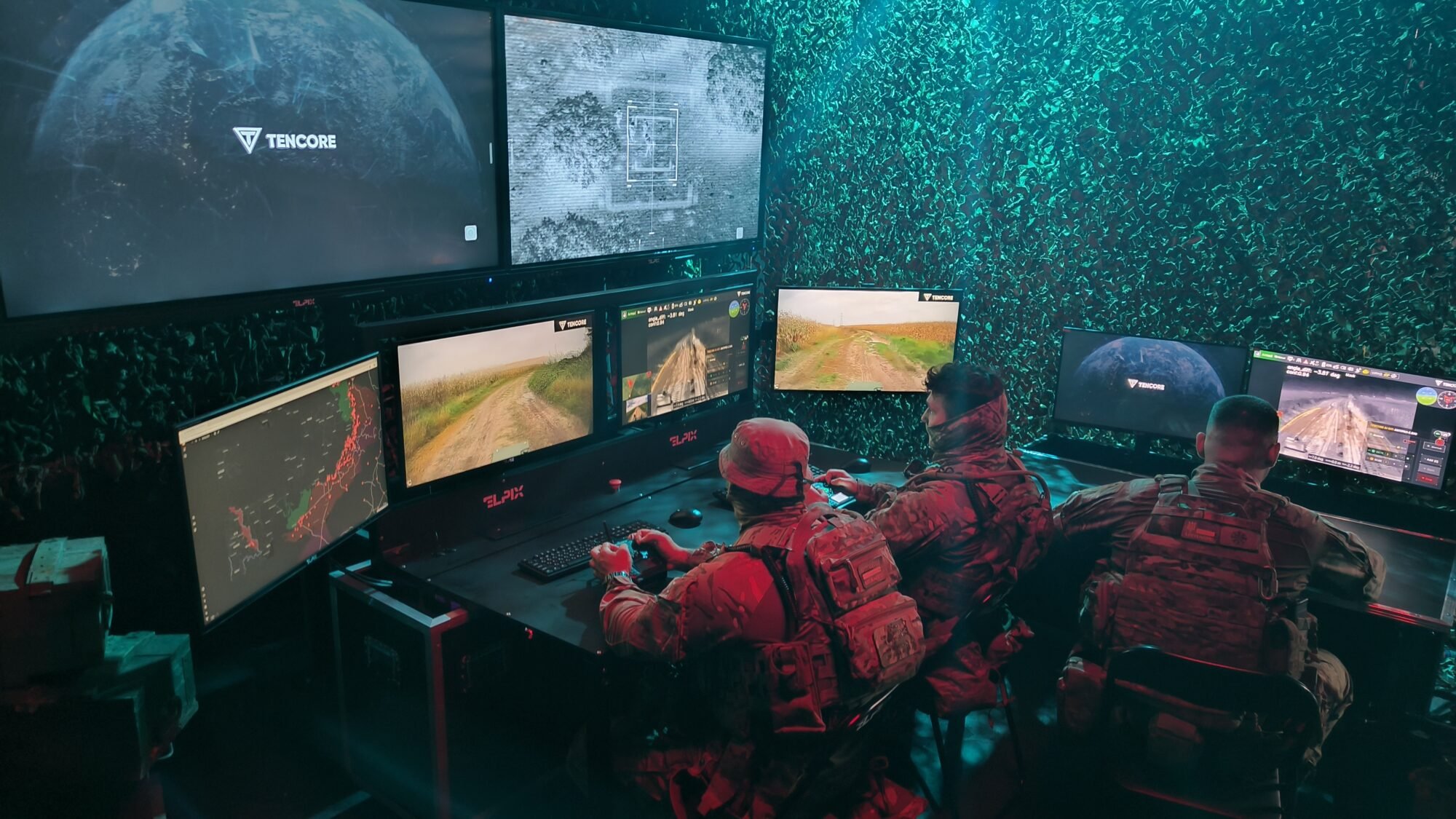
This setup is useful when the workstation needs to move between locations while retaining a familiar multi-monitor information layout.
Use case 3. MCP for electronic warfare and reconnaissance: monitoring data
Electronic warfare (EW) and electronic reconnaissance specialists may use dashboards, charts, event logs and software tools to analyse data. Access to information matters, but so does the ability to view several windows at once.
The ELPIX MCP provides a multi-monitor workspace in which information from compatible external systems can be distributed across screens. For example, charts can appear on one display, event tables on another and supporting interfaces on the remaining screens.
It is important to distinguish these functions: the MCP is not an electronic warfare or reconnaissance system in itself. It serves as a computing and display platform when used with the appropriate software and equipment.
Use case 4. MCP for air defence: displaying the air situation
Working with air-situation information involves specialised systems and digital interfaces. Depending on the operator’s role, these may include maps, tables, notifications and other data supplied by the relevant systems.
The ELPIX MCP can be used as an automated workstation for viewing air-situation information. Multiple monitors allow different interfaces to remain visible simultaneously rather than limiting the operator to a single screen.
The MCP itself does not detect, track or engage targets. Its operation requires compatible specialised systems, appropriate access permissions and information channels.
Use case 5. MCP for communications units: system monitoring
Communications units may use software to monitor equipment, view system-status dashboards, review event logs and receive service messages. A multi-monitor workstation makes it easier to work with several interfaces at the same time.
The two-operator ELPIX MCP configuration provides two independent computer workstations within one system, so each specialist can use their own applications and displays. It does not replace network or communications equipment, but supplies a practical workstation platform for these tasks.
- Separate software interfaces for two specialists.
- Simultaneous viewing of system status and reference information.
- The ability to relocate the workstation to another site.
Why choose a mobile command post instead of separate monitors and PCs?
For a temporary workspace, monitors, computer units, keyboards, a table, chairs and connection components would otherwise need to be transported separately. In an MCP, these elements are selected in advance as part of one system.
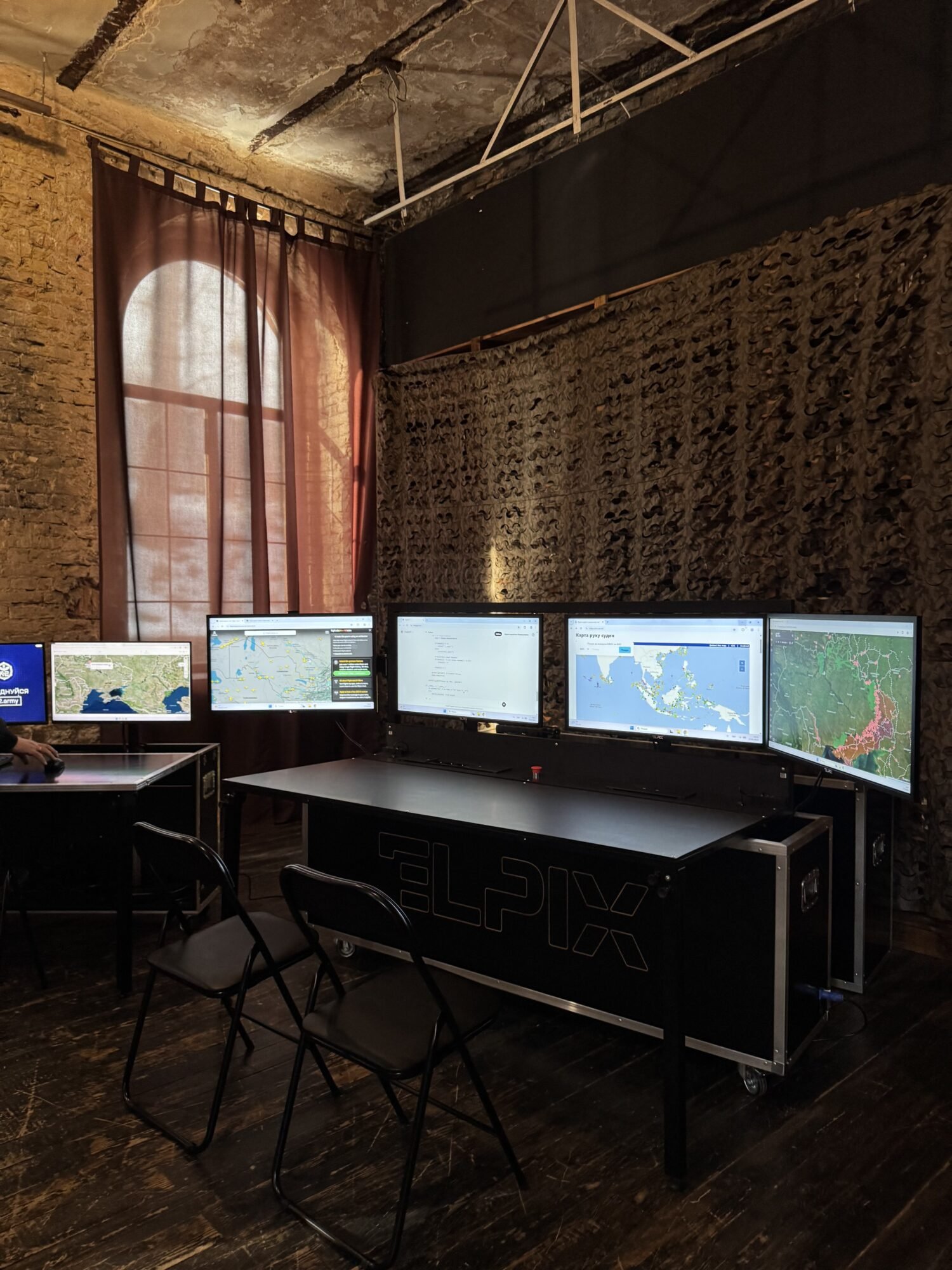
- Mobility. The design is intended for transport and repeated deployment.
- Complete solution. Displays, computers, peripherals and folding furniture are selected as part of one system.
- Multiple information sources. Ample screen space for compatible applications and data feeds.
- Choice of configuration. A compact version for one operator or a four-display system for one or two specialists.
Deployment time depends on the particular model and connection conditions. Before purchasing, check the current technical documentation for the selected configuration.
ELPIX MCP configurations: which option should you choose?
When selecting a system, it is important to distinguish between the number of displays and the number of independent workstations. Four monitors do not necessarily mean two operators: one specialist may use all four screens.
| Configuration | Operators | Displays | Computers | Best suited for |
|---|---|---|---|---|
| ELPIX Mini MCP — 1 operator, 2×27″ | 1 | 2×27″ | 1 | Compact workstation for two main interfaces |
| ELPIX MCP — 1 operator, 4×32″, Basic | 1 | 4×32″ | 1 | One operator working with several information windows |
| ELPIX MCP — 2 operators, 4×32″, High-Performance | 2 | 4×32″ | 2 | Two independent workstations in one system |
The table compares three specific ELPIX product configurations. Check computer specifications, interfaces and included components on each product page.
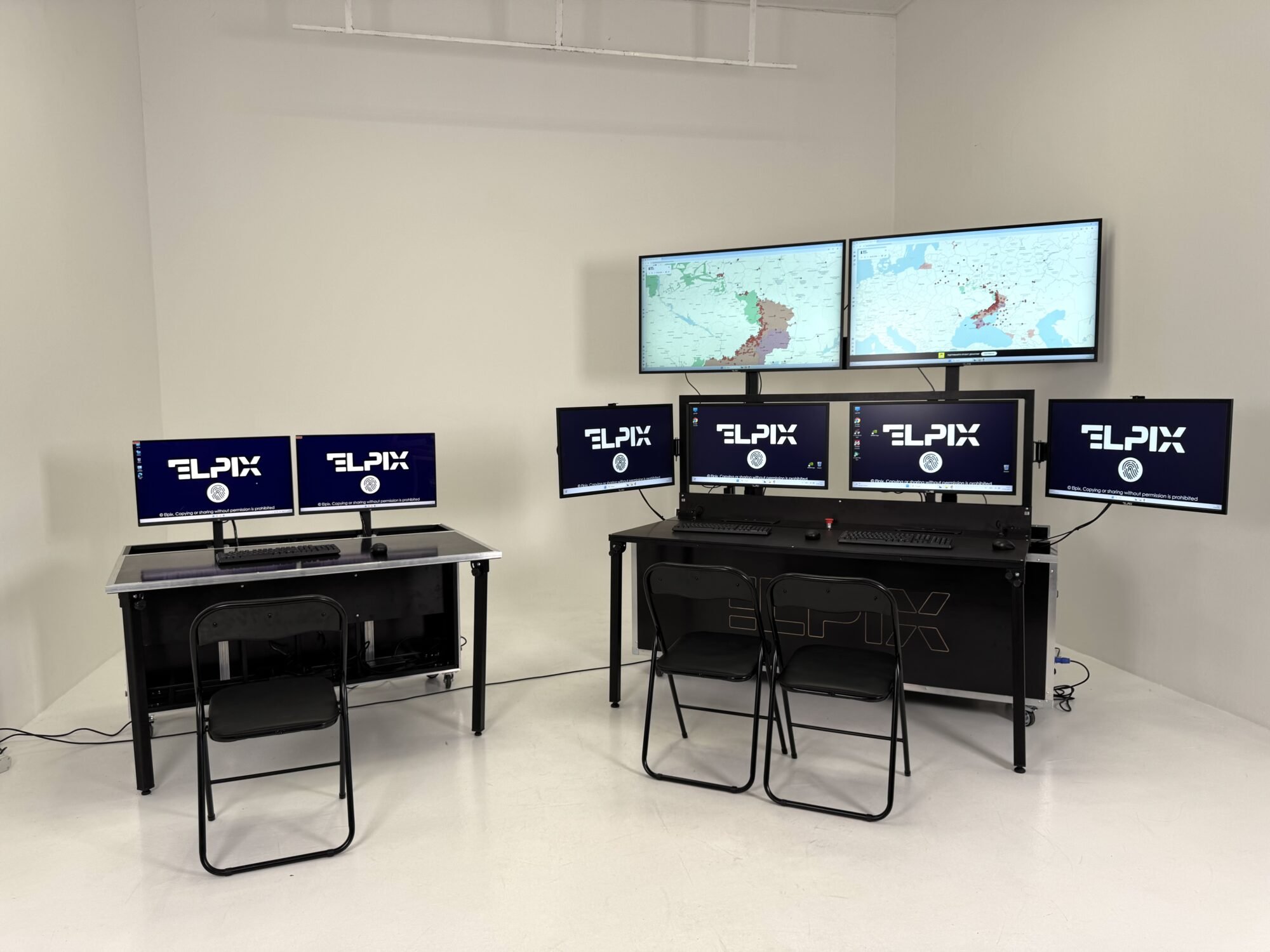
Standard configurations include displays, computer hardware, peripherals, a folding table, chairs and a transport case. If backup power, additional interfaces or specific software are required, these should be listed separately in the technical requirements.
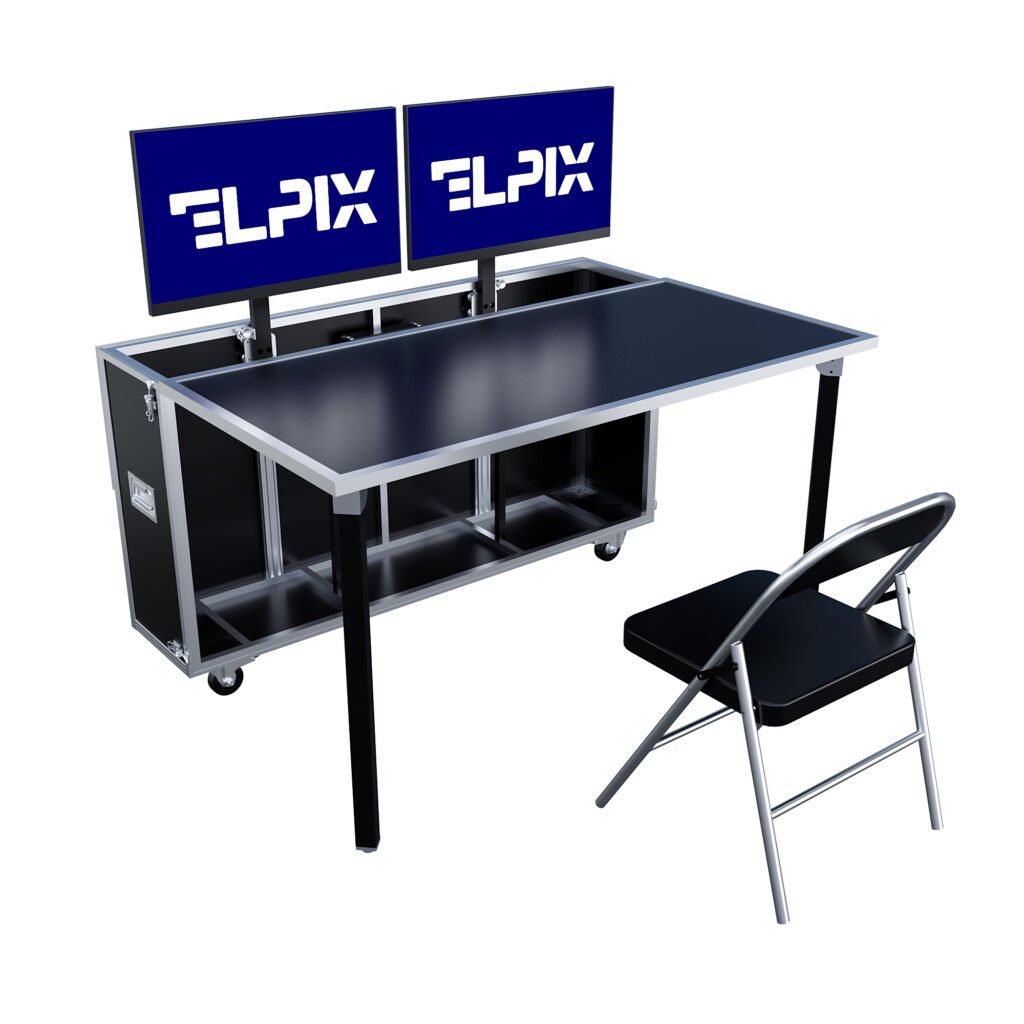
Two 27-inch IPS displays, one PC with an Intel Core i5-1235U processor, 16 GB of RAM and 1 TB of storage. Compact design with folding furniture.
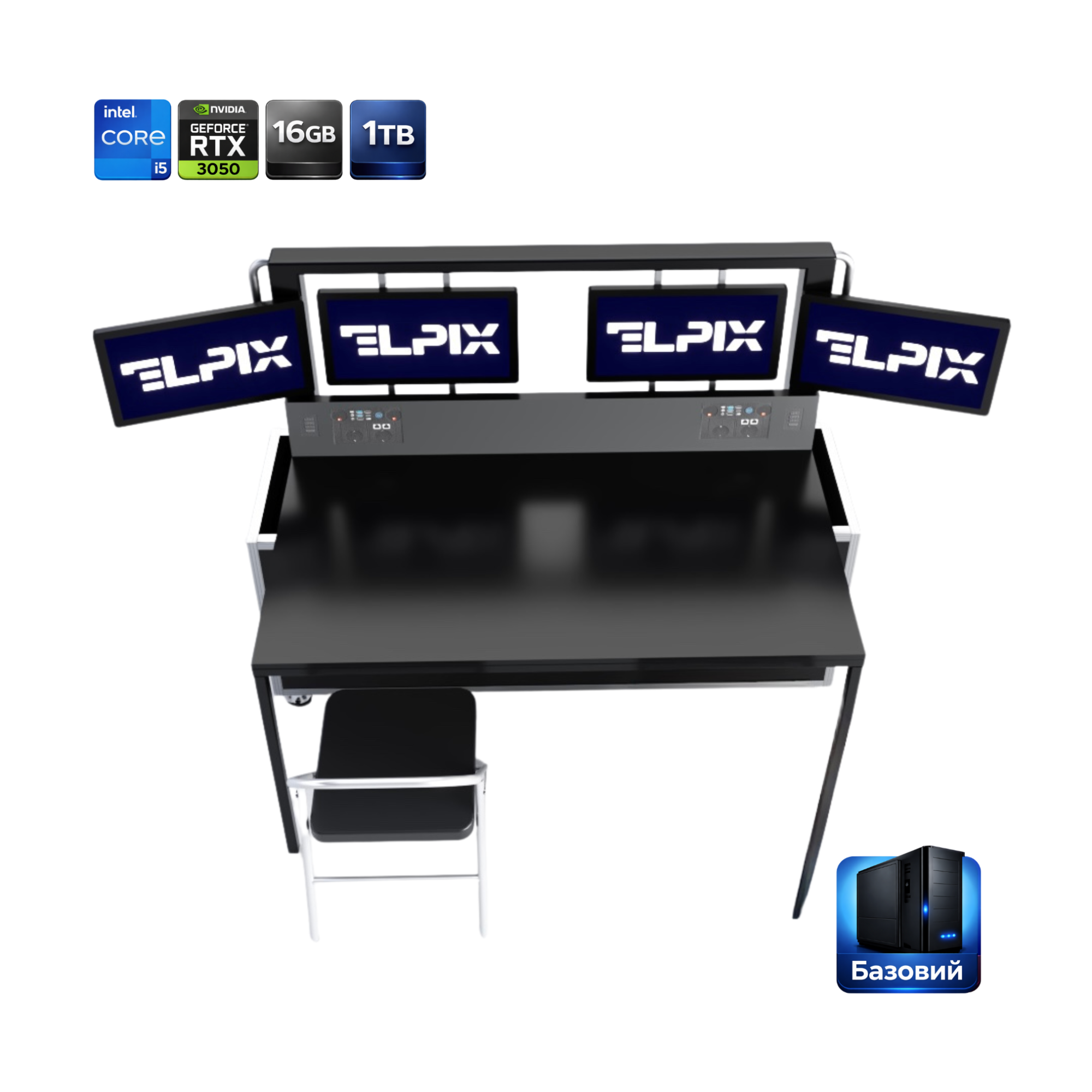
Four 32-inch displays, one PC with an Intel Core i5 processor, 16 GB of RAM and a 1 TB SSD. Designed for one operator working with multiple interfaces.
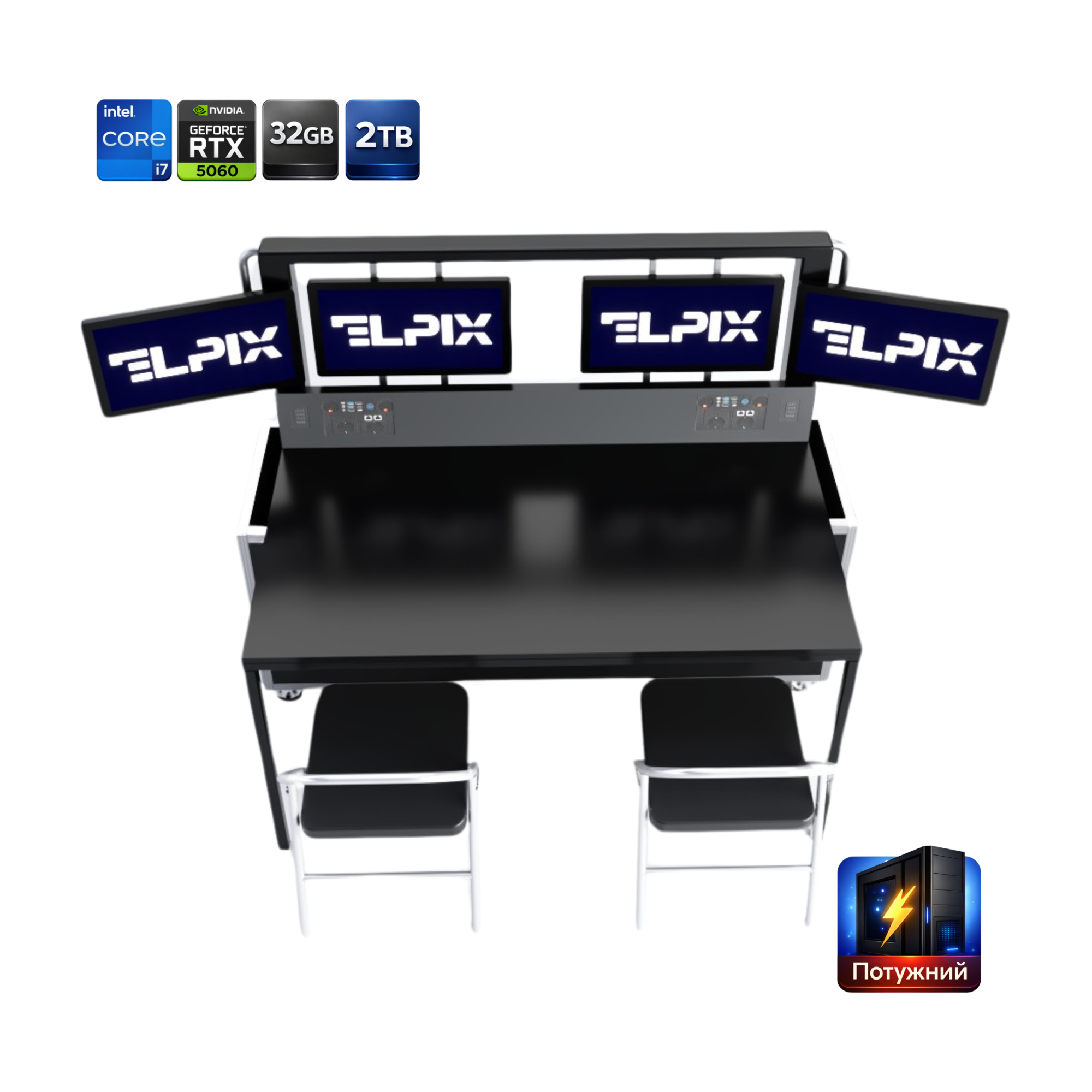
Four 32-inch displays and two PCs. A configuration with an Intel Core i7-12700KF processor, 32 GB of RAM and a GeForce RTX 5060 for two workstations.
How to choose an MCP for UAVs, UGVs, EW/reconnaissance, air defence or communications
Regardless of the intended application, start with the workstation requirements. To choose a configuration, consider:
- Number of operators. Will one specialist use all the displays, or will two people need separate computers?
- Number and type of information windows. Video feeds, maps, logs, charts or service interfaces.
- Software requirements. Operating system, processor, memory, graphics card, compatible ports and access permissions.
- Operating conditions. Frequency of relocation, deployment space and mains power availability.
- Additional equipment. Whether backup power, switching equipment, network devices or external monitors are required.
For example, working with DELTA, Kropyva, Combat Vision or other specialised systems requires checking technical requirements, access permissions and compatibility with the chosen configuration. Having a PC and displays does not mean the relevant software is already installed or configured.
You can learn more about workstation numbers and specifications in the article Automated Workstations for One or Two Operators: How to Choose an MCP.
ELPIX mobile command posts: choosing a configuration for your needs
ELPIX is a Ukrainian manufacturer of automated workstations and interactive equipment. Mobile command posts provide multi-monitor workspaces for video, digital maps and information from other compatible systems. According to the company, more than 200 ELPIX mobile command posts have already been supplied to military units.
ELPIX works with military units, charitable foundations and partners. To receive configuration advice, specify the number of operators, required software, preferred number of screens and operating conditions.
Explore the equipment and request a quotation on the official ELPIX website.