


An interactive table can serve as an educational platform, a presentation tool, part of a museum exhibition, or a workstation for viewing digital maps and diagrams. However, two devices with the same screen diagonal can offer very different capabilities: one may be designed for simple information applications, while another supports more demanding software and simultaneous use by several people.
How do you choose an interactive table without paying for features you do not need, while still getting the functionality you require? Before purchasing, assess seven factors: screen size, touch technology, display, computing platform, enclosure, screen protection, and intended use.
Let us look at how each factor affects performance, what questions to ask a supplier, and how specific ELPIX models differ.
1. Screen Size: How Much Workspace Do You Need?
Screen size affects how much content is visible, the comfort of collaborative work, and the overall dimensions of the equipment. This is especially important for an interactive table: users may stand on different sides, touch the screen, and view different parts of the image simultaneously.
- 43–50″ — compact solutions for offices, showrooms, small exhibitions, and group work close to the screen.
- 55″ — a suitable format for presentations, maps, educational content, and collaborative information analysis.
- 65″ — a large working surface for group activities, more complex diagrams, and multi-window interfaces.
These are practical guidelines, not universal standards. If the table will display small labels, spreadsheets, or technical drawings, check not only the diagonal size but also whether users can zoom in without compromising usability.
2. Touch Technology: PCAP, Infrared Frames, and Touch Points
The touch system is what turns an ordinary display into an interactive table. Two specifications matter most: how touches are detected and how many touch points the device can process at the same time.
- Projected capacitive technology (PCAP) — provides responsive touch control and is often selected for devices where accuracy and a natural touch experience are important.
- Infrared (IR) technology — detects interruptions in invisible infrared beams above the surface; depending on the implementation, it can support many simultaneous touch points.
A specification of “10, 20, or 40 touch points” describes the capabilities of the touch system, but it does not guarantee that every application can support that many simultaneous users. This also depends on the operating system and the application itself.
For example, the ELPIX range includes the S6 50″ with a 10-point IR touch system, S8 55″ with 20-point PCAP touch and the S8 v2.0 65″ with 40-point IR touch. Compare the capabilities of specific models rather than assuming one technology is always better than another.

3. Display: Resolution, Brightness, and Viewing Angles
On a horizontally positioned screen, image quality is perceived differently than on a wall-mounted panel. Users look at the table from the sides and at different angles, while overhead lighting may cause reflections on the surface.
- Resolution. 4K Ultra HD is useful for fine details, maps, charts, and multi-window interfaces. However, text readability also depends on font size.
- Brightness. Check the brightness rating in cd/m² (nits) and compare it with the lighting conditions where the table will be installed.
- Viewing angles. These are important when people on different sides of the table need to see the same content simultaneously.
- Reflections. An anti-glare coating can improve readability under overhead lighting.
For example, the specified ELPIX S6 50″ and S8 55″ configurations feature 4K displays with a brightness rating of 450 cd/m², while the S8 v2.0 65″ has a 4K display with a stated brightness of more than 350 cd/m². These figures should be considered alongside screen coatings and room lighting.
4. Performance: Processor, RAM, SSD, and Operating System
An interactive table often functions as a complete computer. The choice of computing platform depends less on the screen diagonal and more on the software it needs to run.
- Android is suitable for compatible information applications, presentations, and specialised interfaces developed for this platform.
- Windows is needed when an organisation relies on software that only runs in a Windows environment.
- RAM and SSD storage affect multitasking, application performance, and data storage.
- Graphics card may be required for graphics-intensive software, but whether a particular model is necessary depends on the application’s system requirements.
Some ELPIX solutions combine two systems — Android and Windows. For example, the S8 55″ Dual-System High-Performance model has an Android platform and a Windows computer with dedicated graphics, while the S8 v2.0 65″ Standard model combines Android 15 with a Windows OPS computer.
5. Enclosure, Construction, and Ergonomics
The table’s shape and materials affect more than its appearance. They determine stability, access to ports, ease of cleaning, mobility, and maintenance.
For offices and museums, design, concealed cabling, and branding options may be important. Training centres may prioritise durability under daily use and a comfortable working height. Mobile solutions call for a transport case, handles, wheels, and efficient setup.
- Metal is often chosen when structural rigidity and stability are required.
- MDF, wood, and acrylic stone may be used in interior-focused and custom designs, depending on the product series and order requirements.
- Motorised height and tilt adjustment is useful when the table needs to switch between horizontal collaborative work and upright presentations.
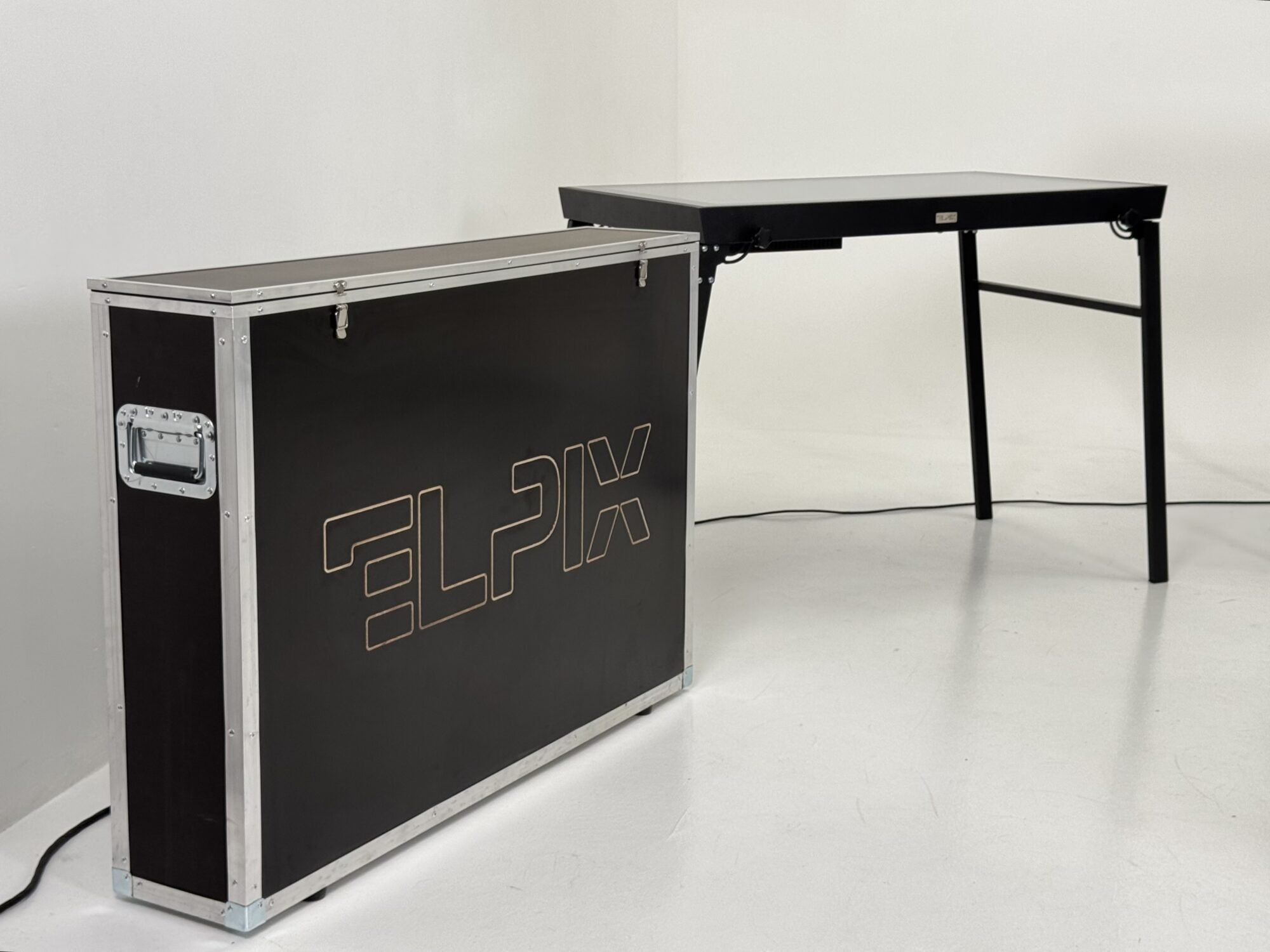
A good example is the ELPIX S8 v2.0 65″ with motorised height and tilt adjustment. By contrast, the S6 50″ has a fixed design with a metal enclosure. Both designs can be appropriate, but for different tasks.
6. Protective Glass and Resistance to Everyday Wear
Users regularly touch the screen surface, and equipment in public spaces may operate for many hours each day. Check the type and thickness of protective glass, cleaning requirements, and the manufacturer’s specifications for permitted loads.
The specifications vary between ELPIX models: the S6 50″ lists 6 mm tempered glass, the S8 55″ features 5 mm protective tempered glass, and the S8 v2.0 65″ uses protective anti-glare glass. These figures do not establish a ranking of impact resistance: verified testing or standards are needed to assess that separately.
Pay particular attention to protection if the table will be used in a school, children’s centre, museum, or exhibition space. For field use or frequent relocation, the design of the transport case also matters.

7. Intended Use: Where and How Will the Table Be Used?
The best way to choose a configuration is to start with the software and tasks. For a museum, design and intuitive interaction may come first; for education, multi-touch capabilities; and for technical work, computing performance and software compatibility.
| Application | What matters | What to check before ordering |
|---|---|---|
| Education and children’s centres | Multi-touch, accessible height, surface protection | Learning software compatibility and number of simultaneous users |
| Museums and exhibitions | Enclosure design, viewing angles, visitor accessibility | Content type, continuous operation, and maintenance |
| Business and showrooms | Presentations, catalogues, branding, and connectivity | Required ports, networking, and software |
| Training and analysis centres | Screen size, performance, maps, and multi-window support | Software system requirements, access management, and peripherals |
| Mobile systems | Transport case, dimensions, weight, and ease of setup | Transport conditions and power requirements |
The same interactive table can perform different functions, but compatibility with a particular system must be confirmed separately against its software requirements, interfaces, and supporting hardware.
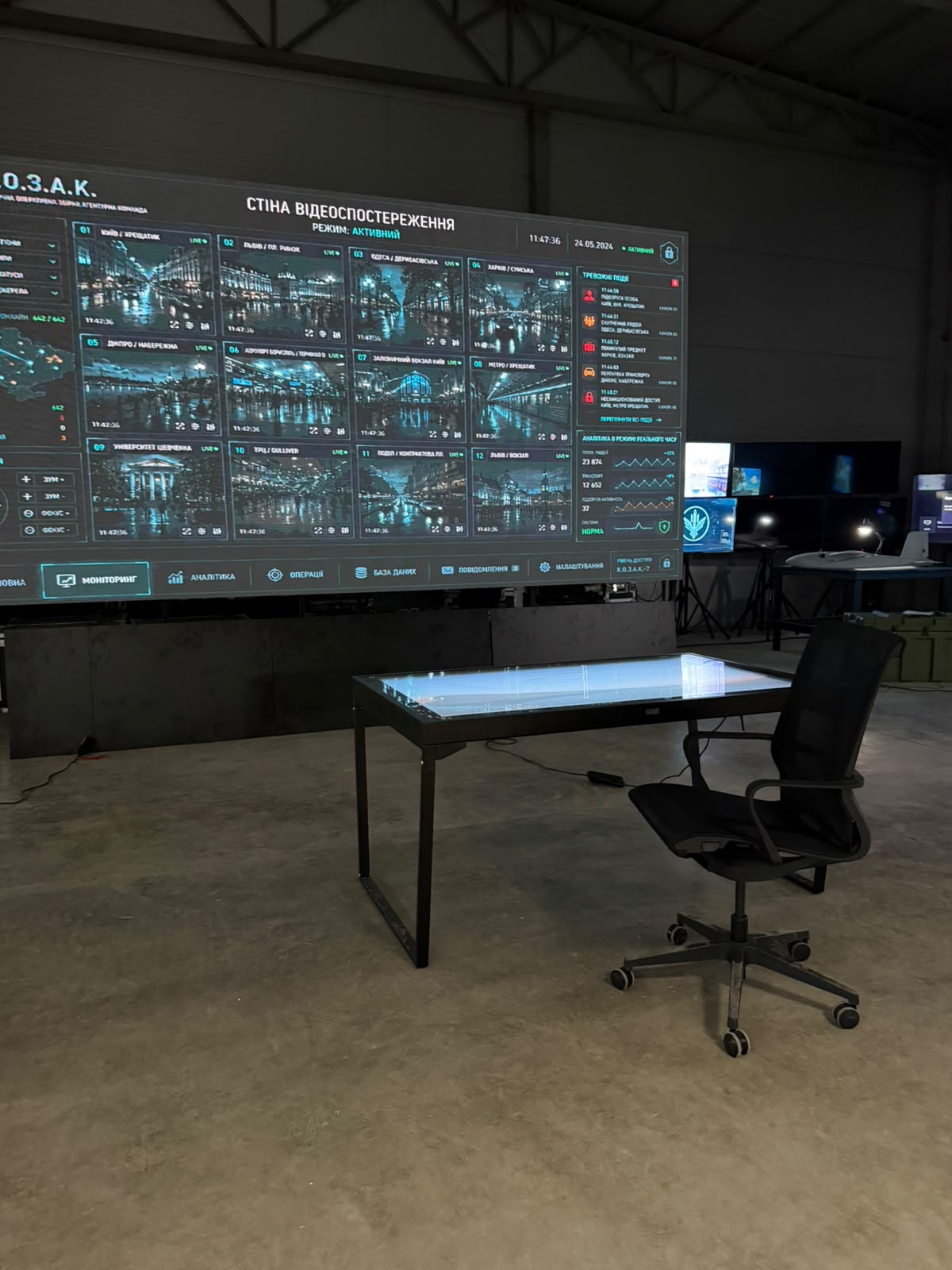
Checklist: Seven Questions to Ask Before Buying an Interactive Table
- Screen size: Is there enough workspace for the relevant documents and number of users?
- Touch system: Which technology is used, and how many simultaneous touches are supported?
- Display: Are the resolution, brightness, and screen coating suitable for the room’s lighting?
- Computer: Do the processor, memory, operating system, and graphics meet the software requirements?
- Enclosure: Are the height, shape, installation options, and mobility suitable?
- Protection: What glass is installed, and how should the surface be maintained?
- Included equipment: What is included in the package, and what must be ordered separately?
Three ELPIX Interactive Tables for Different Applications
To illustrate the differences between configurations, let us compare three models from the ELPIX catalogue. They are not direct equivalents: their screen sizes, touch systems, and construction differ.
| Model | Screen size | Touch system | Key feature |
|---|---|---|---|
| ELPIX S6 Black Metal | 50″, 4K | IR, 10 touch points | Fixed metal enclosure |
| ELPIX S8 Dual-System High-Performance | 55″, 4K | PCAP, 20 touch points | Android + Windows, transport case |
| ELPIX S8 v2.0 Standard | 65″, 4K | IR, 40 touch points | Motorised height and tilt adjustment |
Specifications are based on ELPIX product pages. Confirm the contents of the package, available versions, software, and current specifications for your particular order.

4K Ultra HD · IR touch, 10 points · metal enclosure · 6 mm tempered glass
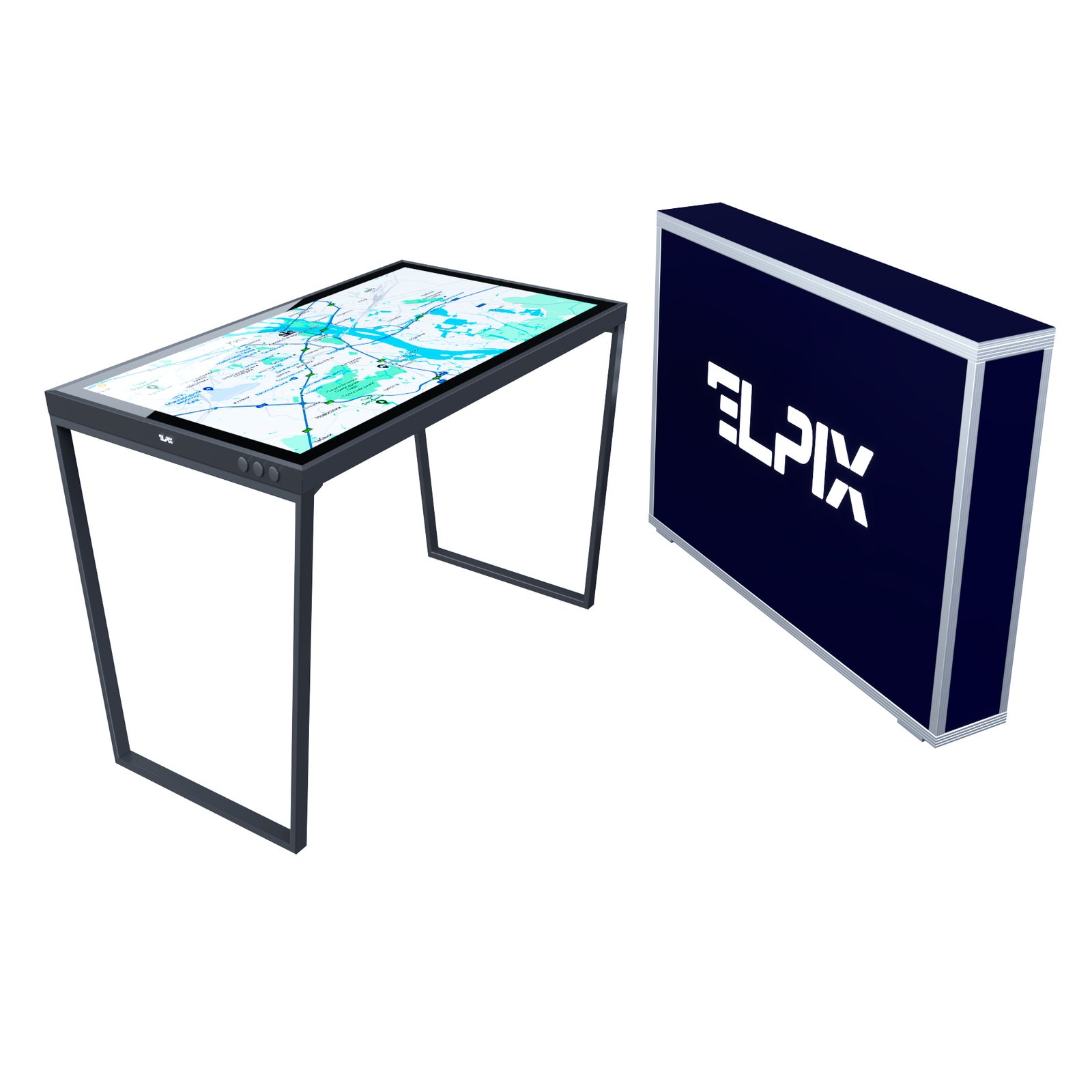
4K Ultra HD · PCAP, 20 touch points · Android and Windows · transport case
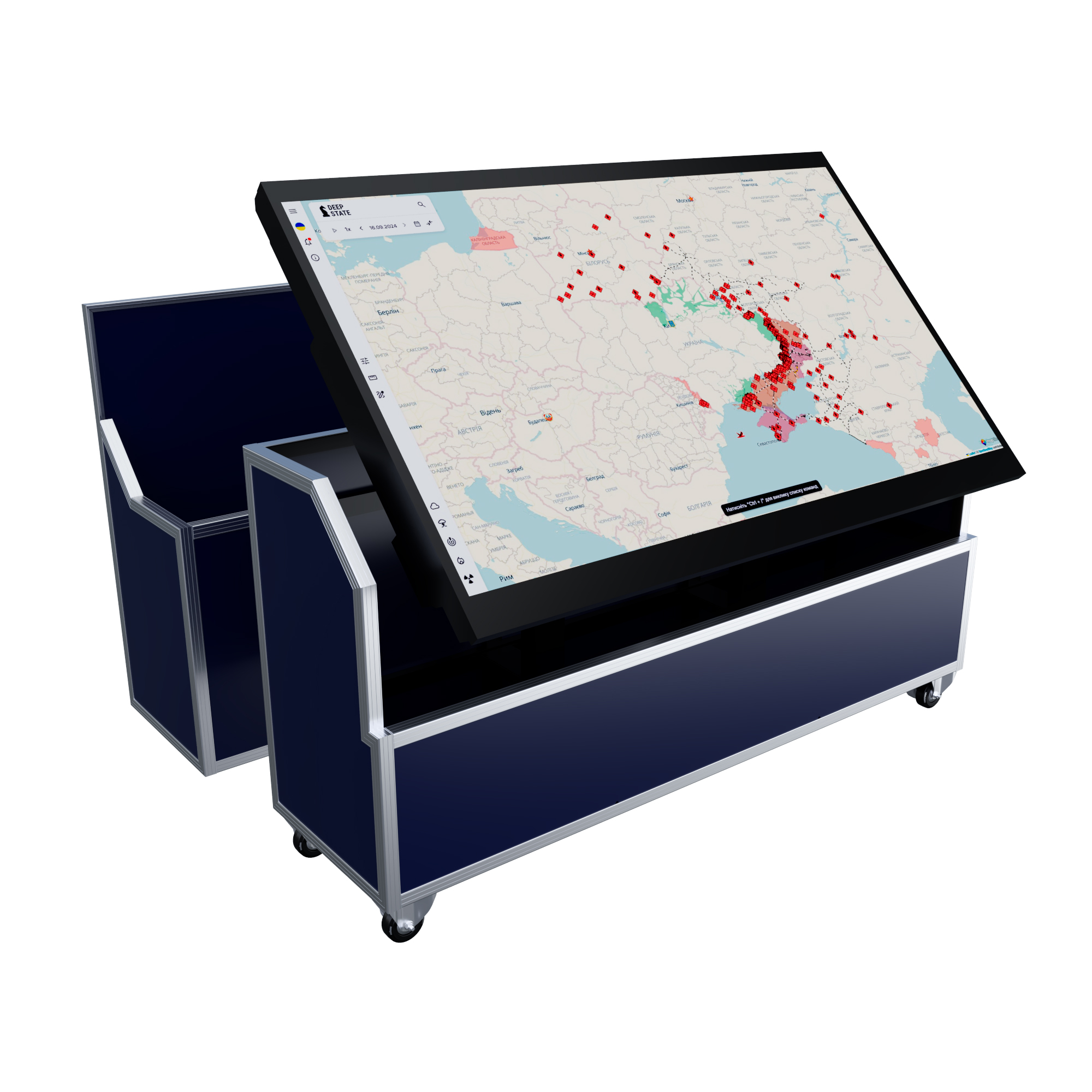
4K Ultra HD · IR touch, 40 points · Android and Windows · screen height and tilt adjustment
Conclusion: How to Choose an Interactive Table Without Unnecessary Costs
The best interactive table is not necessarily the one with the largest screen or most powerful processor. It is the configuration that meets your actual needs: number of users, content type, installation conditions, and software.
If presentations and shared viewing are your priorities, start with screen size, display quality, and touch technology. If you need professional software, check the computer requirements first. For intensive or mobile use, pay particular attention to the enclosure, glass, and transport case.
ELPIX is a Ukrainian manufacturer of interactive equipment. Explore the interactive table catalogue or contact us through the official ELPIX websiteto select the right screen size, specifications, and package for your project.