


A mobile video wall is a large-scale information display system that can be transported to another location, assembled and connected to the required video sources. Unlike a fixed video wall, it does not need permanent wall mounting and is suitable for spaces where operational requirements and layouts change.
This equipment is used for much more than large presentations. A mobile video wall can simultaneously show digital maps, monitoring data, camera feeds, analytics dashboards and other information streams. That is why these systems are used in command posts, situation rooms, control centres and temporary coordination facilities.
In this guide, we explain how a mobile video wall works, what it consists of, who it is suitable for and how to choose a configuration without paying for unnecessary equipment.
What is a mobile video wall, and how is it different from a standard display?
A video wall is made up of several professional displays combined into a single visual surface. For example, a 2×2 configuration has four displays arranged in two rows and two columns, while a 4×2 configuration has eight displays in two rows.
A video wall controller manages the content, whether that means one large image spanning the entire wall or several independent windows. This makes it possible to place important information side by side so that operators or meeting participants can view it at the same time.
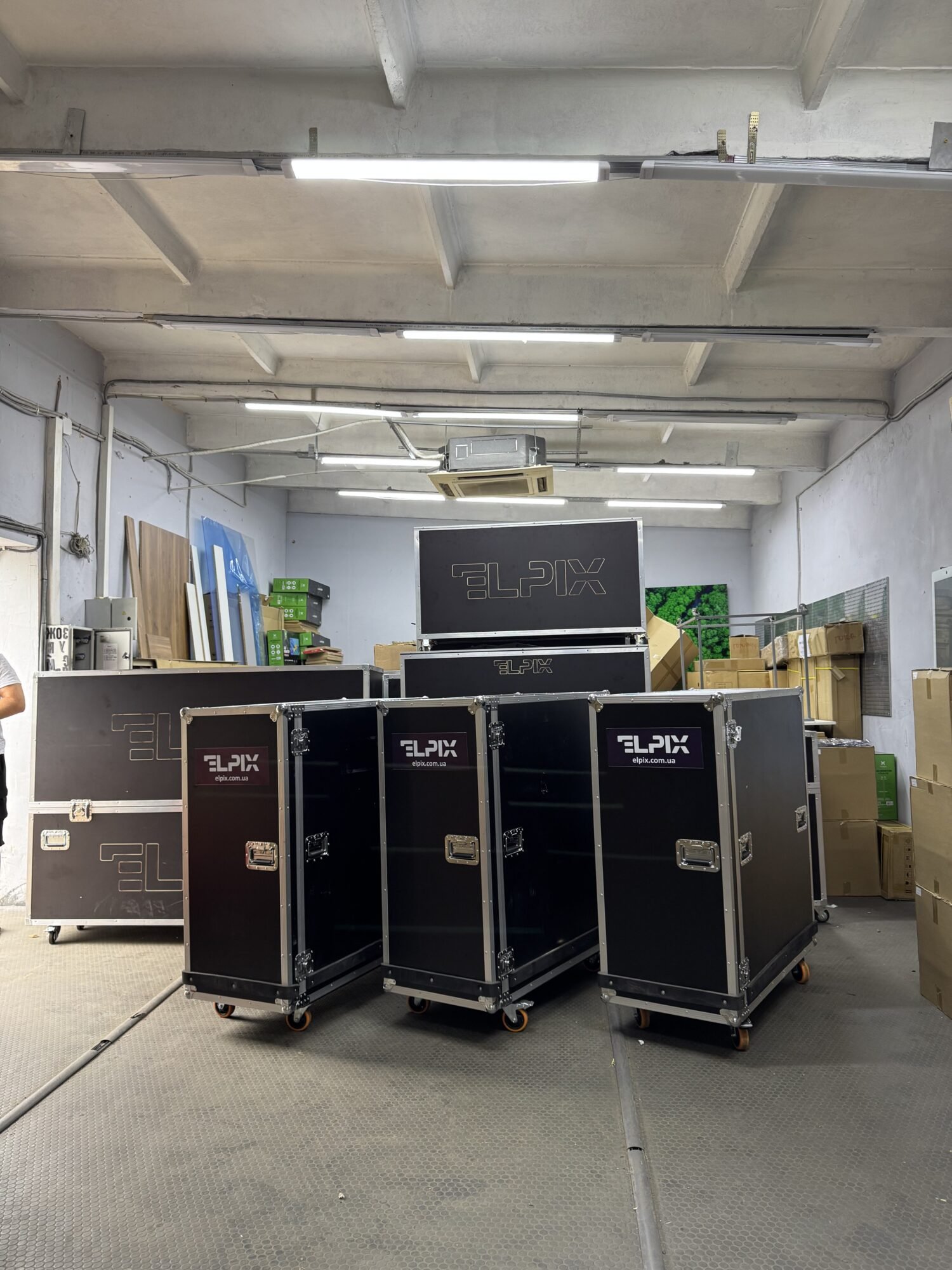
Mobile refers to the transportable design. In ELPIX solutions, the displays travel in protective cases that also serve as the base for the screen structure once deployed. The system is therefore not tied to one room and does not require permanent wall mounting.
What does a mobile video wall consist of?
A mobile video wall is a set of interconnected components, not simply several televisions placed next to one another. Each component has a specific role.
Professional LCD displays
ELPIX case-based video walls use 55-inch LCD panels with Full HD resolution (1920 × 1080) per display. The listed specifications for the relevant configurations include a brightness of 500 cd/m², viewing angles of 178° and protective glass. These panels are designed for information display; the standard configuration does not provide touch control.
Physical seams remain between LCD panels. If you need an image without visible panel joints, an LED-based solution is worth considering separately, although it is a different type of equipment.
Transport cases and support structure
The cases protect displays during transport and form part of the supporting structure once the system is assembled. This allows a large display wall to be installed without drilling into walls or using permanent brackets. The number of cases depends on the chosen configuration.
Video wall controller
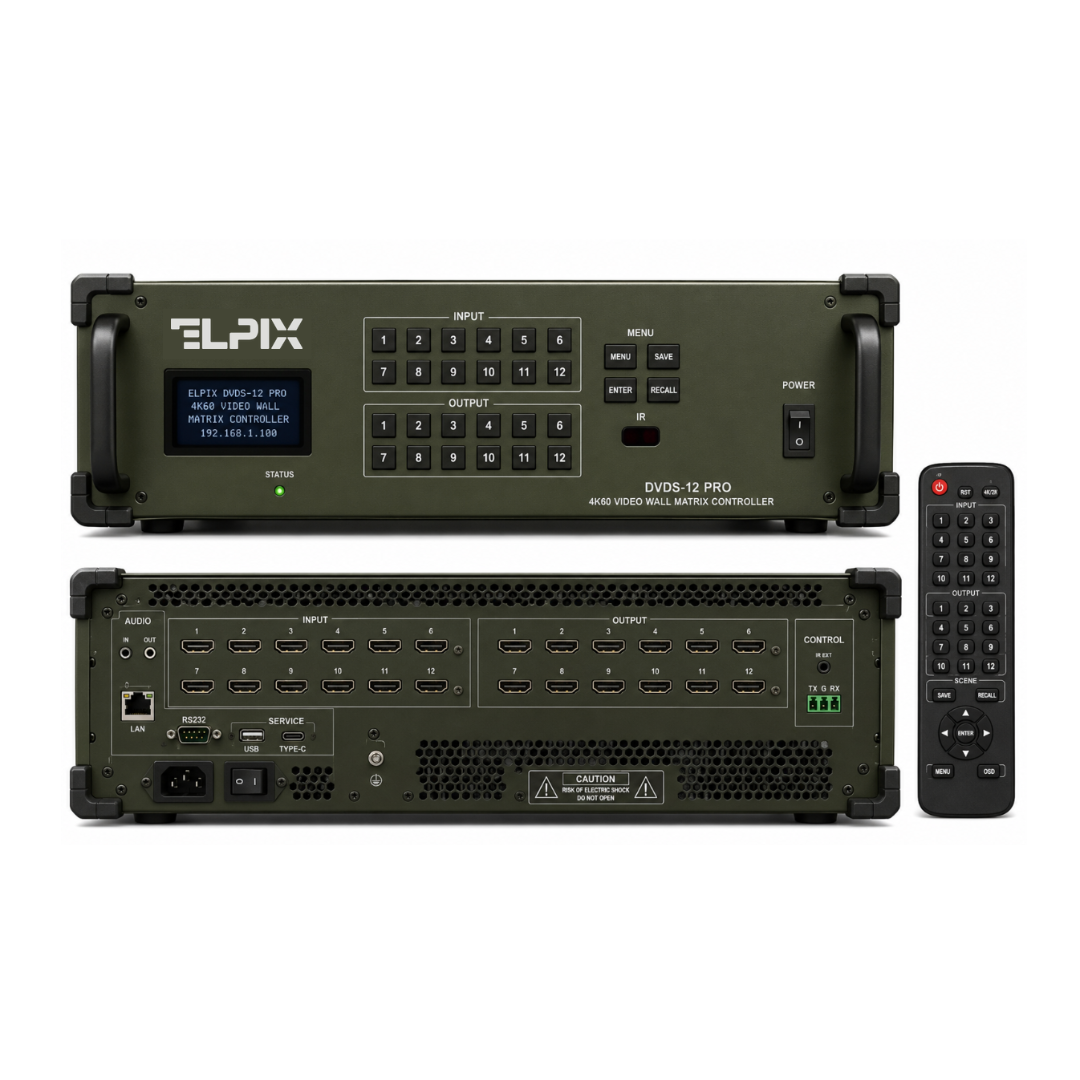
The controller receives video signals from connected sources and distributes them across the displays. It determines how many sources can be shown at the same time and which window layouts are available. Some ELPIX configurations use the VW-5×9 controller, while larger walls use the VM-12×12 video matrix.
Connectivity and signal distribution
The system also includes the required mounting hardware and connection accessories according to the particular supply package. Operation requires power for the displays and controller, together with compatible video sources such as a PC, laptop, camera, video recorder or other information system.
How a mobile video wall works: from video source to screen
Consider a situation room. Signals from an operator’s computer, surveillance cameras and a digital mapping system are connected to the controller. The controller processes the incoming video and sends it to the displays according to the selected layout.
- A source generates a video signal. This might be a presenter’s laptop, an operator’s PC, a camera, a video recorder or another compatible device.
- The signal reaches the controller. The controller receives one or more feeds through its available video inputs.
- The operator selects a layout. For example, one image across the full wall, several independent zones, or one large area with smaller supporting windows.
- The controller sends images to the displays. Each panel shows its assigned part of a combined image or a separate information window.
On a 4×2 video wall, for example, one area may display a map, another may show camera feeds and a third may show indicators and messages. The number of simultaneous sources depends on the controller and the chosen system configuration.
How to deploy an ELPIX mobile video wall
A case-based system makes it possible to assemble a large display wall without permanent building work. The exact procedure depends on the size and supplied equipment, but deployment generally involves several steps.
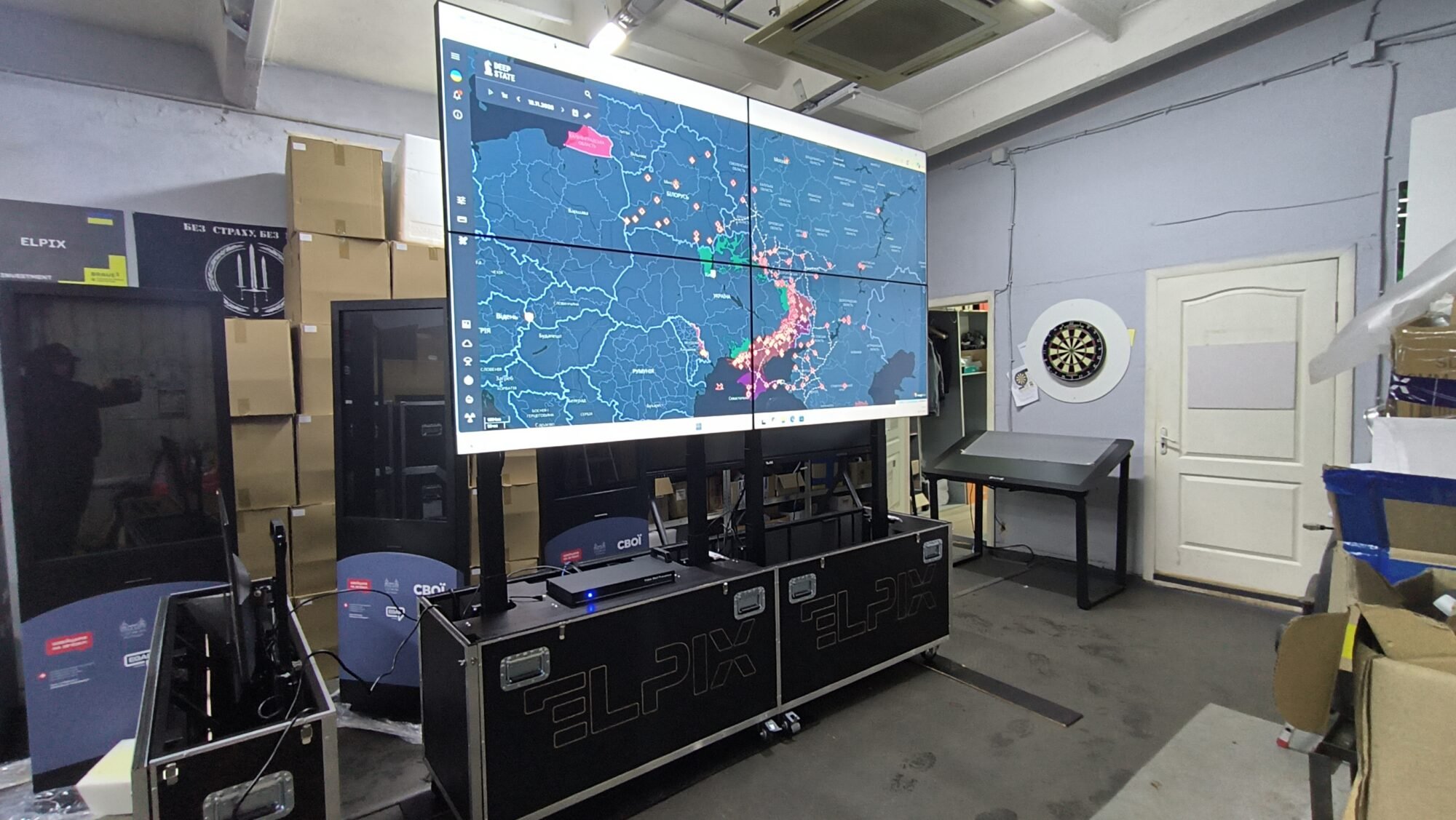
- Transport to the site. Displays and accessories are moved in protective transport cases.
- Position the base. Place the cases in a prepared area with enough space for the complete structure.
- Assemble the display wall. Install and align the displays according to the selected layout, such as 2×2, 3×2 or 4×2.
- Connect the system. Connect the displays to the controller, supply power and attach the video sources.
- Configure and test. Check image alignment, picture quality, video inputs and the required display layouts.
Deployment normally requires several trained people. The time needed depends on the number of panels, available power and conditions at the site. For larger configurations, floor space, access routes, ventilation and safe positioning must also be checked beforehand.
Mobile vs fixed video walls: what is the difference?
Both solutions serve the same core purpose: displaying information on a large visual surface. The main difference lies in how they are installed and used over time.
| Criterion | Mobile video wall | Fixed video wall |
|---|---|---|
| Placement | On its own supporting structure | Usually wall-mounted or installed on a permanent frame |
| Relocation | Designed for transportation and reassembly | Moving requires dismantling and installing it again |
| Protection during transport | Protective transport cases are integral to the system | Transport packaging has to be arranged separately |
| Installation | No permanent wall mounting required | Requires a prepared permanent installation site |
| Best suited to | Field headquarters, temporary centres and changing locations | Permanent control rooms, conference facilities and operations centres |
Mobile systems are not automatically the better choice in every situation. If a video wall will remain in the same room for years, a fixed installation may be more practical. If regular relocation is required, protective cases and easier reassembly become major advantages.
Who is a mobile video wall suitable for? Five use cases
1. Command posts and field headquarters
Command posts often need shared access to digital maps, video, messages and information dashboards. A mobile video wall creates a large common display in a location without a permanently equipped operations room. It is a visualisation tool rather than a stand-alone command-and-control system.
2. Situation rooms and coordination centres
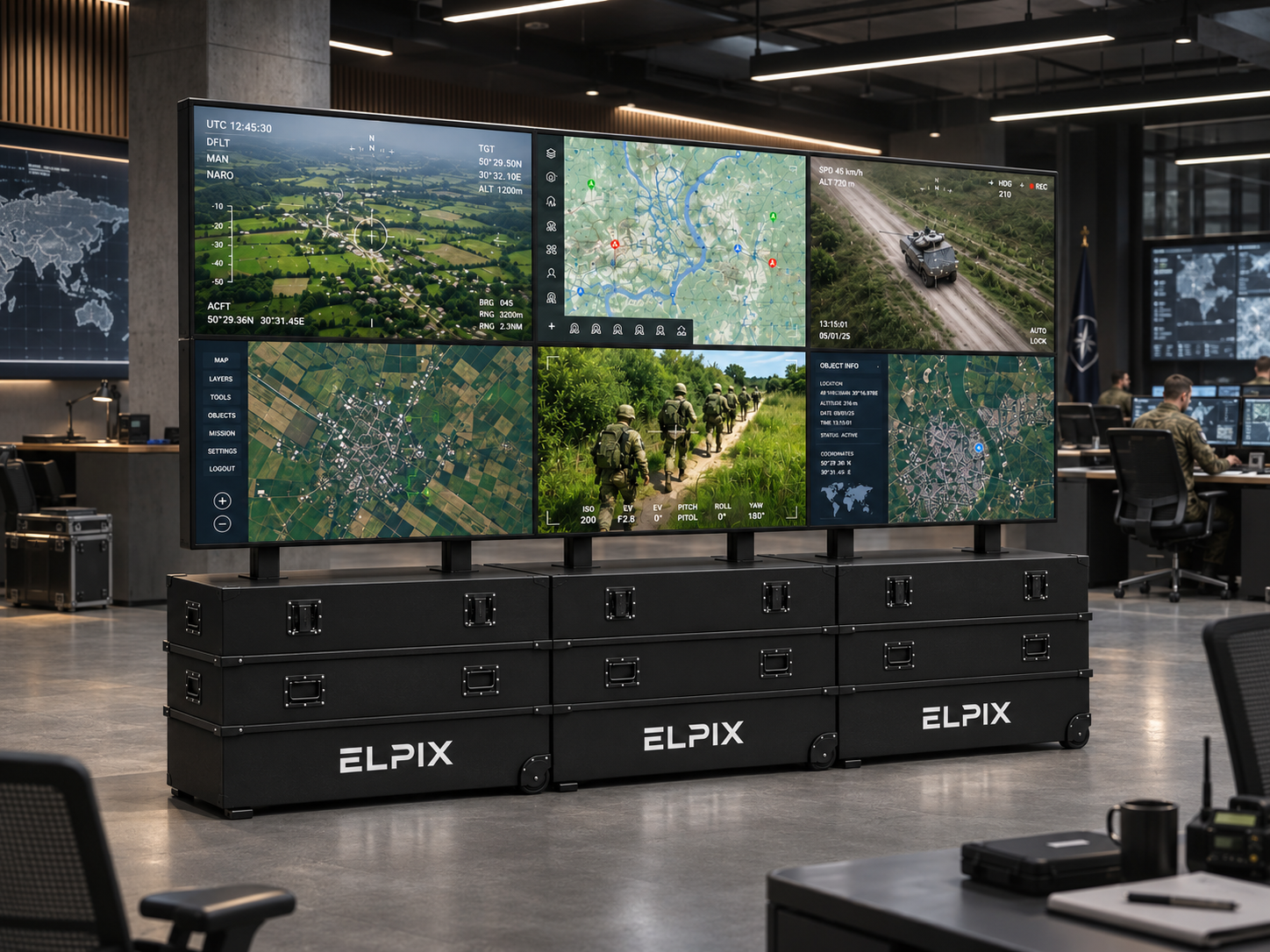
When several specialists analyse different sources at the same time, a large video wall provides a shared overview. A map, live camera feeds, system status panels and analytics can be displayed next to one another.
3. Control rooms and monitoring centres
Control rooms benefit from the ability to keep several interfaces visible at once. A mobile configuration is particularly useful when temporarily relocating an operations desk, testing a new facility or setting up a backup monitoring area.
4. Education, training and presentations
A large wall can present slides, videos, diagrams, training maps and results to a group. Unlike a projector, an LCD video wall does not require a projection screen, although suitable lighting, power and floor space are still necessary.
5. Exhibitions, demonstration spaces and temporary venues
If equipment must be displayed in different cities or buildings, a mobile wall allows the same set of displays to be reused. It can show product demonstrations, visual content and presentations, provided the venue can accommodate its size and installation requirements.
Available mobile video wall configurations
The designations 2×2, 3×2, 4×2, 5×2 and 6×2 indicate the number of displays horizontally and vertically. ELPIX builds these configurations from 55-inch panels, with the controller selected to match the number of displays and video sources.
| Configuration | 55-inch displays | Approximate screen width | Typical use |
|---|---|---|---|
| 2×2 | 4 | ≈ 2.44 m | Compact situation room, presentations, monitoring |
| 3×2 | 6 | ≈ 3.65 m | Small coordination room, multiple information feeds |
| 4×2 | 8 | ≈ 4.87 m | Command post, spacious control room |
| 5×2 | 10 | ≈ 6.09 m | Large situation room |
| 6×2 | 12 | ≈ 7.31 m | Large-scale monitoring or coordination centre |
The widths are calculated from the active display areas using a 16:9 aspect ratio, excluding bezels and mounting gaps. Check the technical documentation for the system’s actual dimensions.
Screen area is not the only consideration when choosing a size. A 2×2 wall might be sufficient for three video sources, but a larger system provides more space for readable windows when many small indicators must be displayed at once.
For more details on screen sizes, controllers and display arrangements, see our article “Video Wall Configurations: How to Choose Between 2×2, 3×2, 4×2, 5×2 and 6×2”.
How to choose a mobile video wall for your needs
Before purchasing, answer six practical questions:
- How many video sources need to be displayed? Decide whether the wall will show one presentation or several PCs, cameras and other systems simultaneously.
- Where will the video wall be installed? Measure the available width, height, access routes and distance to the farthest viewer.
- How often will it be moved? The more frequently the system changes locations, the more valuable the case-based design becomes.
- What content will be displayed? Video and large images have different requirements from spreadsheets, digital maps and small text labels.
- What connection facilities are available? Check power, video cabling, controller operation and supported interfaces in advance.
- Will the system need to expand? If the number of sources or operators may grow, allow capacity for additional displays, controller outputs and physical space.
ELPIX mobile video walls: which models should you consider?
ELPIX manufactures case-based mobile video walls in Ukraine. The three examples below suit different scales of operation. Confirm the exact contents and optional equipment for each specific model.
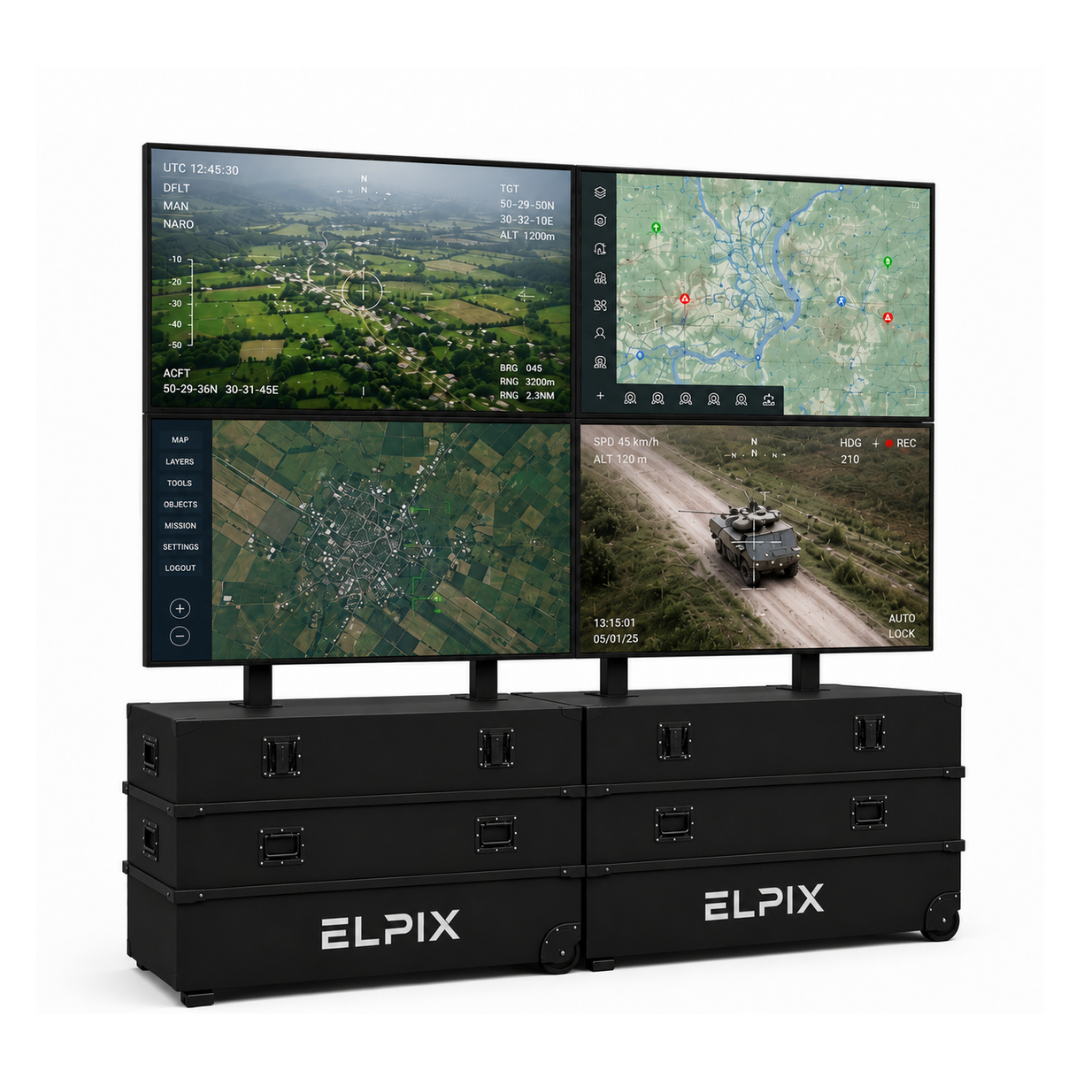
A compact multi-display wall for small coordination facilities, demonstrations and shared information viewing. VW-5×9 controller.
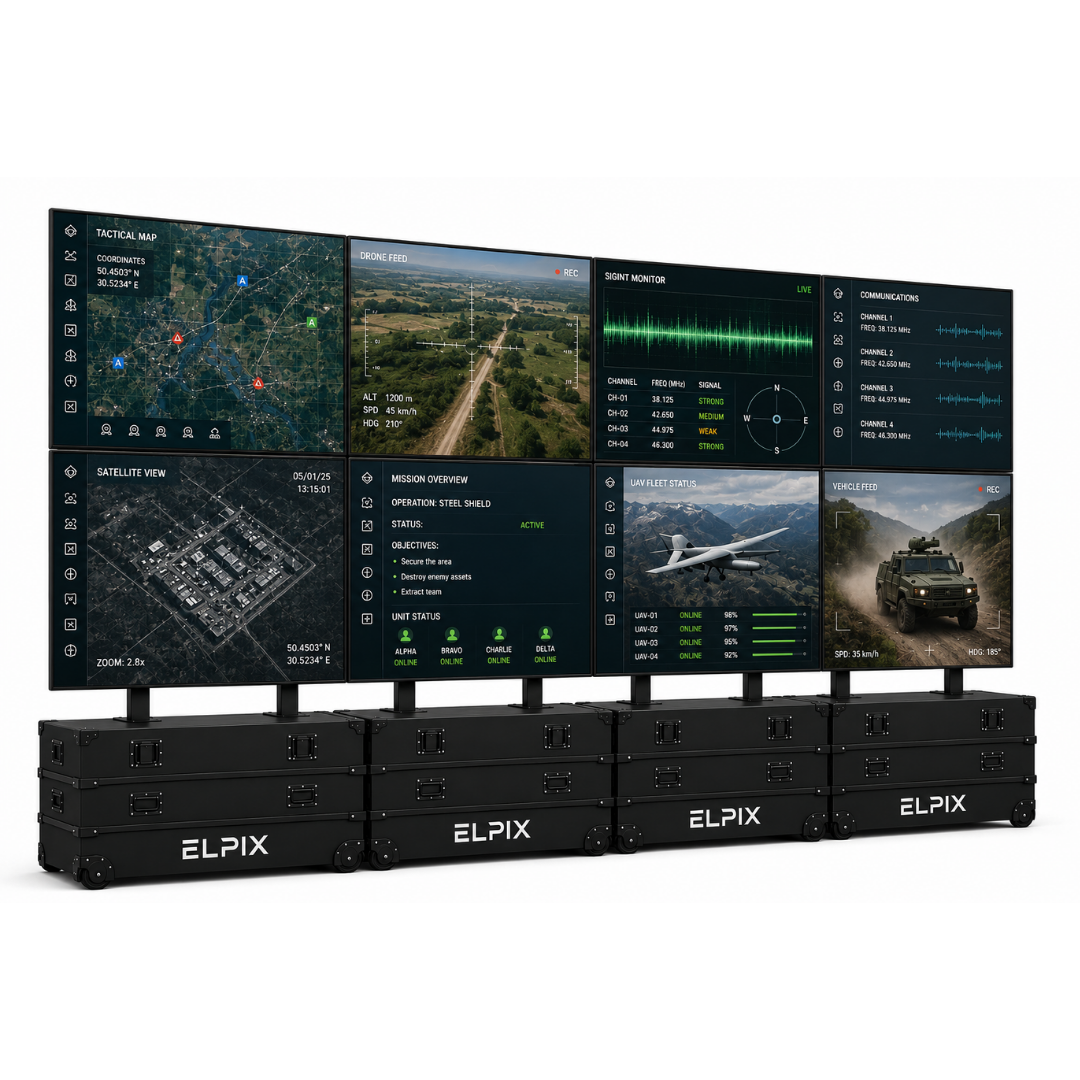
A wider information wall for command posts, control rooms and situation centres. VW-5×9 controller.
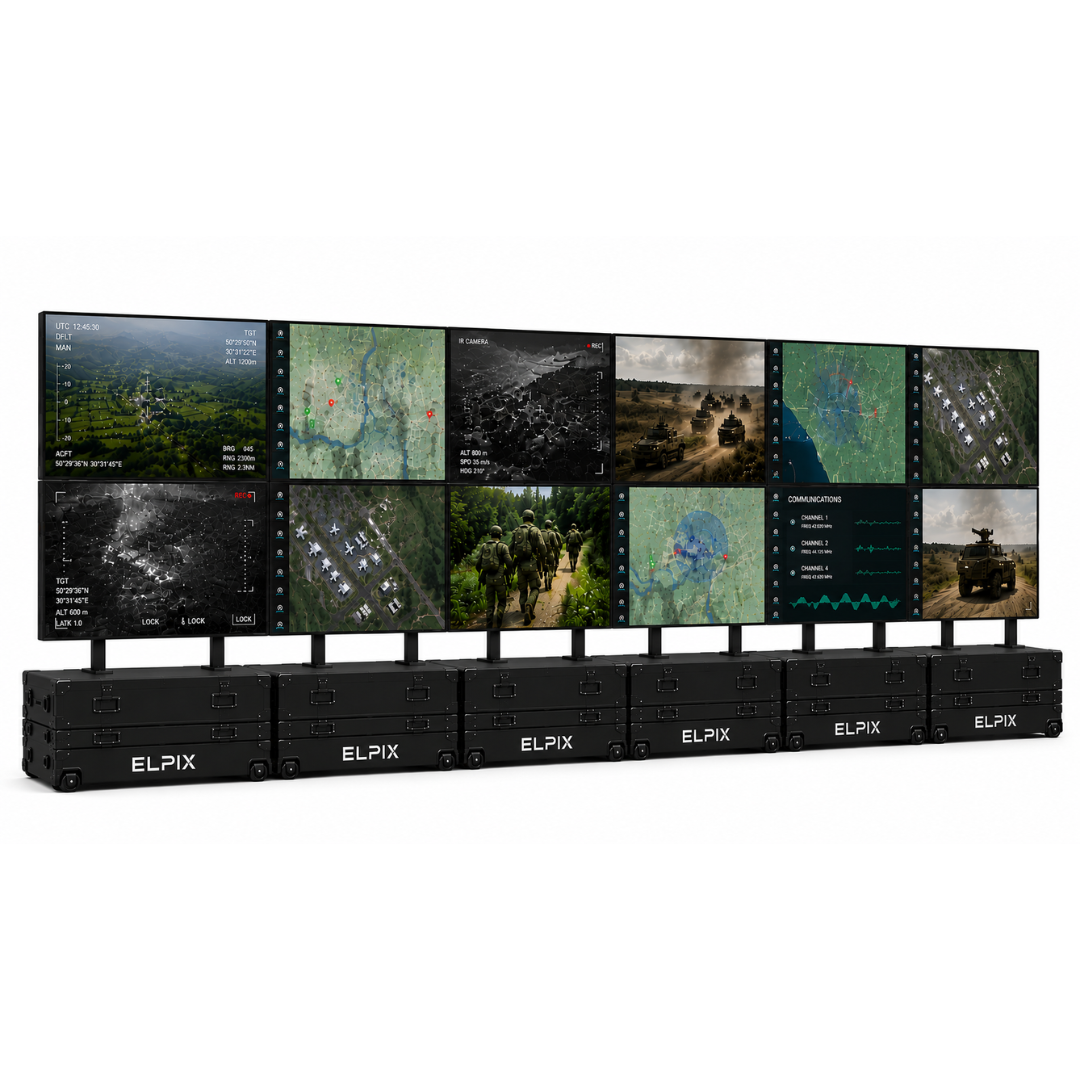
A large-scale configuration for major monitoring and coordination facilities. Includes the VM-12×12 video matrix.
Conclusion: when is a mobile video wall the right solution?
A mobile video wall is suitable for organisations that need a large display for simultaneous information viewing without tying the system to a single room. The case-based design allows the displays to be transported and deployed at a new location, while the controller manages multiple data feeds across the wall.
For smaller teams, a 2×2 system is worth considering. Larger monitoring and coordination facilities may benefit from 4×2 or 6×2. The best option depends on the number of inputs, type of content, installation conditions and frequency of relocation.
ELPIX is a Ukrainian video wall manufacturer. Explore the available models and request configuration advice on the official ELPIX website. To recommend a system, we only need to know your room dimensions, number of video sources and operating conditions.