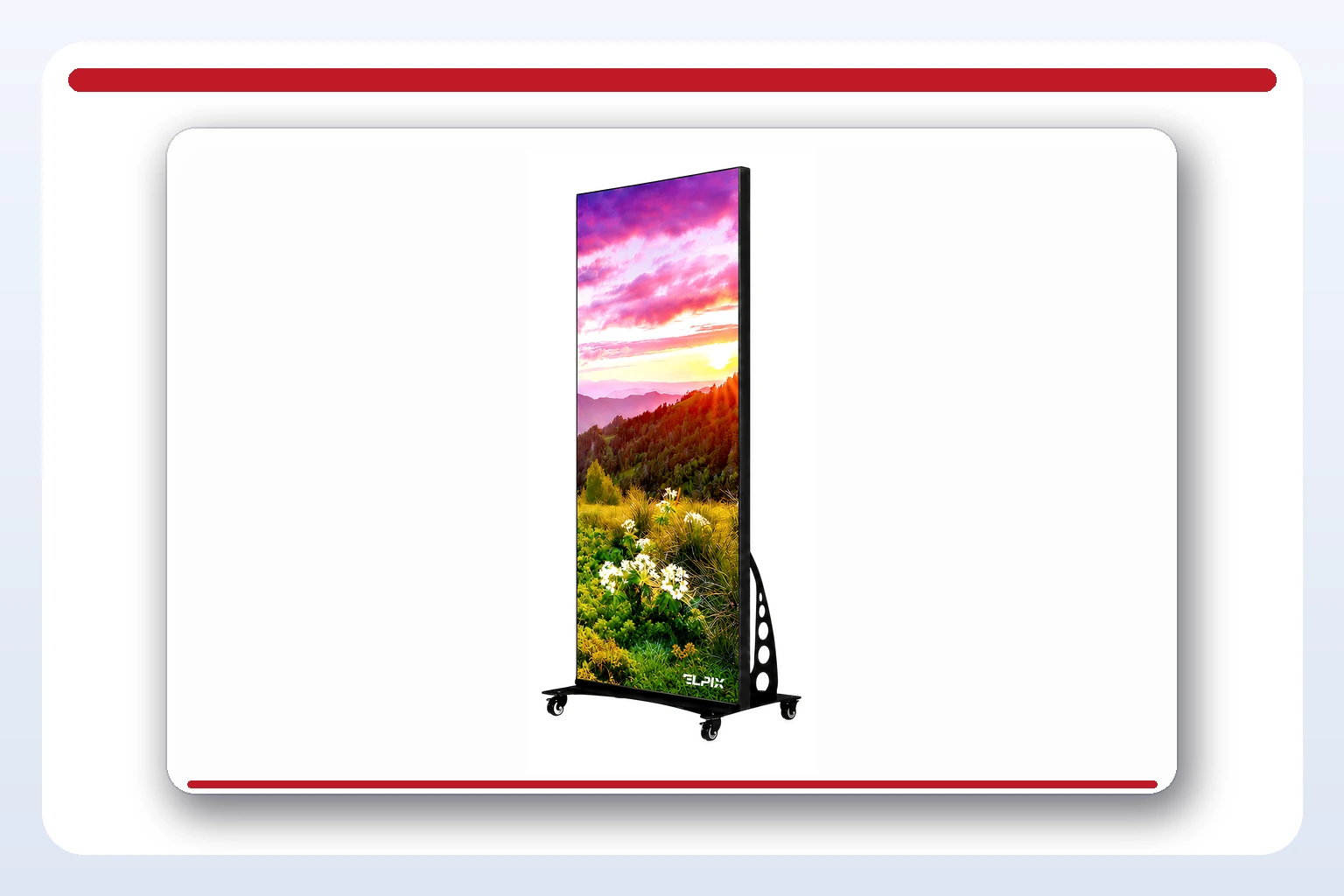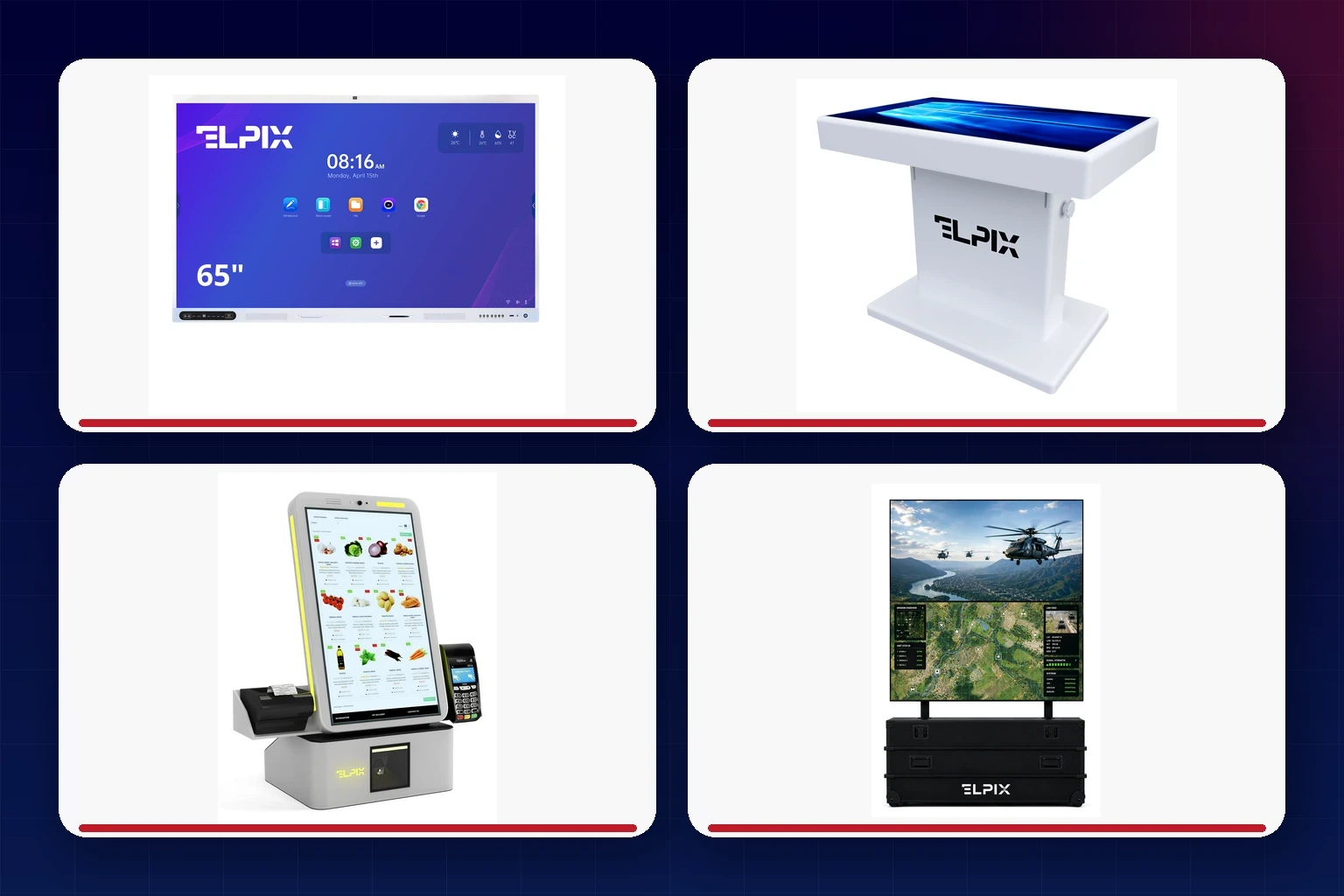

A digital signage display is a commercial screen used for advertising, menus, news and live product information. Its content can be updated remotely at any time, so there is no need to print and distribute new posters. Elpix manufactures LED posters, touch-enabled displays and standard digital signage screens, all supported by the company’s own Elpix Play CMS. The range is designed for retail, shopping centres, HoReCa and corporate buildings.
What a digital signage display does for a business
A printed window graphic is tied to a single message. Every new promotion means another design, another print run and someone visiting the site to replace it. Digital signage removes that delay. A screen can promote a footwear offer today, switch to seasonal drinks tomorrow and show opening hours later the same evening — all through a remote update.
Advertising is only the starting point. The same display can publish live prices and stock levels, manage a queue, provide wayfinding or add useful information such as news, weather and exchange rates. Elpix often sees customers buy a screen for one campaign, then expand it to three or four day-to-day uses once the infrastructure is in place.
The business case becomes stronger as content changes more frequently. A digital display or LED panel eliminates recurring print and delivery costs and frees staff from replacing posters by hand. Locations with daily menus, seasonal promotions or fast-moving prices usually see the value fastest.
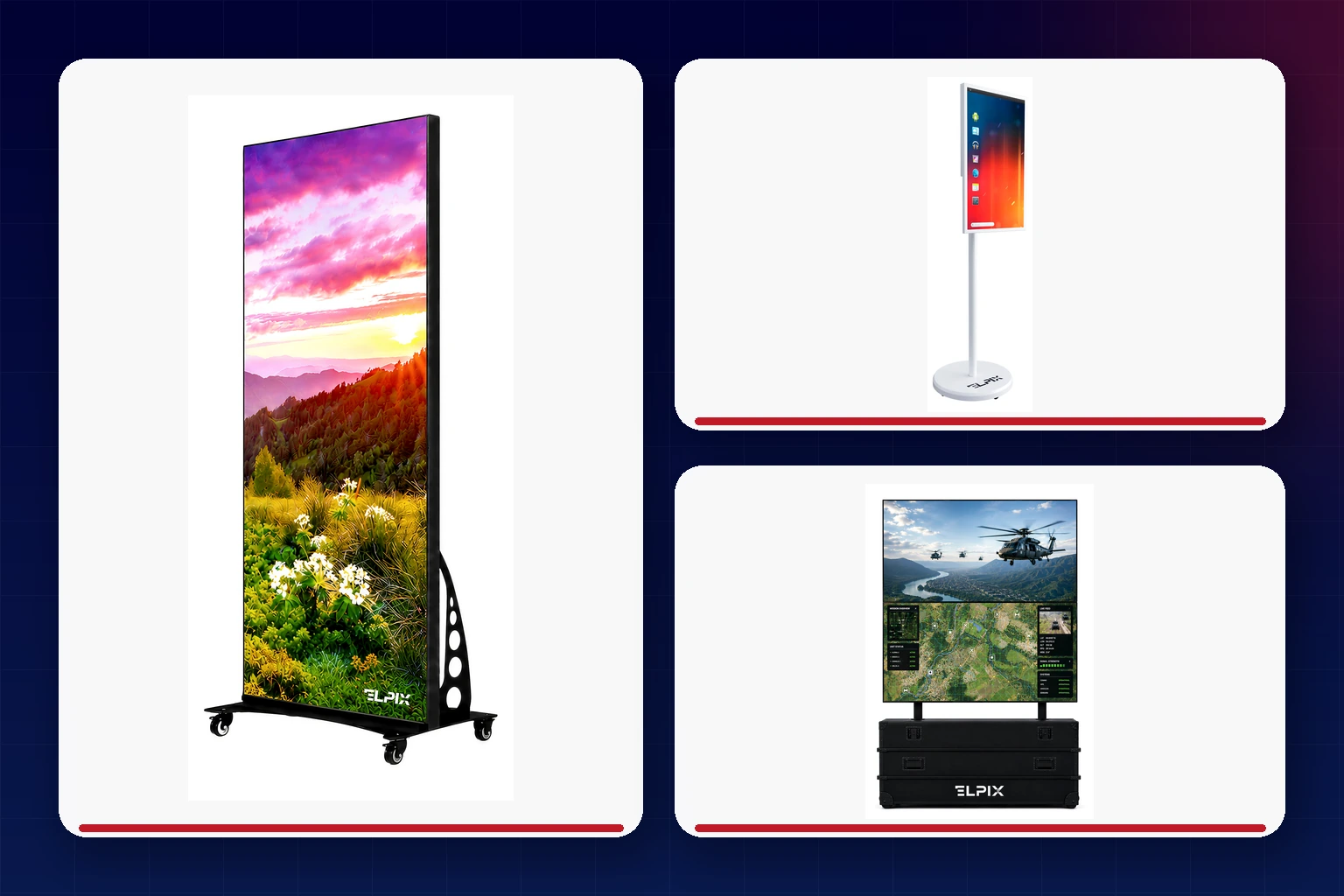
Types of Elpix advertising displays
Different locations call for different hardware. Elpix therefore builds a range of formats around specific viewing conditions and customer journeys rather than treating one panel as a universal answer.
LED posters
Elpix P1.5 and P2.5 are slim, portrait-format LED modules measuring 960 × 1920 mm. They replace the conventional poster at a shop entrance or in a window, while their higher brightness keeps the image legible through glass and in direct sunlight. Pixel pitch should match the viewing distance: a finer pitch produces a clean image for people standing closer to the screen.
Rotating touch displays
Models such as the 24-inch Elpix L1 and 13.3-inch L3 combine scheduled advertising with self-service interaction. They can run a campaign video, then let a customer browse a catalogue, menu or price list by touch. Because the enclosure rotates between portrait and landscape, the display can adapt to a new content format without replacing the hardware.
Digital posters
Non-touch models such as the 43-inch Elpix L7 provide a larger digital canvas for shop windows, reception areas and waiting rooms where interaction adds no value. In practical terms, they deliver the presence of a large-format poster in a slim commercial display.
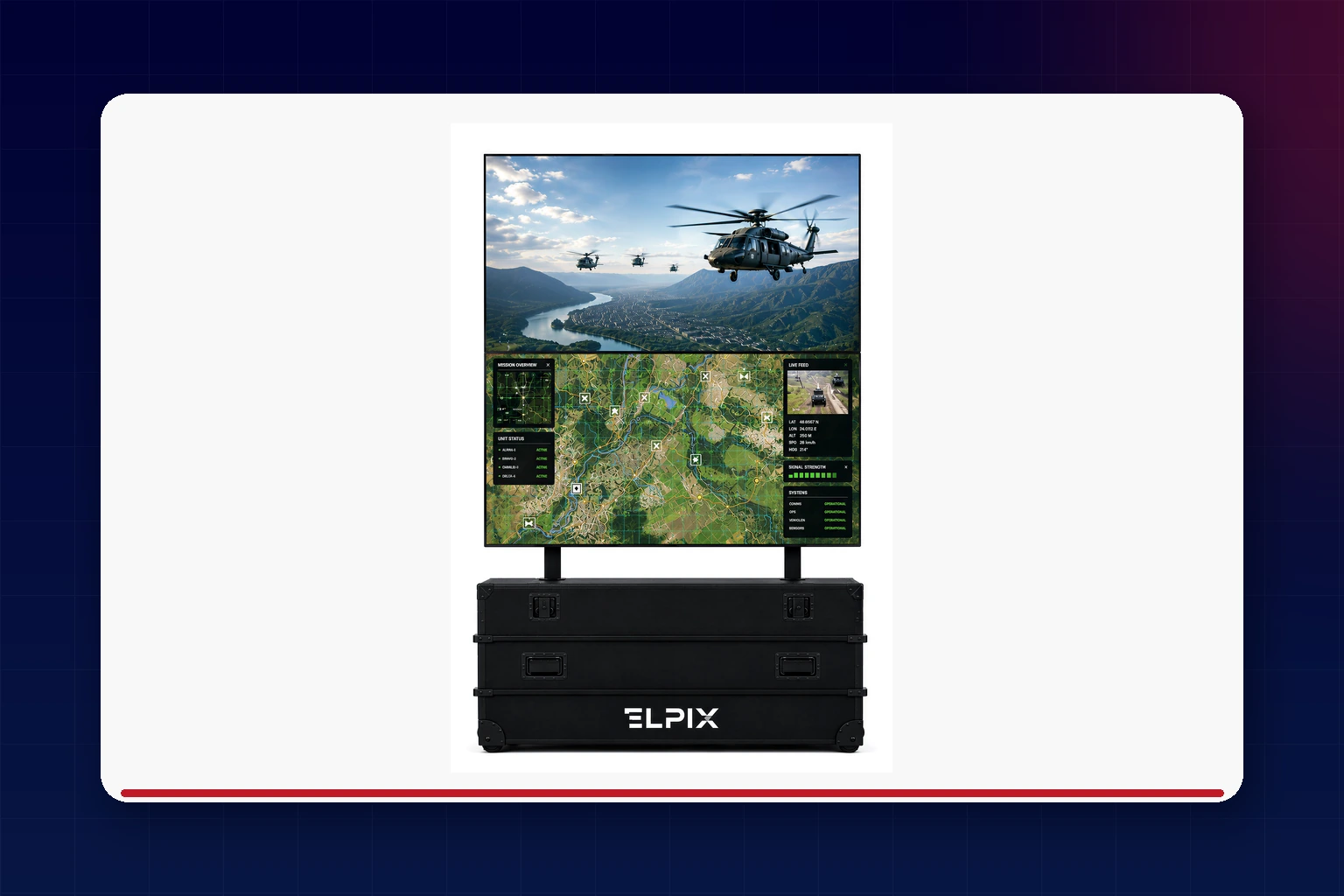
For projects that need more visual area than a single screen can provide, video walls are another digital signage option. Our guide to multimedia equipment covers these large-format systems in more detail.
Where digital signage is used
Retail and shopping centres
A screen at the entrance or checkout can promote offers, confirm product availability, direct visitors around a shopping centre or display a fitting-room queue. Updates take minutes rather than the days needed to prepare, print and distribute a new set of POS materials.
HoReCa
Digital menu boards are a natural fit for restaurants and coffee shops. Prices and items can follow the season, while a schedule moves automatically from breakfast to lunch and dinner at set times. The venue keeps every menu current without paying for a reprint whenever the offer changes.
Business centres and offices
In a lobby or reception area, a display can welcome a visitor, show meeting-room schedules and company updates, or provide courtesy content such as weather and exchange rates. It gives frequently changing information a professional home instead of relying on a paper notice at the desk.
Government and education
Public institutions and education facilities use the same technology for timetables, announcements and queue numbers. These are all information flows that change often, making an instantly editable screen more practical than a succession of printed notices.
Elpix Play CMS: content management
Without software, even a professional display is little more than an expensive monitor. The proprietary Elpix Play CMS turns it into a managed channel: teams can update content remotely, build dynamic playlists and schedule every item in advance. A breakfast menu, for example, can switch to lunch automatically at 11:00 without a member of staff touching the screen.
Elpix Play supports video, images and animation, along with integrations for social media, weather services and news feeds. A display can therefore balance promotional messages with information visitors genuinely find useful. The platform is designed for Android devices, and routine tasks such as uploading a new video or editing a schedule do not require an IT specialist.
How to choose a digital signage display
Start with the site and viewing distance, not the diagonal. A roadside shop window viewed from 5–10 metres needs the brightness and suitable pixel pitch of an LED poster. At a checkout or reception desk, where people stand half a metre to a metre away, a standard digital display can offer all the required detail at a lower cost.
Touch should solve a real user need. It adds cost without adding value to a screen that simply loops a video. If customers need to browse a catalogue, find a product or make a menu choice themselves, touch interaction becomes essential.
Brightness is a deciding factor in windows and sunlit areas. A consumer TV or office monitor can turn into a dark mirror in strong daylight, leaving the message difficult to read. These locations require a high-brightness commercial signage display designed for the conditions.
Finally, consider how the network will be managed. If content changes more than once a month, a CMS soon pays back the time spent travelling to each location and reinstalling files manually. It also ensures every screen follows the intended playlist and schedule.
Selection matrix: the right display for each use case
| Display type | Typical location | Primary purpose | Elpix category |
|---|---|---|---|
| LED poster | Shop window or entrance | Bright advertising visible at a distance and in sunlight | Digital displays |
| Rotating touch display | Checkout, reception, HoReCa | Advertising plus an interactive catalogue or menu | Digital displays |
| Non-touch digital poster | Waiting area or wall | Large-format content without user interaction | Digital displays |
| Video wall | Large venues, shopping centres, control rooms | Maximum image area | Video walls |
| Elpix Play CMS | Any location (software rather than a screen) | Remote content and schedule management | See the section above |
For an overview of the full Elpix range, see Interactive Equipment: Types and Where It’s Used.
FAQ
- Why use a commercial signage display instead of a TV?
- A commercial display is engineered for long operating hours, including 24/7 use where specified, and is usually much brighter — a key advantage in shop windows. Paired with a CMS, it also supports remote content control rather than simply showing the output of one connected source.
- When does an advertising screen need touch capability?
- A screen that only loops videos or images does not need touch. It becomes worthwhile when visitors are expected to explore the content themselves, whether that means browsing a catalogue, finding a product or selecting an item from a menu.
- Can screen content be changed at any time?
- Yes. Elpix Play lets teams publish updates remotely without travelling to the site. Content can be changed on demand or placed on a schedule — for example, to switch menus automatically as the day progresses.
- Will an LED poster remain visible outdoors?
- Yes. The high brightness of LED technology keeps the image readable even in direct sunlight. Under the same conditions, a standard LCD screen tends to look washed out and becomes much harder to read.
- Can a digital signage display be integrated with social media or news feeds?
- Yes. Elpix Play supports integrations with social media, weather services and news feeds, allowing the screen to combine advertising with timely, useful information for visitors.
- Can one display handle advertising and information at the same time?
- Yes. The same screen can show promotional content alongside practical updates such as product availability, live prices, queue status, news or weather. You simply create the appropriate playlist or schedule in the CMS.