


Interactive Tables for Children: 32, 43 or 50 Inches — Which Size Should You Choose? For a kindergarten, early learning centre or primary school, it is important to balance touchscreen area, children’s comfort and the size of the room. A surface that is too small can restrict shared activities, while one that is too large may take up too much space and be difficult for younger children to use.
Screen size alone should not determine your choice. Consider how many children will use the device at once, whether the screen needs separate play areas, the height of the enclosure and whether the software supports multi-user activities.
Below, we compare 32″, 43″ and 50″, explain the differences through examples of activities, and highlight the children’s ELPIX touchscreen tables available for educational and play environments.
32, 43 or 50 Inches: Which Interactive Table Size Is Best for Children?
| Screen size | Best suited for | Main advantage | What to consider |
|---|---|---|---|
| 32″ | Individual exercises, short play sessions, compact areas | Compact screen dimensions | Limited room for group work; confirm whether a table-format product is available |
| 43″ | Small groups, educational games, developmental activities | Balance of screen area and compactness | Size of interactive zones in the chosen software |
| 50″ | Team activities, collaborative drawing, interactive games | Largest screen area of the three options | More floor space is needed around the table |
Important product range clarification: ELPIX’s public catalogue confirms Sm1 children’s tables in 43″ and 50″ sizes. Its 32-inch children’s device is listed as an interactive panel rather than a table. If you specifically need a 32″ table, check whether that configuration can be ordered from the manufacturer.
Children’s Touchscreen Dimensions: Comparison in Centimetres
A screen’s diagonal is the distance between opposite corners, not its width. For displays with a 16:9 aspect ratio, the approximate visible dimensions are:
| Screen size | Screen width | Screen height | Screen area |
|---|---|---|---|
| 32″ | ≈ 70.8 cm | ≈ 39.8 cm | ≈ 0.28 m² |
| 43″ | ≈ 95.2 cm | ≈ 53.6 cm | ≈ 0.51 m² |
| 50″ | ≈ 110.7 cm | ≈ 62.3 cm | ≈ 0.69 m² |
These are approximate dimensions of the active screen area, excluding the bezel, touch assembly and enclosure. Check the model’s technical documentation for the table’s overall dimensions.
The most significant difference is screen area: a 43″ display is approximately 81% larger than a 32″ display, while a 50″ screen has about 2.4 times the area of a 32″ screen. A larger model may therefore be more comfortable for several children, although screen size alone does not guarantee support for a larger group.
32-Inch Interactive Display: For Individual Activities
32″ is a compact format for situations where a child or a very small group works directly beside the screen. It can provide enough space for matching shapes and colours, simple puzzles, sorting objects or short educational games.
However, a 32-inch screen has limited room for several independent play areas. Children interacting from different sides may run out of space for touch gestures. For regular collaborative activities, it makes sense to compare 43″ and 50″ options.
Please note: the 32″ children’s product in ELPIX’s public catalogue is an interactive panel. It should not be assumed to have a horizontal table-style enclosure. If you need a tabletop configuration, confirm its availability before placing an order.
43-Inch Interactive Table for Children: A Balanced Choice
A 43-inch touchscreen table is suitable for kindergartens, development centres, small play areas and activities where children share one interactive surface. It makes it easier to divide the work area between participants while remaining relatively compact.
A table of this size can be used for letter and number exercises, puzzles, attention games and group activities if the educational software supports them. It is important to consider not just screen size but also the actual spacing between interactive elements in each game.
Catalogue example: ELPIX Sm1 43″ Children’s Interactive Table — Yellow Metal. The product listing specifies a 4K display, support for 10 simultaneous touches and 6 mm tempered protective glass. We recommend confirming the exact computer configuration when ordering.
50-Inch Interactive Table for Children: For Team Activities
A 50-inch interactive table provides noticeably more room for shared interaction. Compared with a 43″ screen, the display area is approximately 35% larger. This is useful when several educational objects, large illustrations or interactive play zones need to be displayed at the same time.
This format is worth considering for preschool group activities, primary classrooms, educational play centres and children’s areas in public venues. However, the number of children who can participate at the same time also depends on multitouch capabilities, game rules and how participants are positioned around the table.
Catalogue example: ELPIX Sm1 50″ Children’s Interactive Table — White Acrylic Stone — a model with a 4K display, 10 simultaneous touches and 6 mm protective glass. The enclosure is made of acrylic stone; available configuration options should be confirmed for each order.
How Many Children Can Use an Interactive Table at Once?
Screen size helps estimate the available work area, but it does not automatically determine the number of users. Even a large display may only support one player if its application does not allow several children to interact simultaneously.

| Activity | Suggested size | What to check before purchasing |
|---|---|---|
| Individual activities with an educator | 32″ or 43″ | Button size, comfortable reach and surface height |
| Small-group activities | 43″ | Whether the software supports several independent touch inputs and active areas |
| Shared games and team activities | 50″ | Number of simultaneous touches and access from different sides |
ELPIX’s catalogue lists support for 10 simultaneous touchesfor both Sm1 43″ and 50″ models. However, 10 touch points do not necessarily mean a table will work equally well for 10 children. Test the intended educational application with a group similar to the one that will use the equipment.
Five Features That Matter More Than a Few Extra Inches

- Height and ergonomics. Children should be able to reach interactive areas without leaning too far over the surface. Check whether the table height suits their age group, rather than relying on screen size alone.
- Touch technology and multitouch. For group activities, the number of simultaneous touch points, accuracy and software support for multiple users are essential.
- Structural safety. Check rounded corners, enclosure stability, screen protection, electrical safety and whether cables can be routed safely.
- Operating system and educational software. Before choosing Android or Windows, confirm application compatibility, interface language and availability of the exercises you need.
- Placement in the room. Children need enough room to move around the table. Account for furniture, power sockets, walkways and educators’ access to the equipment.
Choosing an Interactive Table for a Kindergarten, Learning Centre or Primary School
For kindergartens
If the table will be used regularly by several preschool children, compare 43″ and 50″. The first suits a compact play area; the second is better when children need to interact with more objects at once. Also check the table height, rounded enclosure elements and how easily its surface can be cleaned.
For early learning centres
Learning centres often alternate between individual exercises and small-group activities. Where space is limited, 43″ can offer a practical compromise. If the focus is on shared games and large illustrations, consider 50″.
For primary schools
In a primary classroom, a touchscreen table can complement an interactive panel rather than replace it. For group activities involving tasks, maps, diagrams and visual exercises, 50″ offers more work area. Also check whether the software supports the lesson format you need.
For children’s areas in public venues
In a children’s corner at a shopping centre, hotel or family venue, enclosure durability, surface protection and ease of daily maintenance are particularly important. Choose a diagonal based on available space, visitor traffic and content, from short games to interactive drawing.
ELPIX Sm1 Interactive Tables for Children: Two Models Compared
ELPIX offers specialised Sm1 touchscreen tables for educational and play spaces. Below are two confirmed products from the public catalogue. Specifications and available options may vary with the chosen configuration.
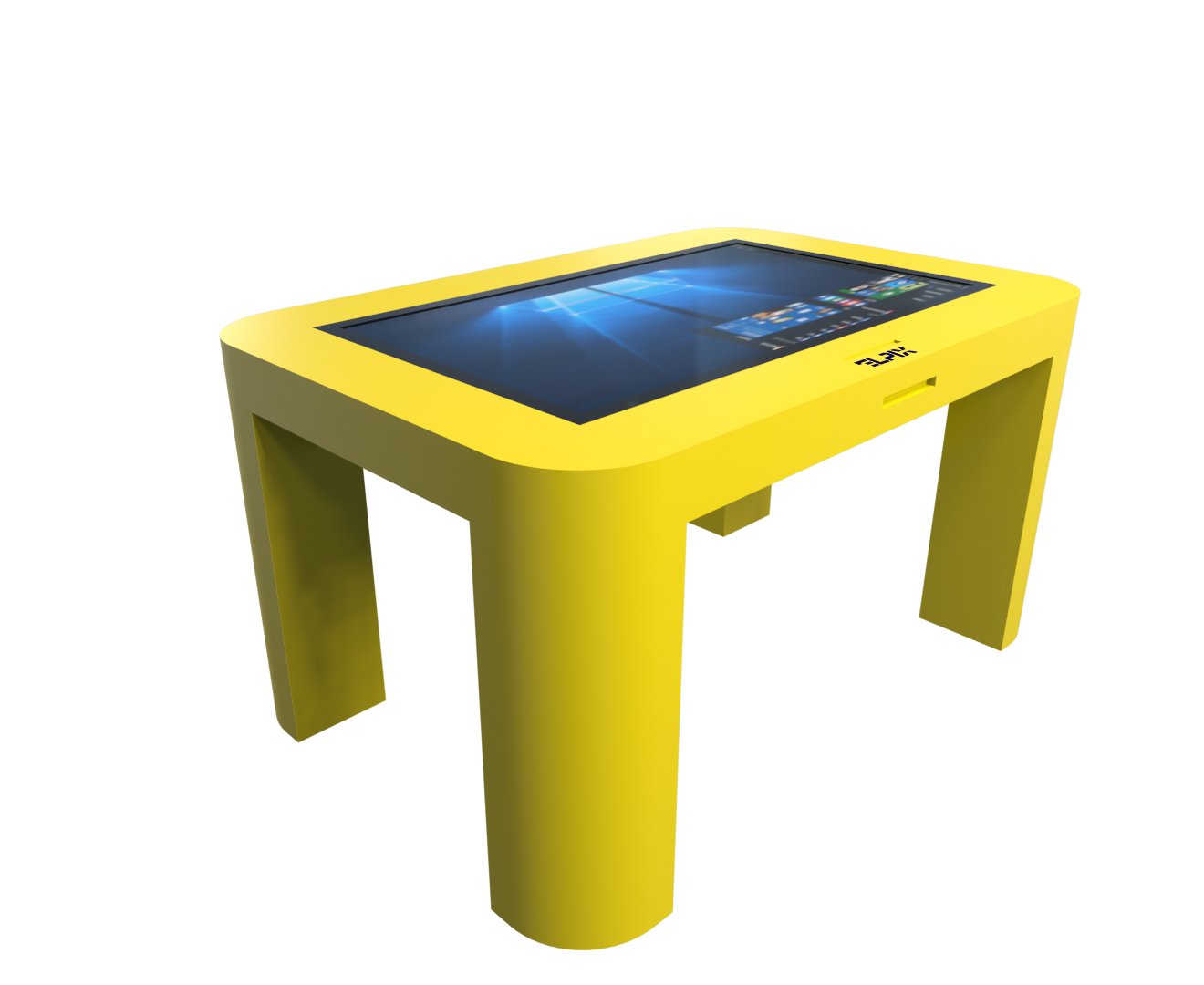
Compact option for kindergartens and early learning centres. 4K touchscreen, up to 10 simultaneous touches, 6 mm tempered protective glass and a metal enclosure.

Larger touchscreen for group activities and visual games. 4K display, up to 10 simultaneous touches, 6 mm protective glass and an acrylic-stone enclosure.
The photographs show ELPIX Sm1 interactive table models for children. A 32″ product is not included in the cards because a corresponding children’s table model could not be confirmed in the public catalogue. Check the product page for current configuration details.
Conclusion: Which Children’s Interactive Table Size Is Better?
For very compact learning activities, a 32-inch touchscreenmay be sufficient, but availability in a table format must be confirmed. If you need a dedicated interactive table for children, 43″ is a practical choice for small groups, while 50″ gives more room for collaborative games and learning exercises.
The best screen size is not necessarily the largest. Children should be able to reach the touch surface comfortably, use the chosen applications and move safely around the table in the available space.
ELPIX is a Ukrainian manufacturer of interactive equipment. Explore Sm1 models and request configuration advice in the ELPIX touchscreen table catalogue. Before ordering, specify the children’s age, group size, type of activities and preferred screen size.