Interactive tables for early childhood education address a straightforward challenge: children engage with a shared task rather than a solitary screen. Between the ages of three and six, children learn through movement, play, conversation, trial and error. A tablet frequently isolates children into separate corners. An interactive table works differently. Children gather around a single horizontal surface, manipulate objects, negotiate, collaborate, and draw. They sort items, complete puzzles, and see results immediately — together.
For a private nursery or early years setting, this is not a piece of technology purchased for the entrance hall photograph. Or rather, it should not be. The conclusion is straightforward: if an interactive table does not enter the timetable, it becomes expensive furniture. It is a working tool for logic, language, creativity, STEAM learning, school-readiness, and meaningful parent communication about how children learn. When a children’s interactive table is selected thoughtfully, it becomes part of pedagogical methodology rather than an object everyone quietly avoids. Using the Elpix 50″ installation at Tiny Hugs nursery in Kyiv as a reference, this guide covers construction, software, safety, lesson integration, and return on investment.
“The Elpix interactive table helps private nurseries and early years settings demonstrate a modern yet practically grounded approach to early childhood education.”
An interactive table for early childhood settings is a multitouch-enabled horizontal surface built into a stable, child-height frame. In plain terms, it is a large touchscreen laid flat, designed for several children to use simultaneously. A television or wall-mounted interactive panel typically positions the child as a viewer. A table demands participation: move an element, draw a shape, select an answer, assemble a puzzle, examine a three-dimensional model — and do it alongside peers.
In early years environments, the relevant factors extend well beyond screen diagonal and brightness. Body safety, rounded edges, structural stability, straightforward sanitation, intuitive app launching, and educator control are equally critical. This is where many procurement decisions go wrong: an interactive table for young children is evaluated as though it were a conventional touchscreen monitor. That addresses only part of the requirement. In a nursery setting, the device must withstand daily wet-wipe cleaning, vigorous hand contact, occasional bumps, liquid spills, and continuous daily use across different age groups.
At Tiny Hugs, the installation comprises an Elpix 50″ table running Android with the Elpix Launcher interface. A 50-inch diagonal provides sufficient workspace for group tasks without overwhelming the room. Android removes the need for complex IT infrastructure. Educators can navigate the interface intuitively, and children experience a large shared surface they readily accept as part of their learning environment.
School-facing interactive technology is typically designed for lesson delivery, frontal instruction, and a more settled audience. An interactive table for early childhood settings needs to function closer to a collaborative play centre than a classroom presentation tool. In a primary or secondary context, the teacher leads, a pupil responds at the board, the class observes. In a nursery, the environment is livelier and less predictable: attention spans are shorter, physical movement is constant, sensory engagement takes priority, and activity formats must shift rapidly. For this reason, a children’s interactive table is architecturally and functionally closer to a play station than a teaching panel.
The first distinction is ergonomics. Young children find sustained work at a vertical panel physically demanding: arms tire quickly, and shorter children cannot reach the upper portion of a standing panel. A horizontal table allows children to stand or sit around the surface, use both hands freely, adopt different roles within the group, and observe what peers are doing in real time.
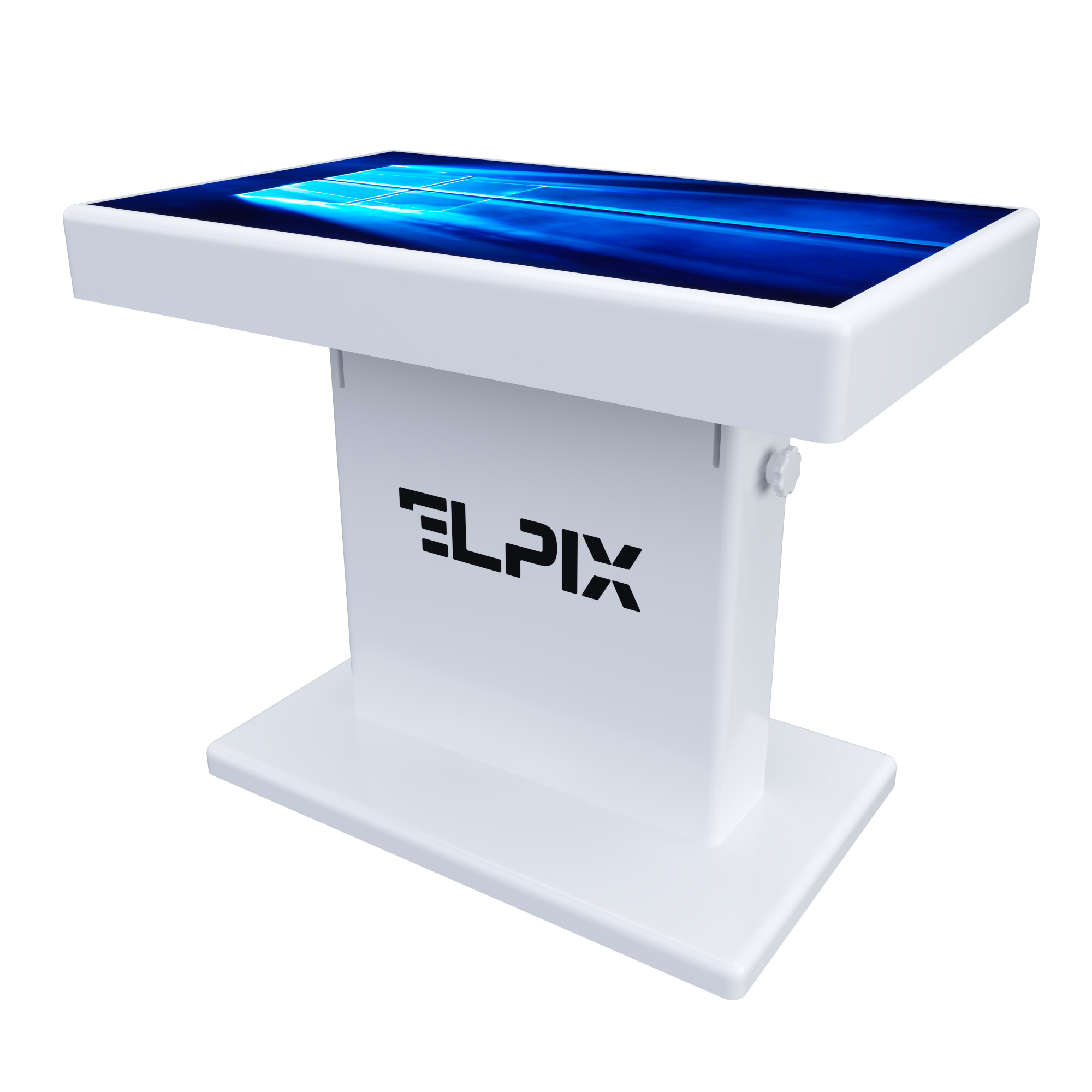
The second distinction is enclosure specification. School technology typically operates in environments where pupils exercise greater physical control. In a nursery setting, physical contact with furniture is more forceful and unpredictable: pushing, leaning, active play, and post-session cleaning are daily realities. The acrylic stone enclosure used in Elpix installations is an engineering response to this requirement: impact-resistant, waterproof, easily sanitised, and free from sharp edges.
The third distinction is the application profile. Schools require presentations, assessments, interactive whiteboards, formulae, and diagrams. Early years settings require drawing tools, alphabet and phonics activities, foundational numeracy, three-dimensional exploration, language learning, creative expression, and introductory computational thinking. A well-specified early years table serves multiple age groups and curriculum areas without relying on a single demonstration mode.
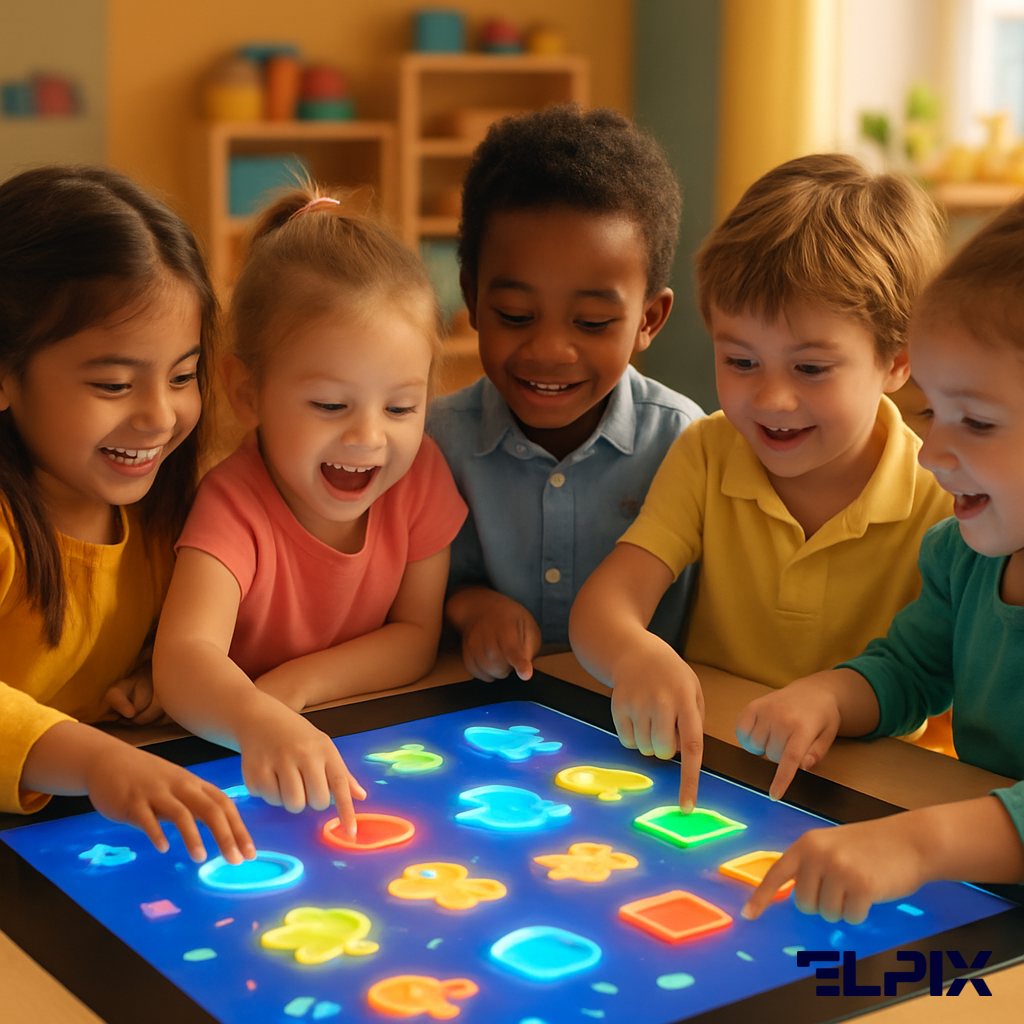
Contemporary early childhood pedagogy emphasises the integration of technology as a scaffold for play, collaborative activity, verbal communication, sensorimotor experience, and graduated task complexity. An interactive table supports these goals more effectively than individual tablets precisely because it does not fragment a session into isolated screens. Research in embodied learning indicates that children retain and process information more deeply when physical action — touching, moving, arranging — accompanies cognitive engagement. Collaborative play-based learning, as framed in both the UK Early Years Foundation Stage (EYFS) and the NAEYC Developmentally Appropriate Practice guidelines, positions shared problem-solving as central to early development. An interactive table is one of very few digital tools that naturally supports both principles simultaneously.
When children work at a shared surface, they observe each other’s actions and must negotiate meaning together. One child moves an object. A second proposes a different approach. A third checks the outcome. The educator distributes roles: researcher, assistant, illustrator, narrator. A digital task becomes a structured group activity requiring language, turn-taking, reasoning, and active listening.
For settings that host open observation sessions, this distinction is immediately visible to parents. Rather than a child silently watching a screen, families see children using a shared surface as a collaborative instrument. The difference between “children watching content” and “children solving a problem together” is perceptible within thirty seconds of observation — a meaningful consideration for early years settings seeking to communicate their pedagogical approach to prospective families.
The multitouch surface supports the connection between visual perception and hand movement — an established pathway for developing fine motor control, visual-motor coordination, spatial reasoning, and sustained attention. Children drag letters into position, match pairs, categorise objects, trace pathways, draw, assemble images, and rotate three-dimensional models. These actions are developmentally appropriate yet reveal clearly how individual children approach problems.
Short activity blocks of five to ten minutes work most effectively. An educator might open with English vocabulary work, transition to a drawing activity, move to a puzzle, and close with a three-dimensional model of an animal or planet. For an early years group, this pacing is more developmentally appropriate than a single extended task — and a well-timed format change can rescue an activity that is losing momentum.
An interactive table does not replace the educator, books, construction materials, paper, or physical play. Substituting unstructured play with digital activity would represent a misapplication of the technology. However, numerals on the surface become manipulable objects. Letters can be repositioned and rearranged. Geometric forms sit alongside each other for direct comparison. Simple algorithms take shape in Scratch Junior through a clean, uncluttered visual programming interface.
Children gradually develop the habits that underpin school readiness: following a sequence of instructions, working towards a shared goal within a group, checking outcomes, and explaining choices. For an early years setting, this represents genuine pedagogical value rather than a compelling equipment purchase.
The core procurement question is whether the equipment will withstand daily use and whether educators will use it confidently and consistently. An early years setting imposes significant demands: dozens of touch interactions per session, daily wet-wipe cleaning, age groups ranging from 18 months to six years, rapid transitions between activities, and limited time for technical setup at the start of each session.
Screen size depends on intended use. A smaller format suits individual or paired activity. A surface of approximately 50 inches is appropriate for groups of four to six children — the format selected at Tiny Hugs. At this scale, children have adequate workspace for parallel and collaborative tasks without the device dominating the room.
After size, the enclosure specification warrants close attention. For early childhood environments, the requirements are rounded profiles, structural stability, and moisture resistance. The material must withstand daily disinfectant-wipe cleaning after drawing sessions, meals served nearby, or messy play. The acrylic stone construction used in Elpix installations meets these requirements: impact-resistant, waterproof, free from sharp edges, and compatible with standard sanitation protocols.
The third procurement criterion is the software environment. Android provides straightforward access to the educational applications required in early years settings, and the Elpix Launcher presents a curated, educator-facing interface: relevant applications are accessible in a single view, with no need to navigate system settings or risk unintended navigation during a session.
| Selection Criterion | What to Verify Before Purchase | Why It Matters in an Early Years Setting |
|---|---|---|
| Enclosure safety & durability | Rounded profiles, IP-rated moisture resistance, impact-resistant material, no brittle edges, stable base | Children move actively around the table; the enclosure must reduce injury risk and withstand the physical demands of daily use |
| Screen size & certified multitouch | Approximately 50″ diagonal for group use; simultaneous multitouch detection; responsive sensor calibrated for small hands | Group activities require each child to interact independently on the same surface; a single active zone defeats the collaborative purpose |
| Software environment & MDM readiness | Android with MDM-compatible management; curated launcher; access to educational applications; restricted system navigation | Educators must be able to launch sessions within seconds; IT administrators require remote management capability for multi-device deployments |
| Sanitation compatibility | Surface rated for daily disinfectant-wipe cleaning; no porous materials; sealed joints | Early years safeguarding and hygiene standards require regular sanitisation; a surface that cannot be cleaned to protocol creates compliance risk |
| Warranty & service response | On-site service provision; replacement unit policy; software update commitment | A device used in daily timetabled sessions cannot remain offline for extended periods; service response time is a procurement decision, not an afterthought |
“For early childhood settings, an interactive table must combine a safe, durable enclosure, an educator-friendly Android interface, and applications designed for collaborative group activity.”
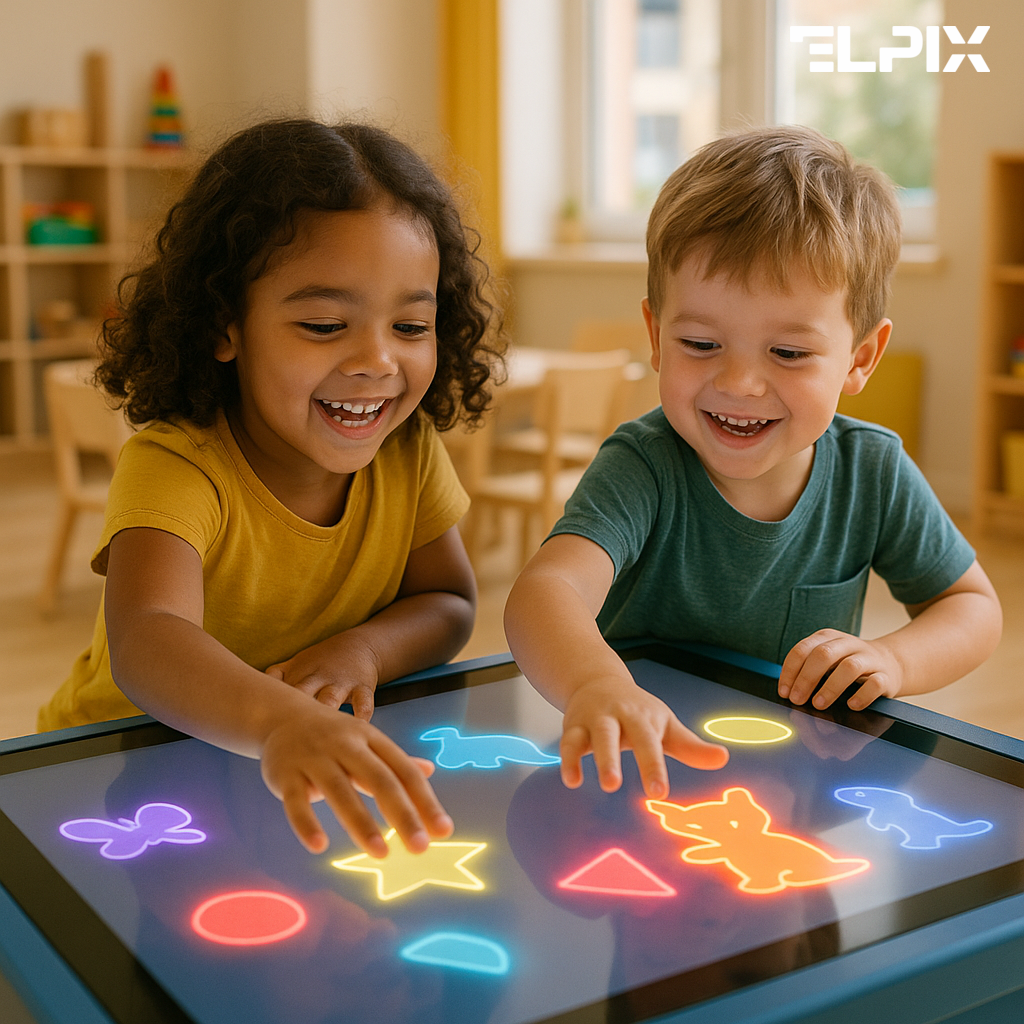
The software environment determines whether a table appears in the weekly timetable or collects dust in the corner of a room. Hardware loses its value quickly if educators face the question “What do I actually do with this today?” For early years groups, the application profile requires balance: foundational skill-building, creative expression, and visual models that help children make sense of the world.
At Tiny Hugs, the Elpix 50″ table runs Android with the Elpix Launcher. For a nursery environment, this is a practical configuration: the educator opens pre-selected applications without entering system settings. A session must begin promptly — without file searches, connectivity checks, or waiting for technical support.
A well-curated early years application library might include:
Organising applications by age band — three to four years, four to five years, school-readiness group — and by curriculum area — creative, English, logic, STEAM — significantly improves daily uptake. Counterintuitively, the less navigation an educator must perform to reach the right activity, the more reliably the table enters the timetable as a standard resource rather than an occasional supplement scheduled when time permits.
Tiny Hugs is a private nursery in Kyiv. The brief for this installation was clear: establish a safe digital activity zone for children from three to six years of age that educators could integrate into sessions covering language development, logical reasoning, creative activities, English, and school-readiness preparation.
The installation uses an Elpix 50″ interactive table running Android with the Elpix Launcher interface. The 50-inch surface provides adequate space for collaborative group activity without requiring a dedicated room. Android removes complex IT infrastructure requirements, and the Launcher allows any member of the teaching team to begin a session independently.
The enclosure is constructed from acrylic stone — a deliberate engineering choice for an early years environment. The material is impact-resistant, waterproof, compatible with daily disinfectant cleaning, and finished without sharp edges. In a setting where the device is handled continuously by three- to six-year-olds, the enclosure specification carries equal weight to the display specification. Structural design and build quality for this installation were delivered by the manufacturing partner ELKAMINO LLC.
Following installation, Tiny Hugs recorded a 62% increase in measured child engagement during structured digital activities compared with previous digital provision. Group participation in collaborative tasks — where two or more children worked together on a shared objective — rose to 87% of observed sessions. Parent satisfaction, as captured through Google My Business reviews, reached a rating of 4.7 out of 5 across 14 verified reviews, with multiple responses citing the interactive table specifically as a factor in their positive assessment of the setting.
The application library at Tiny Hugs includes Mozaik Education, Corinth 3D, Scratch Junior, ABC Kids, Lingokids, Khan Academy Kids, Kids Doodle, and Drawing for Kids. A single installation addresses sessions across language development, English, creative activities, STEAM, logical reasoning, fine motor development, and digital literacy. The device moves between age groups within the weekly timetable, distributing its contribution across the whole setting.
Three considerations from the Tiny Hugs case are transferable to comparable settings. First, a 50-inch surface is the appropriate minimum for genuine group collaboration — smaller formats restrict the number of children who can interact simultaneously. Second, the enclosure specification is not a secondary consideration: the acrylic stone construction has withstood daily use without incident, which would not have been guaranteed with a consumer-grade display repurposed for early years use. Third, a curated Launcher interface was the single change that most directly influenced how frequently educators integrated the table into planned sessions.
View the Elpix portfolio of early years interactive solutions
“At Tiny Hugs in Kyiv, the Elpix 50″ interactive table functions as a shared digital workspace integrated into the setting’s daily timetable across all age groups.”
Even the best-specified interactive table will not deliver learning outcomes if it is placed in a room without a clear implementation plan. Without structured integration, devices typically default to “we’ll use it on Fridays.” An early years setting benefits from introducing new technology calmly and at a pace that does not place additional demands on educators or children.
A realistic starting point for a setting with multiple age groups is two to three scheduled sessions per week per group. After a four-week settling-in period, the timetable can extend to themed activity weeks, small-group projects, open observation sessions for prospective families, and collaborative sessions involving speech and language support or EAL provision. Without this planned expansion, the equipment is at risk of becoming a one-term novelty rather than a permanent curriculum resource.
For a nursery owner, manager, or school business officer, an interactive table is an investment in the quality of the educational offer, competitive differentiation in the local market, and parent confidence. Its value is only realised when it appears in the timetable. A device purchased for its appearance in a marketing brochure will be recognised as such within a term.
Return on investment is not limited to direct programme benefit. A well-integrated interactive table supports open-days and prospective parent tours, school-readiness programmes, English provision, STEAM enrichment, individual support sessions, and inclusive learning formats for children with additional needs. A single Elpix 50″ unit can rotate across multiple groups within a weekly timetable, distributing its contribution and its cost across the whole setting rather than a single room.
A practical evaluation framework starts with straightforward questions: how many groups will use the device each week, how many curriculum areas does it address, what is its role in the setting’s external communication, and what is the cost per child per session over a three-year period? The discipline of this calculation tends to shift the conversation from “it is a significant expenditure” to “it is a resource with a measurable daily presence.” A device that appears in the timetable five times per week serves a fundamentally different function — and justification — from one used occasionally when other activities overrun.
Interactive tables designed for early childhood settings are appropriate from approximately two and a half years of age, when children have developed sufficient fine motor control to interact reliably with a multitouch surface. The Elpix range is specified for use from three years. Application selection should be calibrated to the developmental stage of each group: open-ended creative tools suit younger children, while more structured logical and literacy activities are appropriate from four to five years. A well-curated library can serve a mixed-age setting without requiring separate devices for different age groups.
The acrylic stone enclosure used in Elpix installations is rated for daily cleaning with standard disinfectant wipes. The surface is non-porous and seamlessly joined, which eliminates the crevices that collect contamination in consumer-grade enclosures. The display surface should be cleaned with a non-abrasive screen-safe solution. Routine maintenance — software updates, application management via the Elpix Launcher — can be performed remotely by a setting’s IT contact or a designated member of the teaching team without specialist technical knowledge.
An Android-based interactive table requires a standard Wi-Fi connection for application updates and optional cloud-based content. No server infrastructure, specialist networking, or on-site technical resource is required for day-to-day operation. For settings deploying multiple devices, Android’s compatibility with Mobile Device Management (MDM) solutions allows centralised application management, content control, and remote configuration — a relevant consideration for multi-site operators or local authority deployments. The Elpix Launcher functions as a lightweight MDM-equivalent for single-device settings, restricting navigation to the approved application library.
Educators report that the most compelling evidence for governing bodies and inspectorates comes from documented observation records rather than technology specifications. Useful evidence includes: baseline and follow-up assessments of target skills (fine motor control, collaborative language, early literacy) aligned to the relevant framework — EYFS in England, Curriculum for Excellence in Scotland, or the equivalent national framework; video footage of observed sessions used for professional development and parent communication; and attendance and engagement data comparing sessions that include interactive table activity with those that do not. Elpix specialists are available to advise on outcome-measurement approaches as part of the implementation support provided with new installations.
💡 Ready to choose an interactive table? Elpix manufactures interactive tables for children — Sm3 and Sm4 series with a safe acrylic body, multitouch Android, and certified for daily classroom use — browse the full children’s table catalogue.

View details
View details

View details