The first time most people encounter the phrase interactive touch table, they picture something from a tech exhibition — a glowing display, a looping demo video, and a price tag well beyond any real-world budget. In practice, these are serious engineering tools that work every single day in a primary school classroom aligned with Ukraine’s New Ukrainian School (NUS) reform, a kindergarten in Kharkiv, a command center of the State Emergency Service (SESU), or a furniture showroom in Lviv. A horizontal multitouch surface embedded in a durable housing lets several people interact with a single screen simultaneously — not just view it, but genuinely interact: moving objects, building maps, drawing, launching applications, working together. For Ukraine, this is no longer exotic technology: interactive tables are actively entering NUS classrooms, corporate environments, preschool facilities, and civil defense structures. The question is straightforward — how to choose correctly, avoid overpaying, and prevent expensive equipment from becoming a piece of furniture that nobody actually uses.
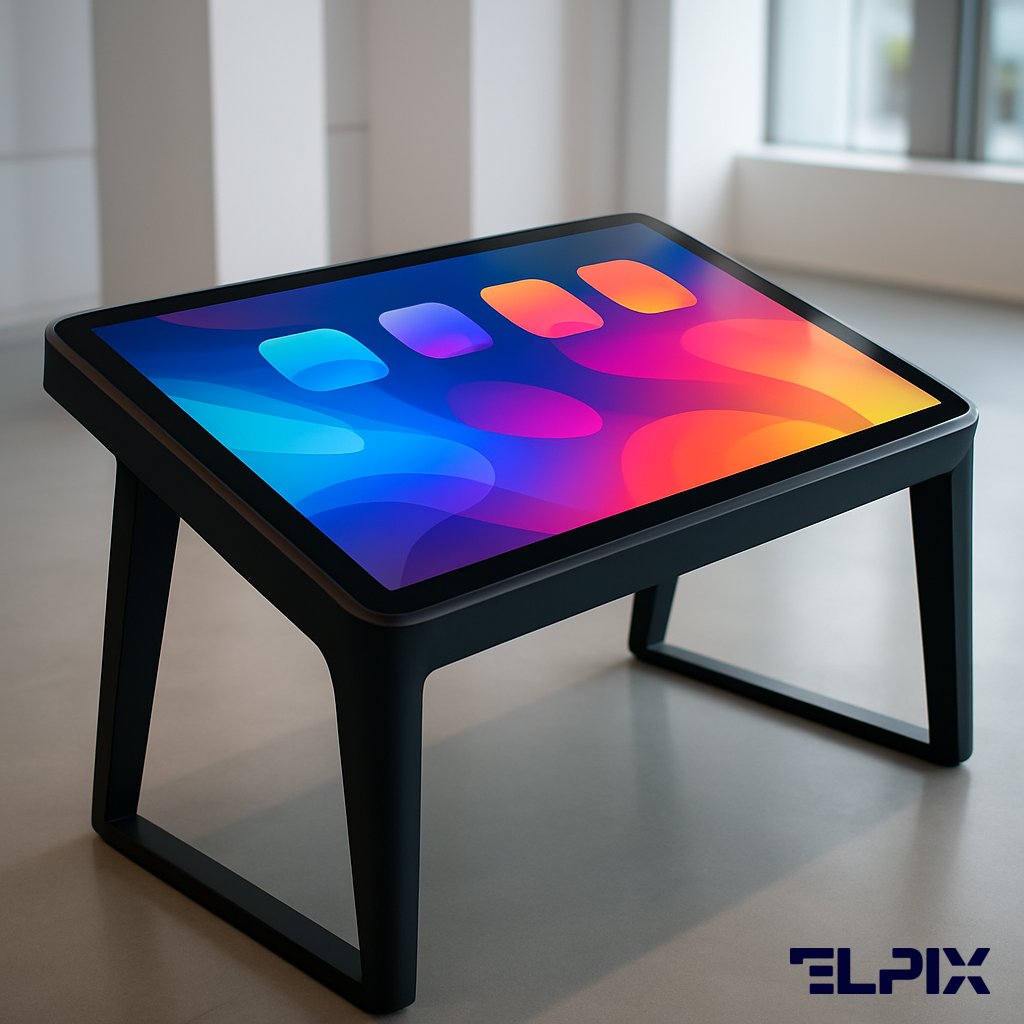
“An interactive touch table is a horizontal multitouch display built into a robust housing, designed for group work with multiple participants operating from all sides simultaneously,” says ELPIX, a Ukrainian manufacturer of interactive equipment. At its core, it is a monitor that lies flat rather than hanging on a wall. But that explanation is far too simple and partially misleading, because the horizontal position changes not just the form factor but the entire logic of how people interact with content.
When a display is vertical — mounted on a wall like a traditional interactive panel — there is a natural division of roles: one active presenter at the front and an audience watching from seats. The table removes this division entirely. Several people stand around it, each capable of touching the surface, moving objects, drawing, selecting, and contributing simultaneously. This creates a fundamentally different working model — collaborative rather than frontal, exploratory rather than presentational.
Technically speaking, inside the housing you will find a multitouch capacitive or infrared sensor screen (supporting from 10 to 32 simultaneous touch points depending on the model), a computing unit running Android or Windows, ports for peripheral devices, built-in speakers, and a thermal management system. All of this is packaged into a housing designed to withstand daily intensive use: the Elpix touch table catalog includes models for children, schools, military command, and commercial environments — each type solving a specific, concrete set of problems.
A common mistake when evaluating these devices: buyers focus exclusively on screen diagonal and operating system, ignoring the housing construction, tabletop height, and the actual use-case scenarios the device needs to handle. When choosing an interactive sensor table, the right starting point is answering three questions before looking at a single specification: who will be working with it (age group, number of simultaneous users), in what environment (lighting conditions, room dimensions, mobility requirements), and what tasks it needs to accomplish every working day. Buying a touch table to solve a specific problem means understanding the problem first. That is what the sections below address.
“An interactive table differs from an interactive panel not just in the position of the screen, but in the entire logic of use: it is built for group work where every participant has an active role rather than watching passively from a seat.”
“Touch tables are categorized by intended application, and the right choice begins precisely with understanding where and how the equipment will be used,” says ELPIX. This is not a marketing classification invented to segment price tiers. A children’s table for a preschool and a table for a military command center are fundamentally different devices — in table height, housing material, software requirements, screen diagonal, and touch point density.
Educational tables are designed for children aged 3 to 16 and represent the largest single application segment in Ukraine, driven by the ongoing New Ukrainian School (NUS) reform under the Ministry of Education and Science (MES). For preschool and kindergarten environments, the critical requirements are low tabletop height (approximately 45–55 cm, appropriate for children aged 3–6), rounded corners on all edges, impact-resistant housing with no sharp protrusions, and moisture protection for the display surface. Screen diagonal ranges from 43 to 55 inches.
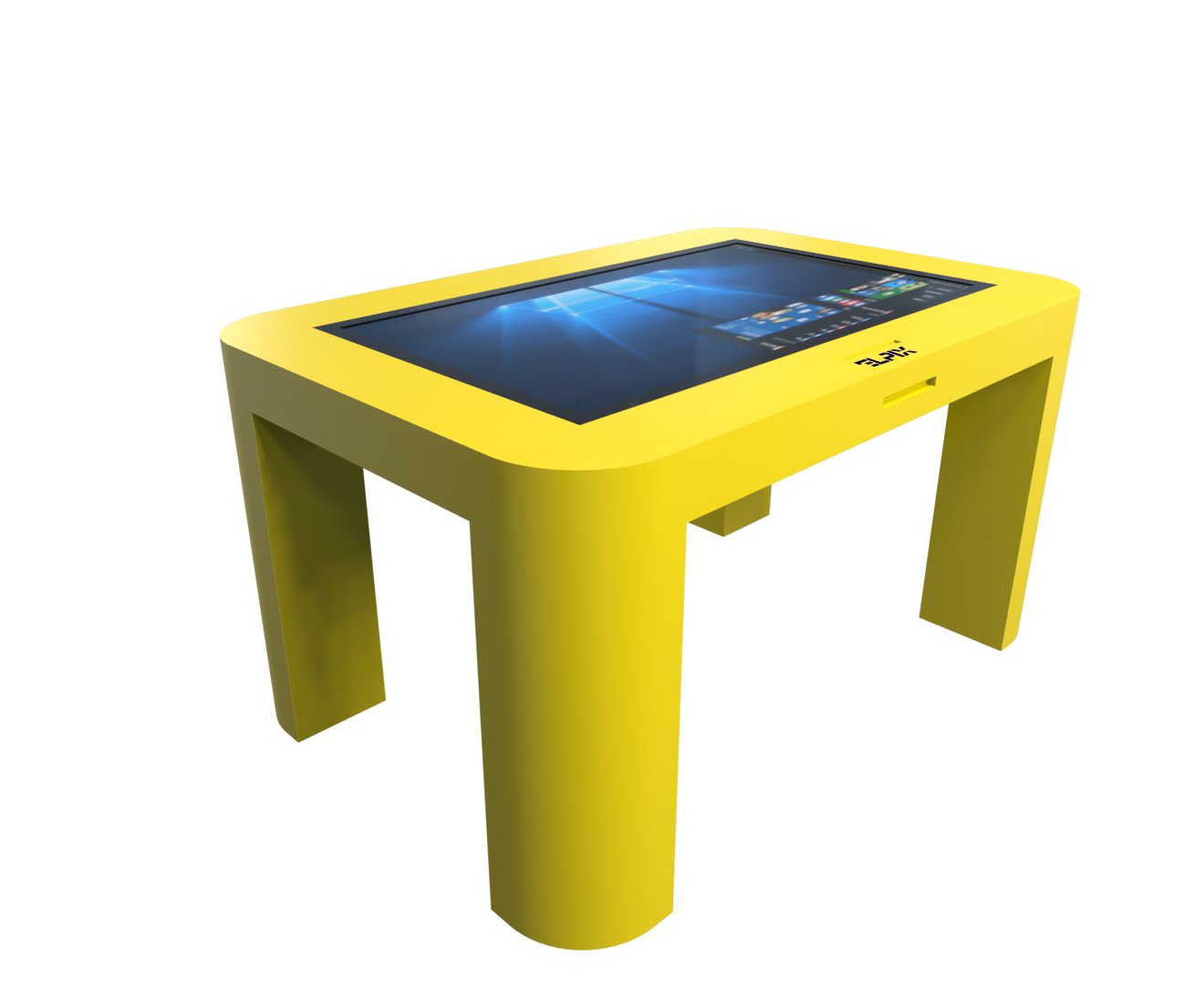
The Elpix children’s table Sm1 43″ in yellow was developed specifically for the preschool format: reduced tabletop height appropriate for children aged 3–5, 10+ point multitouch, Android with a simplified launcher that teachers and educators can manage without IT support, and a cheerful housing color that reduces anxiety around technology. For primary school (grades 1–4) and middle school (grades 5–9), the tabletop height increases slightly (60–70 cm), the diagonal steps up to 55–65 inches, and the emphasis shifts toward educational software compatibility and multitouch from at least 10 points to handle groups of 3–5 students working simultaneously.
Within the NUS framework, the touch table functions best as a collaborative workstation in the classroom’s independent learning zone — not as a replacement for the teacher’s interactive panel, but as a supplementary space where small groups work on project-based tasks, explore maps, run simulations, and build hands-on understanding of concepts. A group of 3–4 students working together on a geometric problem using GeoGebra on a 50-inch surface learns differently than the same students reading the same problem from a textbook.
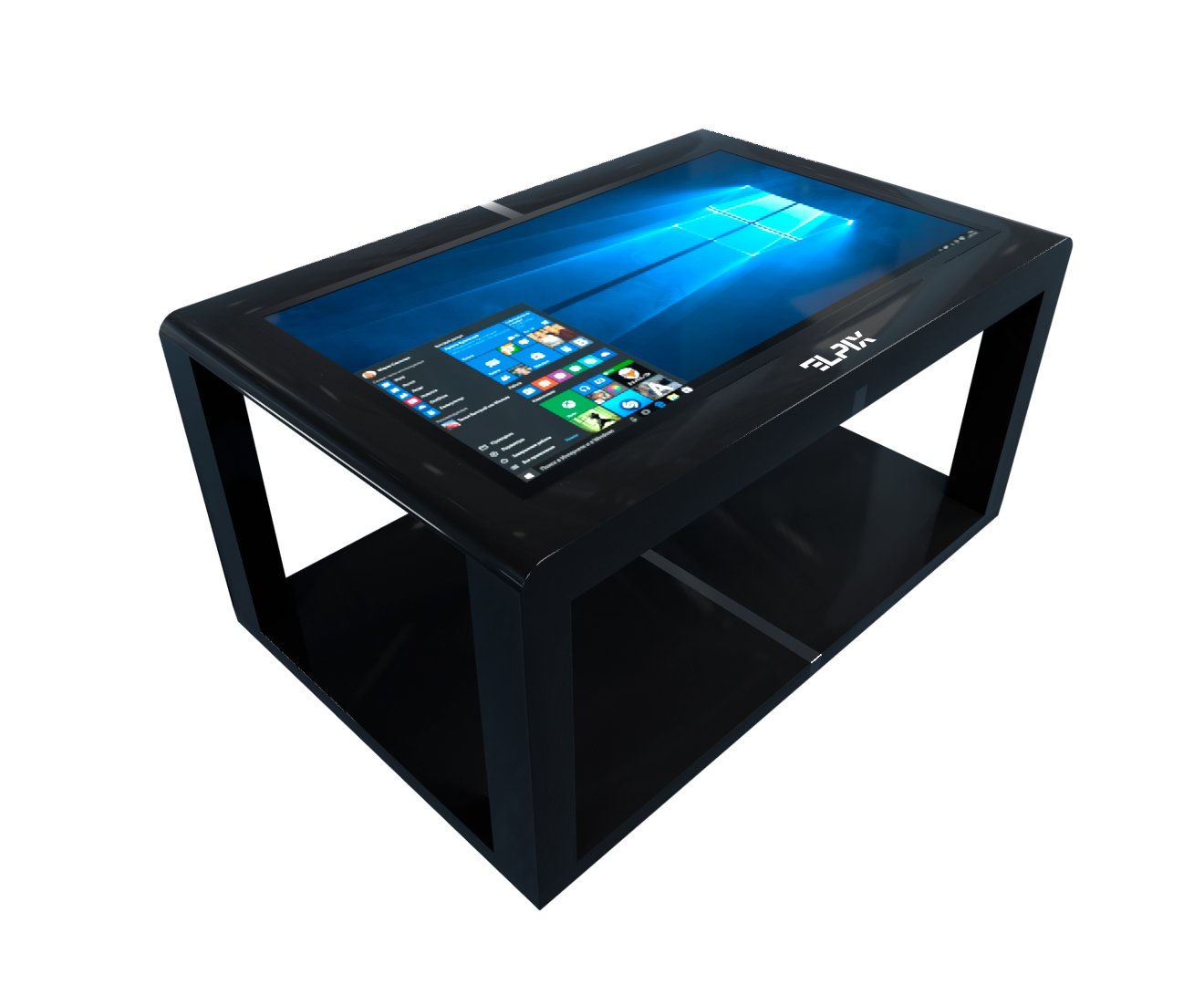
At the high end of the requirement spectrum sit command-grade tables for military units, the State Emergency Service of Ukraine (SESU), and civil defense situation centers. These installations require diagonals from 65 to 86 inches, tabletop heights designed for standing operation, and touch sensors supporting 20–32 simultaneous input points. The primary use case is tactical mapping — overlaying unit positions, evacuation routes, terrain data, and operational data layers, with 5–8 officers manipulating the display simultaneously from different sides of the table.
For SESU specifically, the key scenarios include incident response planning, facility layout analysis for complex emergency sites, coordination mapping for multi-team operations, and integration with Ukrainian Geographic Information Systems (GIS) tools such as QGIS and ArcGIS. Offline functionality is non-negotiable: communication infrastructure in active emergency zones is often unavailable or unreliable, and the system must operate fully without network connectivity. Windows-based tables are the only practical choice for this segment because of full compatibility with specialized tactical software, GIS platforms, and secure network integration through Active Directory domain infrastructure.
Commercial applications prioritize visual appeal and visitor engagement over raw technical performance. The table becomes part of the interior design and brand experience, with housing customizable to match the customer’s color scheme and corporate identity. Diagonals from 55 to 75 inches. Key scenarios include interactive product catalogs, product configurators (furniture layouts, flooring combinations, kitchen configurations), shopping center navigation systems, brand activations at trade shows, and augmented reality product demonstrations.
For commercial environments, housing aesthetics are as important as the technical specification: the device needs to fit the interior, attract passersby visually, and project quality. Elpix offers housing customization for corporate orders, including branded color finishes and custom graphics. Ongoing maintenance is also simpler in commercial settings — typically 1–3 visitors at a time, lower intensity of use than a school classroom, and stable indoor conditions.
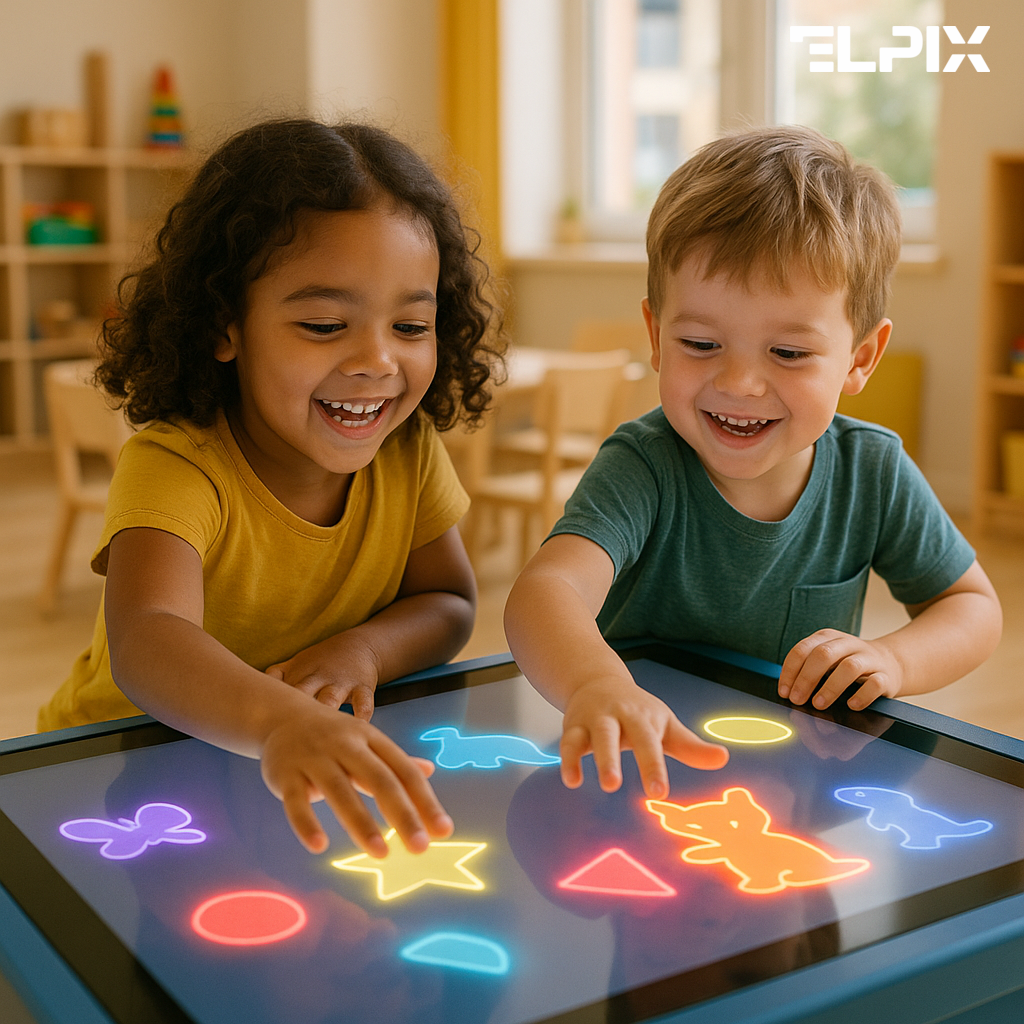
“Screen diagonal and multitouch point count are two parameters that cannot be evaluated independently — together they define the actual working capacity of the table surface,” explains ELPIX. The calculation is straightforward: at 50 inches diagonal, the screen area is approximately 0.6 square meters. If the multitouch sensor supports only 6 simultaneous points and two or three children are working at the same time, touch conflicts become inevitable — the device cannot reliably distinguish whose finger is whose when they are close together, and inputs begin to cancel or merge.
For a preschool group of 4–6 children, the practical optimum is 50 inches and 10 touch points. This combination works: enough surface area for each child to have their own operating zone, touch inputs spaced sufficiently to prevent conflicts, and the educator can gesture from above without disrupting ongoing interactions. For a school classroom with group tasks involving simultaneous work by 3–5 students, 55 inches and 10–16 touch points is the right range. For SESU command environments with 5–8 officers working simultaneously on a tactical map, the minimum specification is 65 inches and 20 touch points — anything less creates operational bottlenecks.
There is one important nuance specific to Android versus Windows installations. On Android, the operating system imposes a software limit on the number of simultaneously processed touches in certain applications — typically 5 to 10 points maximum in the app layer, even when the physical sensor hardware supports 20 or more. For professional tactical applications and specialized software, this limitation is removed on Windows. Before purchasing any table for high-touch professional use, verify with the manufacturer how the specific model behaves with 12 or more simultaneous inputs in your actual intended use case, not just in a marketing demonstration.
| Scenario | Recommended diagonal | Minimum touch points | Reasoning |
|---|---|---|---|
| Kindergarten / preschool (4–6 children) | 43–50″ | 10 | Each child has an independent working zone with no touch conflicts |
| Primary school NUS (grades 1–4) | 50–55″ | 10 | Group tasks for 3–4 students, basic math, language, science exploration |
| Middle school (grades 5–9) | 55–65″ | 10–16 | Maps, physical models, chemistry diagrams, collaborative project work |
| Command center / SESU | 65–86″ | 20–32 | 5–8 officers working simultaneously with tactical maps and data layers |
| Shopping center / showroom | 55–75″ | 10 | Typically 1–3 visitors at once; emphasis on visual impact over multitouch density |
“Ten touch points is the working minimum for group activities involving 3–4 simultaneous participants; for professional team tasks with 5 or more people, look for 20 touch points or higher as the baseline specification.”
“The New Ukrainian School concept emphasizes inquiry-based, cooperative, and project-based learning — and the interactive table fits organically into this pedagogical model,” says ELPIX. This is not a marketing claim. The NUS reform, developed under Ukraine’s Ministry of Education and Science (MES), requires a concrete shift in classroom dynamics: less frontal instruction, more group work, collaborative projects, structured discussions, and student-led discovery. A horizontal touch table physically creates the spatial conditions for this kind of learning — students stand around it, all facing the same shared surface, working together toward a common goal.
The MES actively promotes equipment in this category through NUS outfitting programs. Interactive touch tables appear on recommended equipment lists for STEM laboratories and collaboration spaces in Ukrainian schools, particularly under the frameworks for grades 1–4 NUS implementation and the expansion into middle school grades (5–9). Schools applying for Ministry-coordinated procurement funding can include touch tables in their equipment specifications.
For primary school grades 1–4, effective multitouch scenarios include letter and word assembly for language development, manipulable number blocks and geometric shapes for mathematics, and collaborative drawing for creative projects. For grades 5–9, the applications grow more sophisticated: historical timelines assembled from text and image blocks, physical science simulations, geographic mapping exercises with Google Earth, chemistry molecular model building, and cross-subject project presentations. In every case, the fundamental pedagogical advantage is the same — students work with learning material using their hands and bodies rather than reading and listening, which produces qualitatively different cognitive engagement.
Specific applications that work well in NUS classroom contexts: GeoGebra for mathematics and geometry, Google Earth for geography and history, iSpring for interactive assignments and quizzes, Mozaik Education for cross-subject multimedia content, and teacher-built interactive presentations. All of these run on Android or Windows depending on the table model. For a NUS classroom with up to 30 students, the recommended model is the Elpix S12 50″ Metal with its steel housing and 10-point multitouch: the housing withstands daily school-level use without loosened corners or a scratched display surface, and 50 inches provides comfortable working space for a group of 3–4 students.
A practical detail that is frequently overlooked at the procurement stage: tabletop height. The correct height for a 6-year-old child is genuinely different from the correct height for a 14-year-old. Elpix offers models with adjustable or fixed height matched to specific age groups — clarify this at the ordering stage rather than after delivery, because a mismatched table height leads to poor posture, rapid fatigue, and reduced student engagement regardless of how good the software is.
One more scenario consideration worth emphasizing: group versus individual use modes. In NUS classrooms, the touch table most often functions as a collaborative station in the independent work zone — a small group of 2–4 students working on a teacher-assigned task while the rest of the class does something different. This works when the task is genuinely designed for collaborative interaction, not when each student is reading their own page or completing an individual worksheet. The right scenario design delivers more learning value than any hardware specification. A good table with the wrong pedagogical design is an expensive tablet. The same table with the right collaborative task design is a different class entirely.
Choosing between Android and Windows is among the most frequently asked questions in the touch table evaluation process. Anyone who says “Android is always better” or “Windows is always more reliable” is not actually analyzing your specific scenario — they are applying a heuristic that may or may not match your requirements. Let us go through the decision factors systematically.
| Criterion | Android | Windows |
|---|---|---|
| Total cost | Lower — OS license included, less powerful internal hardware required | Higher — Windows license cost plus more powerful processor and RAM required |
| Boot time | Fast startup, simple launcher ready in under 30 seconds | Longer startup, requires initial configuration |
| Software compatibility | Play Market + APK sideloading; limitations for certain professional applications | Full compatibility with x86 software, GIS platforms, and specialized professional tools |
| Administration overhead | Simple, MDM via Google, minimal IT support required | Requires IT support, Group Policy, domain infrastructure |
| Multitouch ceiling | Some applications impose 5–10 touch limit at the software layer | Up to 32 simultaneous touches without software-layer restrictions |
| Security updates | Dependent on device manufacturer’s update policy | Regular Windows Update cycles, extended Enterprise support available |
| Best-fit scenarios | Schools, kindergartens, shopping centers, simple corporate displays | Command centers, SESU, situation centers, corporate analytical environments |
For schools and kindergartens, Android is the right choice in 90% of cases. The practical reasons are clear: fast boot without a login password (teacher presses the button, the table is ready in under 30 seconds), minimal IT administration overhead (critical in educational institutions that typically lack dedicated IT staff), a wide ecosystem of free educational applications in the Play Market, and a meaningfully lower hardware cost. When a school is purchasing multiple units simultaneously — which is increasingly common under NUS batch procurement programs — the cost difference across 3–5 units is substantial.
For command applications, SESU emergency management, and military situation centers, Windows is the only sensible choice. The core reason: only Windows delivers full, unrestricted compatibility with QGIS, ArcGIS, specialized tactical software platforms, and custom government information systems without application-layer constraints. Additionally, a Windows table integrates naturally into a corporate or government network through Active Directory domain membership and Group Policy management, which is mandatory infrastructure for classified and semi-classified operational environments. The higher upfront cost is justified by operational requirements that simply cannot be met by Android.
There is a third consideration that rarely appears in manufacturer specifications: touch sensor driver management. On Android, the touch sensor driver is embedded in the firmware and updates as part of the device firmware package — straightforward, but dependent on the manufacturer’s release schedule. On Windows, the touch driver is installed as a separate device driver and can be updated independently, giving system administrators direct control over sensor behavior in specialized scenarios. For installations with highly specific touch interaction requirements, this granular control has practical value. Confirm with Elpix which Android or Windows version is installed on a specific model and what the long-term update roadmap looks like before committing.
“For educational use in NUS classrooms and kindergartens, Android delivers the right balance of simplicity, cost, and software availability. For command and professional applications requiring full GIS integration and specialized tactical software, Windows is the only viable platform choice.”
An interactive touch table is a surface that may be touched hundreds of times each day — by children, educators, officers, visitors, or operators depending on the installation environment. The display surface material directly determines the device’s longevity, image quality in real-world lighting conditions, and the accuracy and responsiveness of the touch sensor. This is an area where important nuances are consistently underweighted or ignored during the buying process.
The primary surface protection types used in commercial touch table products:
Panel brightness and surface material are directly linked parameters in real-world performance. AG glass absorbs between 5 and 15% of panel brightness depending on the coating quality and thickness. This means that if the specification sheet lists 400 nits and the table ships with AG glass, actual measured brightness at the display surface may be 340–360 nits. For a classroom with natural daylight from side windows, minimum comfortable working brightness is approximately 350 nits at the display surface — not at the panel backlight. Always clarify with the manufacturer whether the brightness figure in the specification is the panel backlight brightness or the actual surface brightness with the protective glass installed.
A third technical consideration: touch accuracy through thick protective glass. Infrared touch sensors — the most common type in the market segment Elpix targets — read touch input via an optical sensor grid at the screen bezel, so the thickness of the protective glass layer has negligible effect on touch accuracy. If the table uses a projective capacitive (PCAP) sensor instead, protective glass exceeding 4mm thickness can reduce touch recognition accuracy and responsiveness. For IR-sensor tables, this is not a practical concern. But knowing your sensor type matters — confirm this with the manufacturer before ordering, especially for professional-grade applications where touch precision is operationally significant.
| Surface type | Hardness | Anti-glare | Best application |
|---|---|---|---|
| Standard tempered glass | 6–7H | No (glossy) | Schools, shopping centers, showrooms |
| AG tempered glass (matte) | 6–7H | Yes | Classrooms with large windows, exhibition halls with spot lighting |
| Acrylic composite solid surface | 3–4H | Partial | Kindergartens and preschool youngest groups |
| Standard untempered glass | 5H | No | Not recommended for any intensive use environment |
“Before purchasing, comparing models across several key parameters is essential: diagonal, multitouch point count, sensor type, operating system, housing construction, and tabletop height,” says ELPIX. I would add one more parameter — the type of content and workflows that will actually run on this device day to day. If specialized GIS or tactical applications are required, Windows wins on compatibility. If the requirement is fast startup and simple management of educational apps for a classroom, Android wins on ease of operation and total cost. No specification table replaces that analysis.
| Parameter | What to check | Why it matters |
|---|---|---|
| Screen diagonal | 43–55″ for children/school; 65–86″ for military/commercial | Determines how many people can comfortably work simultaneously and at what proximity |
| Multitouch capacity | Minimum 10 points for group work; 20–32 for professional team scenarios | Below 10 points, two or more simultaneous touches begin conflicting unpredictably |
| Sensor type | Infrared (IR) or optical; IR provides more reliable edge-of-surface input detection | Affects multitouch performance in simultaneous-input scenarios and lateral touch accuracy |
| Operating system | Android for education; Windows for professional/command applications | Determines software compatibility, maintenance complexity, and boot-to-ready time |
| Housing material | Acrylic composite (children), metal/steel (school/military), HPL-finished MDF (commercial) | Determines long-term durability, hygiene compliance, and impact resistance |
| Tabletop height | 45–55 cm (preschool), 60–70 cm (school/office), 90–100 cm (standing operation) | Wrong ergonomics causes user fatigue within 20–30 minutes and reduces engagement |
| Panel brightness | 400+ nits for rooms with natural daylight; 300 nits acceptable for dark interior spaces | Insufficient brightness causes image washout in daylit rooms — unusable during school hours |
| Touch response time | Under 20 ms for education; under 10 ms for command/tactical scenarios | Slow sensor response during fast map manipulation creates lag that disrupts workflow |
Panel brightness deserves a separate note because specifications can be misleading. For any room with windows or well-lit overhead lighting — which describes the majority of school classrooms — the minimum practical threshold is 400 nits at the display surface (after glass). IPS panel technology, which is standard in quality touch tables, provides 178° viewing angles both horizontally and vertically, making it practical to work from any position around the table without color shift or brightness roll-off — this is an advantage of the technology class and should not need to be a deciding factor between specific models.
One parameter almost never disclosed clearly in manufacturer specifications: touch sensor response time under multipoint load. For educational scenarios, up to 20 ms is acceptable — movements are relatively slow and deliberate. For command and tactical operations where officers are rapidly manipulating map layers with multiple fingers, anything above 10 ms creates a perceptible “trail effect” where the display lags behind physical input, which becomes genuinely disruptive during extended operational sessions. Ask the manufacturer for the measured response time under realistic simultaneous touch load, not the single-point laboratory figure.
“Purchasing an interactive touch table from Elpix in Ukraine proceeds through several structured stages: from initial consultation through to on-site installation and staff training,” says ELPIX. This is not just a formality — a touch table differs from standard consumer electronics precisely in that the buying process benefits significantly from pre-purchase discussion rather than post-delivery discovery of mismatch between hardware and use case.
A few practical notes for institutions purchasing through public procurement processes (schools, kindergartens, government agencies, SESU units). Elpix works with non-cash bank transfer payment and can provide the documentation package required for public tender specifications. Lead times vary by model availability and delivery region — establish this early if the purchase is tied to a specific academic year start date, facility opening, or scheduled training exercise.
For private educational institutions and commercial customers, the process is simpler: agree on the model and configuration, receive a formal invoice, confirm payment, schedule delivery and installation. Total elapsed time from order confirmation to commissioned installation is typically one to three weeks depending on the model and your delivery region.
“Ordering an Elpix table in Ukraine means receiving more than equipment — it means receiving the support process from model selection through installation and staff training. How the table is introduced to its users in the first week determines whether it becomes a daily tool or an expensive display piece.”
“The price of an interactive touch table is determined by a combination of several factors: screen diagonal, panel type and quality, housing material, operating system, software package, and installation service scope,” explains ELPIX. Searching for “the cheapest touch table” as an acquisition strategy typically ends with a purchase featuring low panel brightness that washes out in daylight, a housing made from thin laminated MDF, and a touch sensor that loses input accuracy when three fingers touch the surface simultaneously. This is not a cost saving — it is an expensive mistake that becomes apparent after twelve months of use when replacement or significant repair is required.
The touch sensor and the housing are the two areas where cutting cost produces the most reliable negative outcome. A low-quality sensor degrades within 6–12 months of intensive daily use: dead zones appear on the display surface, individual touches drop out, and multi-finger interactions become erratic. The equipment becomes unreliable before the first academic year is complete. A housing made from thin-gauge MDF in a kindergarten environment will require structural repair within one year. Saving on upfront cost in these two areas means paying more in total over a three-year operational period.
Software support is the third area where economy creates problems. A table without a viable software package is an expensive display screen. Before finalizing any purchase, clarify with the manufacturer: what software comes in the standard package, how are updates delivered and how often, what does technical support in Ukraine look like and over what response time commitment, and how long is the warranty and what does it cover in practice. Review the full product range — the Elpix touch table catalog includes specifications, photography, and a direct consultation request option on each product page.
“The total cost of an interactive touch table is the sum of four components: panel, housing, software, and installation. Attempting to reduce cost in any one of these components consistently creates problems at the 6–12 month mark of real-world operation.”
What is the difference between a touch table and an interactive whiteboard? An interactive whiteboard is a vertical surface designed for frontal instruction — one teacher presents to a group. A touch table is horizontal, designed for simultaneous group interaction where every participant is active. A whiteboard delivers content to students; a touch table enables students to create, explore, and collaborate with content together. They are complementary rather than competing tools. For a complete NUS classroom setup: Elpix interactive panels for frontal instruction + a touch table for collaborative group work = a full-spectrum active learning environment.
What is the optimal screen size for a school touch table? For primary school grades 1–4, 50 inches is the practical optimum. For middle school grades 5–9, 55–65 inches. Below 43 inches, a working group of 3–4 students feels crowded and touches begin to conflict. Above 65 inches in a standard classroom independent work zone, the table takes up disproportionate floor space without delivering proportional benefit for group sizes typical in NUS settings.
How many multitouch points are needed for a NUS classroom? Ten simultaneous touch points is the functional standard for a group of 3–4 students working together. For groups of 5–6 working simultaneously, 16 points provides meaningful additional comfort margin. For command-grade and SESU applications with teams of 5 or more officers, 20 points is the practical minimum. More than 32 touch points has no meaningful practical application in any educational scenario.
How is a touch table installed and configured? Elpix delivers and installs using its own installation team. After physical positioning and leveling, the team calibrates the touch sensor, installs and verifies the software environment, and conducts a final full-surface touch accuracy test. For educational institutions, a post-installation training session for teachers covers the core operating scenarios and software management. The complete on-site process typically requires 2–4 hours depending on installation complexity and building access conditions.
What is the warranty on Elpix touch tables? Warranty terms are model-specific and are confirmed at the ordering stage. The warranty period and coverage scope vary by product line and configuration. For current and accurate warranty information for the specific model you are considering, contact an Elpix product specialist directly through the website inquiry form.
What determines the price of a touch table, and what should I budget? The primary cost drivers are screen diagonal, panel brightness and resolution quality, multitouch point capacity, housing material (steel, acrylic composite, or HPL-finished MDF), operating system (Android costs less than Windows), and installation scope. For a comparison of specific models with full specifications and pricing, visit the Elpix catalog or request a product consultation — a specialist will identify the best-matched model for your specific requirements and budget.
💡 Looking for an interactive touch table? Elpix manufactures touch tables in-house — with warranty, installation, and service across Ukraine. Browse the full touch table catalog.
View Details
View Details
Open Catalog