



Ukraine’s Distance Learning Policy is a school’s internal regulatory document — mandatory when transitioning to remote or hybrid instruction. The Ministry of Education and Science (MoES) defines the framework: what the document must contain, which platforms are permitted, how attendance is recorded, and how students are assessed. Everything else — including the equipment without which no format can actually function — is the institution’s choice to make.
What Is Ukraine’s Distance Learning Policy
A distance learning policy is a local regulatory act of an educational institution. It is not a lesson plan or a teacher’s guide — it is the document that establishes the rules: who decides when to switch to distance learning, how instruction is organized, which platforms are used, how students are graded, and what happens to those without reliable internet access.
The legal foundation for developing this document is MoES Order №1115 of September 8, 2020, “Certain Issues of Distance Learning Organization.” That order defines the minimum requirements for what any school’s policy must address. In 2024, MoES issued Order №1112, which clarified specific provisions for internally displaced students and children studying abroad.
In practice, most school distance learning policies are adapted templates from regional methodological centers. That is entirely normal. The issue is not the template itself — it is that the document frequently lags behind actual practice. The policy says one thing; the lesson does another. This gap is most visible in the sections covering platforms and equipment.
Another point worth understanding from the outset: a distance learning policy is not a document reserved for wartime or quarantine. It is a working instrument that must be ready before it is needed. Schools that updated their policies in 2022–2023 and built real infrastructure around them were able to shift between formats in 2024 without losing instructional days. Those that kept the document “in a drawer” started from zero every time.
There is also a legal dimension that administrators sometimes underestimate. The distance learning policy is not a recommendation — it is part of the institution’s internal regulatory framework, approved by the principal’s order and binding on all participants in the educational process. Operating in a distance learning format without a current, compliant policy is a legal gap that will surface during any inspection.
What the Ministry of Education Requires in the Policy Document
There is no single approved template for a distance learning policy — MoES sets content requirements, and each school chooses its own format. That said, the set of mandatory sections that must appear in the document is well established and defined by Order №1115.
The typical structure looks like this:
- General provisions — legal basis, definitions of terms, scope of application
- Organization of the instructional process — procedure for transitioning to distance format, who makes the decision, notification timelines
- Forms of instruction — synchronous and asynchronous learning, their ratio, scheduling
- Technical requirements — platforms used by the school, device and connectivity requirements
- Assessment — how attendance is documented, how grades are recorded, what happens with absent students
- Rights and responsibilities — teachers, students, parents, administration
- Technical provision — what the school supplies, what the student must provide
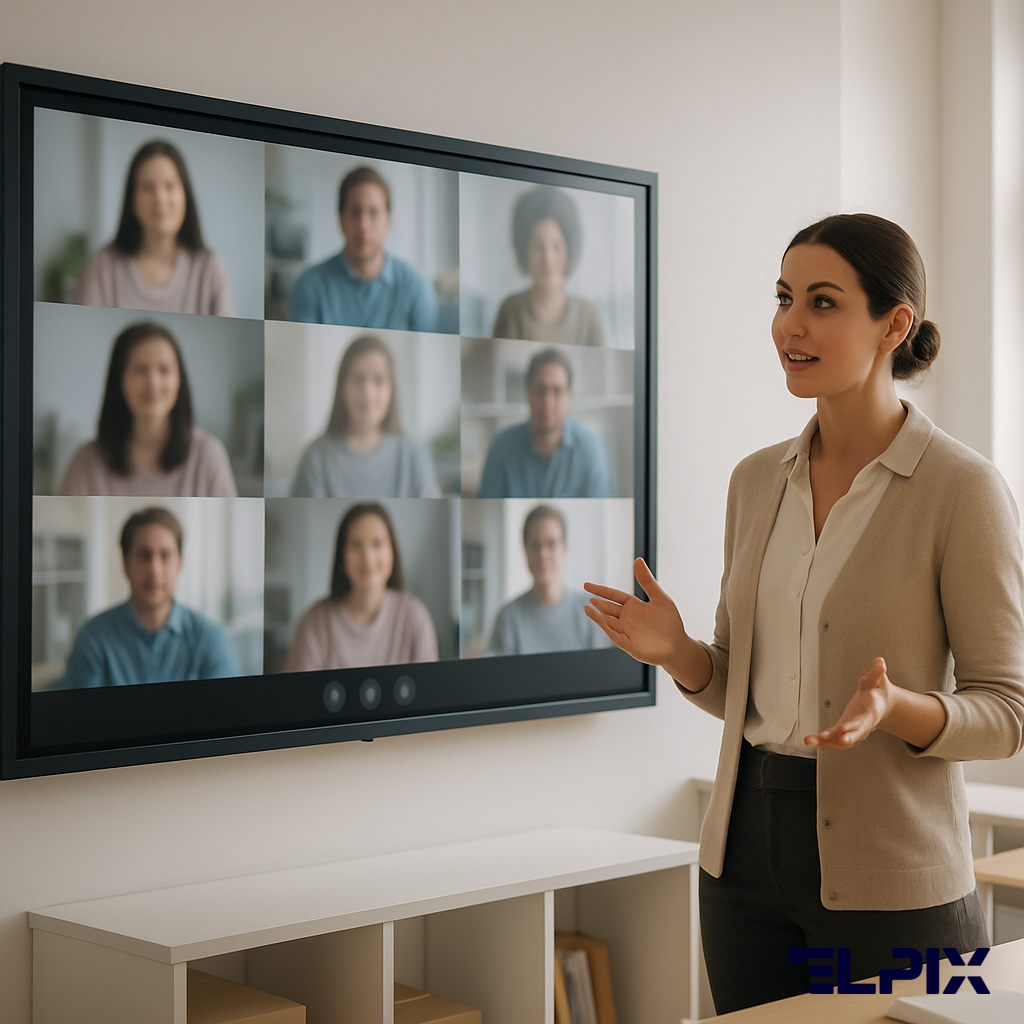
Why this matters beyond the formalities: if the policy does not explicitly state that the school will broadcast lessons from the classroom to remote students, the teacher has no legal obligation to do so. And if it does state this — the school needs equipment that makes it physically possible. The circle closes on hardware.
MoES also recommends that the policy include provisions specific to students who are abroad and enrolled in foreign schools simultaneously. For this category of students, special rules apply regarding minimum instructional load and the recognition of academic results — and these must be reflected in the local document.
There is one more dimension that the Ministry addresses in methodological guidance: the policy should describe not only the “standard” distance learning scenario but also the procedure during emergency situations — air alerts, power outages, connectivity failures. The experience of 2022–2024 showed that these are precisely the situations where most schools discovered gaps in their documentation.
Mandatory Sections under the MoES Order
MoES Order №1115 of 2020 establishes the minimum list of areas a distance learning policy must regulate. Let us examine each section not from the perspective of formal compliance, but from what actually goes wrong when it is missing.
The “General Provisions” section must include the list of regulatory acts on which the document is based, definitions of key terms (synchronous learning, asynchronous learning, blended learning, electronic educational resources), and an indication of which students and educators the policy covers. Without this section, the rest of the document has no anchor — it is unclear what means what and who is bound by it.
The “Organization of Instruction” section is among the most practically significant. It must describe who decides to transition to distance format (the principal, the pedagogical council, the founder), in what timeframe participants are notified, how schedules and workloads are adjusted, and what happens to curricula during extended distance learning periods.
The “Technical Provision” section is typically the weakest in template-based policies. Most formulations reduce to “the student must have a computer or smartphone and internet access.” That formally closes the section but solves no real problem. A current policy must include:
- A list of the specific platforms the institution uses for synchronous and asynchronous learning
- Minimum technical requirements for student and teacher devices
- Procedure when a student lacks a device or internet access
- A description of the institution’s classroom equipment for hybrid format delivery
The “Assessment and Monitoring” section must answer: how is attendance documented at a synchronous session, how are asynchronous submissions received, which online assessment tools are used, and how is a student graded when absence results from technical failure rather than unwillingness to participate.
The “Rights and Responsibilities” section is frequently copied from standard charter documents without adapting for distance learning. An updated policy must separately specify the teacher’s obligations regarding material upload timelines, the parents’ obligations for ensuring a suitable home learning environment, and students’ rights to access lesson recordings.
A policy written “for inspection purposes” and a policy that actually governs instruction are two different documents. The first lives in the principal’s desk. The second becomes the basis for equipment procurement, platform contracts, and teacher training. The difference between them is not word count — it is whether each clause was tested against the school’s real practice.
Synchronous vs Asynchronous Learning: Differences and Requirements
This is one of the core sections of the policy — and the most consistently underestimated. MoES distinguishes two formats of instruction, and the distinction has practical consequences for scheduling, assessment, and technical infrastructure.
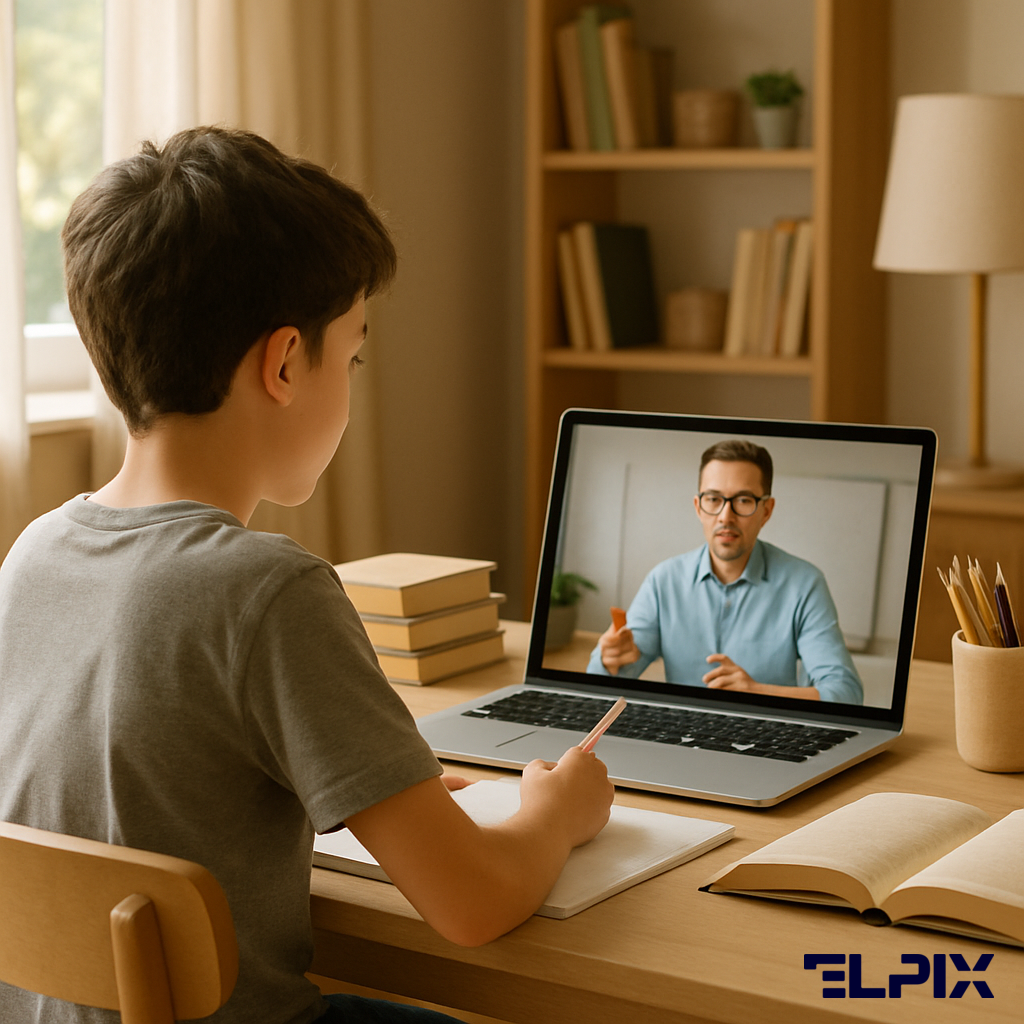
Synchronous format: teacher and students work simultaneously in real time. Video conference, live lesson broadcast, online group discussion. The student participates right now, at a fixed time.
Asynchronous format: independent work with materials the teacher has prepared in advance. A recorded lesson, an assignment in the digital gradebook, a test on the platform. The student completes the work at a convenient time within a set deadline.
| Criterion | Synchronous Learning | Asynchronous Learning |
|---|---|---|
| Participation time | Fixed (according to schedule) | Flexible (within a deadline) |
| Participant interaction | Real-time (video call, chat) | Delayed (forums, assignments, recordings) |
| Technical requirements | Stable internet at a fixed time, camera, microphone | Internet access at a convenient time, adequate data |
| Attendance verification | Connection to conference, activity in chat | Completion of assignment before deadline |
| Teacher’s role | Active facilitation, real-time responses | Material preparation, post-deadline review |
| Advantages | Live interaction, immediate feedback | Flexibility, option to review material repeatedly |
| Limitations | Dependent on connectivity quality for all participants simultaneously | Lower engagement, risk of procrastination |
The school’s policy must define which ratio of these formats is adopted and under what conditions each format applies. Experience shows that schools with a clearly written ratio transition far more smoothly when circumstances shift — whether due to air alerts, quarantine, or a portion of the class moving abroad.
There is one nuance that is frequently missed: the policy must separately address what happens with synchronous lessons when some students lack stable internet. MoES permits asynchronous access to lesson materials as an alternative — but this must be explicitly stated; otherwise the teacher operates in a legal grey zone.
From a technical standpoint, the synchronous format places substantially greater demands on infrastructure. Running a video conference with 25–30 students requires a reliable internet channel on the school’s side (when the lesson is conducted from a classroom), a quality microphone and camera, and a platform capable of maintaining a stable connection. When the teacher conducts from a classroom for some remote students simultaneously, an interactive panel or display system is added — so that in-class students and remote participants see the same content.
Distance Learning Platforms Approved by the Ministry
MoES does not maintain a single closed list of approved platforms. Instead, the ministry publishes methodological guidance and specifies requirements for services: personal data protection, accessibility for students with special educational needs, and operational reliability. In practice, most Ukrainian schools rely on the same set of solutions.
| Platform | Type | Capabilities | Limitations |
|---|---|---|---|
| Google Meet (within Google Workspace for Education) | Video conferencing + LMS | Classroom, Drive, Forms, Meet in one ecosystem; free for schools; compatible with Diia.School | Requires a Google account for each student; limitations in areas with unstable internet |
| Zoom | Video conferencing | Reliable video; simple interface; functions on low-bandwidth connections | Free version limited to 40 minutes; no built-in LMS; requires supplemental tools for assignments |
| Microsoft Teams (Office 365 Education) | Video conferencing + LMS | Assignments, quizzes, channels, chats, OneDrive integration; free under Education plan | Steeper setup curve for new users; requires Teams accounts for students |
| Diia.School | State educational platform | Open MoES learning materials; registry integration; official status | Does not replace a communication platform (Meet/Teams); content limited to certain subjects |
| ClassroomUA / Moodle / Padlet | Supplemental tools | Flexible options for asynchronous work and interactive activities | Require configuration; support managed by the school itself |
The school’s policy must lock in a specific choice: which platform the institution uses for synchronous sessions, which for asynchronous assignments and material storage, and how students authenticate. If this is not specified, each teacher chooses independently — and that quickly becomes chaos.
There is a separate question of how the platform displays on the interactive panel in the classroom. When the teacher is conducting a lesson for some students online and some in person, the conference must open on the full large screen, the video call must run through the panel’s built-in camera and microphone, and in-class students must see exactly what the remote students see. This is a technical question that starts in the policy (“we use Google Meet”) and ends in the classroom (“what hardware do we connect with”).
The most common mistake in platform selection is optimizing only for teacher convenience. An equally common mistake is optimizing only for zero cost. The right question is: “Does this platform support the scenarios we are writing into our policy?” If the policy mandates synchronous lessons but the school uses the free version of Zoom with a 40-minute limit — the document and reality contradict each other from day one.
What Equipment Schools Need for a Remote Classroom
This is the question that the “technical provision” section of the policy addresses — but almost always too superficially. Writing “the teacher must have a computer and stable internet” formally closes the section. The problem is that for a functioning hybrid lesson, this is not sufficient.
Let us look at what the teacher actually needs in a classroom for a lesson that works for both audiences simultaneously.
Minimum setup for a synchronous lesson
For a basic video conference with remote students, the teacher needs a computer or laptop, a camera, a microphone, and a stable internet connection. This is enough to show a face and hear students. It is not enough to show the board, write something, display a diagram, or let a student in the classroom respond to a question in a way that the online audience can actually hear.
What an interactive panel adds
An interactive panel in the classroom changes the situation fundamentally. It functions as a unified lesson hub: it launches the video conference on the full screen, shows remote students what is happening in the classroom through the built-in camera, transmits sound through the built-in microphone, and lets the teacher write on the screen simultaneously — visible to everyone, both in the classroom and at home.
What Elpix Z3 panels specifically provide in the distance learning context:
- Direct launch of Google Meet, Zoom, or Teams through Android — no separate computer required
- Built-in Full HD camera and directional microphone with noise cancellation — remote students hear the classroom without interference
- Real-time annotations over any content — write directly on screen, and everything appears in the conference feed
- Split screen: lesson material on the left, online participants window on the right
- Wireless casting from a student’s tablet or phone to the large display — AirPlay, Miracast, Google Cast
- OPS module for embedding a Windows computer inside the panel — single control point, no extra cables
| Solution | Hybrid lesson | Audio/video quality | Ease of operation | Total cost of ownership |
|---|---|---|---|---|
| Laptop + webcam | Limited (small screen, narrow angle) | Acceptable | Complex (window switching) | Low upfront, high in friction |
| Projector + laptop | Partial (no in-class camera) | Good (image only) | Complex (two devices) | Medium |
| Elpix Z3 interactive panel | Full (camera, mic, screen, Android in one) | Excellent (FHD, DSP microphone) | Simple (single control point) | Higher upfront, lower total |
This is not a sales pitch. It is the answer to why “a laptop and a webcam” is an inadequate solution for a hybrid classroom. It is physically impossible to conduct a lesson, manage a conference, display material, and monitor two audiences simultaneously with a standard laptop connected to a projector. One panel on the wall replaces all of that — and adds what the projector never had: touch control.
For schools equipping classrooms for hybrid format for the first time, there is another practical argument: a panel does not require blackout conditions. A projector in daylight produces a washed-out image, forcing the teacher to close blinds — which means in-class students sit in semi-darkness during the video call. Uncomfortable, and the camera performs worse in those conditions too. A panel with 400+ cd/m² brightness functions under full daylight without any conflict.
New MoES Requirements 2024–2025: Policy Updates
The hybrid format — where some students are in the classroom while others connect online simultaneously — is not simply “distance learning plus in-person.” Two audiences work in parallel, and the teacher’s challenge is to keep both engaged without losing either.
Ukrainian schools began encountering hybrid format at scale in 2022: displaced students abroad want to study in their home school; students in Ukraine are in the classroom. Regulation caught up later. MoES Order №1112 of 2024 addressed specifically the category of children living abroad while enrolled in a Ukrainian school. Key clarifications covered:
- Minimum class size for remote groups (no fewer than 5 students)
- Procedure for children simultaneously enrolled in a foreign school (Ukrainian language and culture component — 5–8 hours per week as a separate block)
- Requirements for the educational programs of remote classes (compliance with the State Standard)
- Documentation of enrollment for students studying abroad
- Procedure for State Final Certification for remote students
For principals and curriculum coordinators, this means the distance learning policy required adaptation to a new reality. Policy texts from 2020–2021 did not cover the hybrid classroom scenario. A current document must separately describe how the school organizes a lesson for simultaneously present and remote students — and, critically, what equipment is used to make this possible.
Another significant change that the 2024–2025 academic year brought: requirements for documenting remote students’ academic progress became more stringent. Where most schools previously relied on e-gradebook entries, the expectation is now that the institution can demonstrate not only that a grade was recorded but also the method of assessment, the date, and the form of evaluation. This affects what must be written in the “Assessment” section of the policy.
MoES Order №1112 of 2024 is not simply another amendment to the regulatory framework. It is the ministry’s response to a reality that emerged after 2022: students learning in Warsaw, Prague, or Berlin while enrolled in their school in Kharkiv or Kherson. A policy written in 2020 did not anticipate this scenario. Schools that have not updated their documents are not merely formally behind — they lack the legal basis for decisions they make every day.
How to Draft a Policy for a Small Municipal School
Small municipal schools — rural and village institutions — face a particular challenge. On one hand, they are required to maintain a distance learning policy on equal terms with large urban schools. On the other, their resources are limited: one or two devices for the entire school, no IT administrator, and internet access that may rely on a mobile operator.
An actionable process for drafting a policy in this context:
Step 1. Audit the actual situation. Before writing the document, the school needs to know: how many teachers can actually launch a video conference? What hardware exists in the school and at teachers’ homes? What type of internet access do most students in the catchment area have? The answers to these questions determine what can realistically appear in the policy versus what would be a dead requirement no one can fulfill.
Step 2. Align the document with the actual technical baseline. If the school has only one computer in the principal’s office and mobile internet, the policy cannot obligate every teacher to conduct synchronous video lessons daily. But it can establish: synchronous format applies to priority classes and subjects (for example, upper secondary, mathematics, languages); asynchronous is the baseline for others. This is more honest and legally defensible than copying a “polished” policy from a large urban school that the rural institution cannot actually implement.
Step 3. Designate who is responsible for technical support. Small schools have no IT specialist. The policy must identify who handles technical support for distance learning: the deputy principal, the computer science teacher, or a designated list of teacher consultants. Without this, the first technical problem leaves everyone asking “who do we contact?” with no answer.
Step 4. Describe the procedure when connectivity fails. For rural schools, this is especially relevant. The policy must explicitly state: what happens when the teacher or student loses power or internet during a synchronous session, whether the lesson still counts, and how the student accesses materials without network access.
Step 5. Use regional templates as a starting point, not a final product. Regional methodological centers provide policy templates — a reasonable foundation. But the template must be adapted: remove sections that do not apply to this school (a STEM lab it does not have, for instance), and add specifics — the actual platform names in use, the equipment inventory, the realistic connectivity situation.
Video Conferencing, Recording, Attendance: Technical Requirements
Technical requirements for synchronous instruction delivery are the section where vague language is most dangerous. “Stable internet,” “modern device,” “suitable platform” — all of these mean completely different things depending on the specific school and the specific lesson format.
Let us examine the three key components in sequence.
Video conferencing
Minimum technical requirements for running a video conference from a classroom:
- Internet bandwidth: for 25–30 students in a conference — at least 10 Mbps upload and download on the teacher’s side
- Camera: minimum HD 720p, preferably Full HD 1080p — this matters for whether remote students can read text on the board or screen
- Microphone: directional or noise-canceling — if students in the classroom are speaking and background noise overwhelms everything, the synchronous lesson becomes an ordeal
- Software: current version of Google Meet / Zoom / Teams on the device from which the lesson is conducted
The specific challenge of a hybrid classroom — where the teacher is simultaneously in a physical classroom and connected to a conference — makes a standard laptop a limiting factor. The built-in webcam gives a narrow field of view; the built-in microphone picks up only 1–2 meters; showing something on a board in the camera frame is nearly impossible. This is precisely the scenario where an interactive panel with a wide-angle camera and a microphone array solves the problem at the hardware level.
Lesson recording
MoES does not mandate recording of all lessons, but permits recording as part of the asynchronous component. The school’s policy must define:
- Whether the school records synchronous lessons by default or only specific ones
- Where recordings are stored (school Google Drive, institution’s YouTube channel, private storage) and who has access
- Retention period for recordings (recommended: at least one academic semester)
- How students and parents are informed that a lesson is being recorded (a requirement under personal data protection legislation)
Attendance documentation
This is the question that regularly generates disputes during inspections. Acceptable methods for documenting presence at a synchronous session include:
- Connection to the conference (Google and Teams platforms allow saving participant reports)
- Activity in the chat during the lesson (a response to the teacher’s question)
- Completion of a brief in-lesson task (exit ticket)
- A verbal response when invited by the teacher
The policy must designate which method is primary and how the teacher records attendance in the e-gradebook for remote format. This prevents a situation where one teacher marks a student present upon joining the conference and another requires at least two active responses — producing inconsistent data for the same student in the same school.
Comparing Formats: Remote, Hybrid, and In-Person Instruction
Principals and curriculum coordinators often encounter confusion around terminology — especially after the waves of regulatory updates since 2020. Let us define what MoES means by each format and what the practical difference is for schools.
| Format | Student location | How the lesson works | What the school needs |
|---|---|---|---|
| In-person | In school | Traditional classroom lesson | Standard classroom equipment |
| Distance (remote) | Outside school (at home, abroad) | Synchronous and/or asynchronous sessions online | Platform, e-gradebook, assignment system |
| Hybrid (blended) | Some in class, some online simultaneously | Teacher leads lesson for two audiences in parallel | Interactive panel with camera and microphone, stable internet, LMS |
| Asynchronous only | Outside school | Student studies materials independently per deadline | LMS with material storage, e-gradebook, recorded lessons |
The most infrastructure-intensive format is the hybrid classroom. It creates the highest demand on both the teacher and the technology: two simultaneous audiences, one control point, zero margin for failure. If the panel freezes or the conference drops, the remote half of the class falls out of the lesson entirely. This is why, for hybrid instruction, not only the panel’s specifications matter — so does the stability of its software and the reliability of the internet connection.
There is another factor that cannot be overlooked: pedagogical load in the hybrid format is objectively higher than in either pure in-person or pure distance instruction. The teacher must simultaneously manage two audiences, monitor activity in the conference and in the classroom, and support both groups in real time. The more reliably the technology works, the less time goes to troubleshooting and the more remains for actual teaching. This is not about convenience — it directly affects education quality.
Pure distance format is technically simpler: the teacher can work from any location, students likewise. But lesson quality depends heavily on the teacher’s ability to engage an online audience — a distinct professional skill, not the same as standing at a board in front of a class.
How to Prepare a School for Distance and Hybrid Learning
The question is no longer whether distance or hybrid format will be needed — Ukrainian schools know it can be required at any moment. The question is how quickly the institution can switch without losing quality.
A practical preparation checklist:
Documentation
- Update the distance learning policy to reflect the school’s actual current practice — platforms, schedule structure, assessment approach
- Add hybrid format as a distinct operational mode with its own technical infrastructure section
- Clarify rights and responsibilities relating to the e-gradebook during distance periods
Classroom equipment
- Interactive panel with built-in camera and microphone — the core tool for a hybrid lesson
- Stable wired internet connection in each classroom (not only Wi-Fi)
- Teacher account in Google Workspace for Education or MS Teams for Education
- E-gradebook synchronized with the platform
Teacher preparation
- Hands-on practice of the hybrid lesson: launching a conference from the panel, sharing screen, bringing a student from the classroom into the online session
- Mastering the asynchronous format: creating assignments in Classroom or Teams, setting deadlines, reviewing submissions
- Understanding the difference between a “distance lesson” and a “recorded lesson” — these are distinct delivery modes with different requirements
Students and parents
- Clear instructions for students on how to join a conference, what to do if the connection drops, how to submit asynchronous assignments
- For parents: transparent rules about where to find the schedule during distance periods and how attendance is recorded
Preparation time varies depending on where the school is starting. If interactive panels are already in classrooms and teachers have worked with them, transitioning to hybrid format can take a single day. If classrooms have only a chalkboard and a projector, hardware updates are needed first.
A practical priority question for principals: which classrooms to equip first? Experience points toward the classrooms with the highest concentration of students currently learning remotely or from abroad — those are the rooms where hybrid instruction will happen every week, not just as a contingency. The next priority is upper secondary classrooms, where teacher workload is higher and asynchronous format (independent work with materials) is used more frequently than in primary grades.
Recommended Equipment for the Hybrid Classroom
The question of what equipment to procure for a hybrid classroom arises immediately after the question of how to update the policy. This is logical: if the policy now designates hybrid format as a distinct operational mode, the corresponding infrastructure must follow.
Elpix manufactures and supplies interactive touch panels for Ukrainian schools. The flagship model for the hybrid classroom is the Z3 65″, built on a Rockchip RK3588 processor and running Android 11. For larger classrooms, diagonal sizes of 75, 86, and 98 inches are available.
The Elpix Z3 panel for a hybrid classroom is not a replacement for a chalkboard. It is the teacher’s workstation — one that simultaneously broadcasts the lesson online, manages the conference, displays material to in-class students, and lets the teacher write and annotate over any content. No separate computer. No extra cables. No switching between devices mid-lesson.
Why the Z3 is suited for schools conducting hybrid lessons:
- Processing performance — the RK3588 handles a video conference, a parallel browser with lesson materials, and screen annotation simultaneously, without lag
- Audio quality — built-in 2×20 W speakers and a DSP-processed microphone: remote students hear not only the teacher but also students in the classroom speaking at a normal volume
- 400+ cd/m² brightness — the display is readable in full daylight without window coverings; students in the classroom do not sit in darkness because of the remote component
- 20 touch points — students in the classroom can work at the screen together, even while the conference is running
- MoES certification — equipment meets ministry requirements; documentation for ProZorro procurement is available
The Elpix interactive panel lineup covers a range of diagonal sizes and configurations — from standard classroom sets to STEM solutions with multi-board systems.
Beyond the panel, a fully equipped hybrid classroom requires:
- Wired internet in the classroom — Wi-Fi is unreliable during a live video conference with 30 students; an Ethernet cable from the router to the panel resolves this
- A Google Workspace for Education or Microsoft 365 Education account — both are free for schools; the former provides Google Meet + Classroom, the latter Teams + OneNote
- An e-gradebook integrated with the chosen platform — Щоденник.ua, Нові знання, or the relevant regional service
| Component | Purpose | Minimum requirement | Recommended option |
|---|---|---|---|
| Display | Lesson content, video conference | 24″ monitor + projector | Elpix Z3 65″ interactive panel |
| Camera | Broadcast classroom to remote students | Full HD webcam | Panel’s built-in wide-angle camera |
| Microphone | Transmit classroom audio | Laptop’s built-in microphone | Panel’s DSP microphone array |
| Internet | Video communication | Wi-Fi 10 Mbps | Ethernet 100 Mbps |
| Software | Video conferencing + LMS | Free Zoom | Google Workspace for Education or MS 365 Education |
| Gradebook | Attendance, grades | Paper + e-gradebook | Single e-gradebook synced with the platform |
Elpix works directly with Ukrainian schools and education management authorities. We help prepare technical specifications for ProZorro tenders, supply equipment with a full package of certificates, and provide installation and teacher training the same day. The school does not need to figure out how to connect a panel to Google Meet — we arrive, configure, demonstrate, and leave with a working system in place.
For schools that want to understand which configuration suits their specific situation — share the number of classrooms, room dimensions, and current IT infrastructure. Elpix will prepare a concrete proposal matched to your conditions, with documentation ready for ProZorro procurement.

