



A video wall is a set of professional displays joined into one canvas and driven by a shared controller. You buy one not because you want a bigger screen, but because several sources have to live on the same surface at once: a map, a camera feed, a metrics table, drone footage.
The hard part is the configuration, because it decides almost everything else. The number of panels across and down defines the physical size. It also sets the final resolution and the controller model. It even defines whether operators at the far end of the room can read the data. Get it wrong and the canvas either does not fit the room or turns out too narrow for the content.
Below is a breakdown of configurations from 2×2 to 6×2 built on 55-inch panels: how much space each one takes, what picture it produces, which controller it needs and which task it suits. Every figure comes from real Elpix video walls, not from generic marketing copy.
What a video wall is and when it beats a single screen
A single display has a physical limit. Panels of 55 and 65 inches cover a classroom or a meeting room; 86 and 98 inches cover a lecture hall. When that is not enough, you have two options: a projector or a canvas assembled from several panels. The projector loses in any lit room — brightness drops, the presenter blocks the beam, and the image has to be warped to match the wall.
An LCD video wall behaves differently. Each panel emits its own light, so the canvas stays readable in daylight. Elpix video wall displays deliver 500 cd/m², roughly twice the output of a mid-range consumer TV at 250–300 cd/m².
LCD video wall panels versus a consumer television
Panels used in a joined canvas are a separate product class — the specification calls them LCD Video Wall Display. A consumer TV is not built to sit edge to edge with others. Its bezel is wider, its brightness lower, and running it 12 to 16 hours a day burns through the panel’s service life.
- Panel type: LCD Video Wall Display with D-LED backlight, not a consumer set
- Brightness: 500 cd/m² against 250–300 on a TV — readable in daylight
- Viewing angles: 178° / 178°, so the image holds up from the side
- Response time: 8 ms, which is enough for camera and drone video
- Colour: 1.07 billion shades, 10-bit, NTSC 72% gamut
- Protection: tempered glass, anti-glare finish available on request
What follows from this: in a room with windows, 500 cd/m² is the minimum rather than a luxury. At 300 cd/m² the content has to be taken on trust.
Does a video wall need touch
Elpix video walls ship without a touch layer — the specification says “No Touch”. That is deliberate: the canvas is driven from the controller or an operator workstation, not by hand at two metres above the floor. If you need touch, look at interactive panels instead, where 20 to 40 touch points and close-up work are the point.
Video wall configurations: 2×2, 3×2, 4×2, 5×2, 6×2
A “2×2 video wall” means two panels across and two down — four screens in total. People often search for the same thing as a “video wall made of 4 monitors”. From there the first number grows. A 3×2 video wall is six panels, 4×2 is eight, 5×2 is ten, 6×2 is twelve. The height stays the same while the canvas stretches sideways, which is why two-row layouts suit halls so well: nothing climbs toward the ceiling and everything stays in the comfortable reading zone.
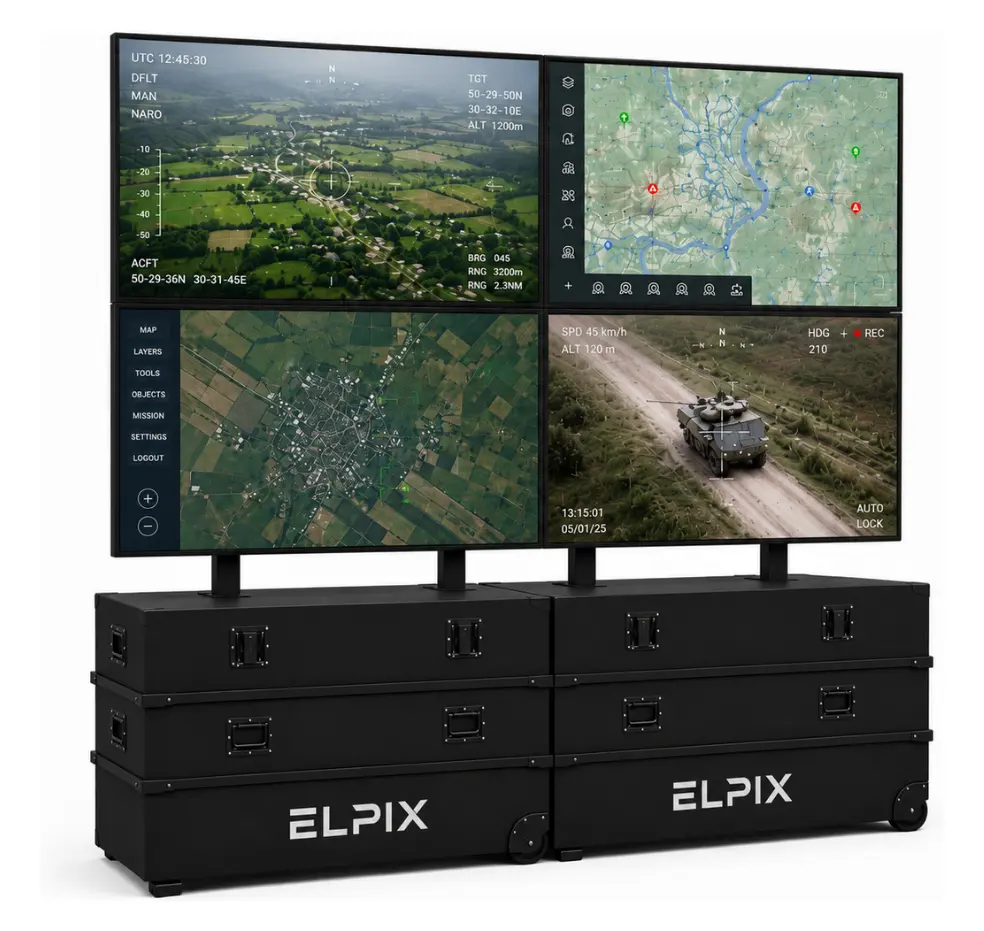
A single 55-inch panel in 16:9 gives roughly 1218 × 685 mm of active area. The rest is arithmetic. Width equals the number of panels in a row multiplied by 1218 mm; height is two rows of 685 mm, about 1.37 m. Seams add a few millimetres per joint, so leave a few centimetres of tolerance when you plan the room.
Resolution adds up, it does not stretch
This is the most common misunderstanding. Each panel holds its own Full HD 1920 × 1080 and the controller assembles them into one canvas. A 2×2 configuration therefore gives 3840 × 2160 — physical 4K. A 6×2 canvas reaches 11520 × 2160, close to six Full HD frames side by side.
The practical consequence is simple. The wider the canvas, the more windows fit next to each other without overlapping. A 2×2 comfortably carries two or three sources. A 5×2 or 6×2 carries five or six, and each stays readable because it gets a whole panel rather than a quarter of the picture.
Mobile video walls in transport cases
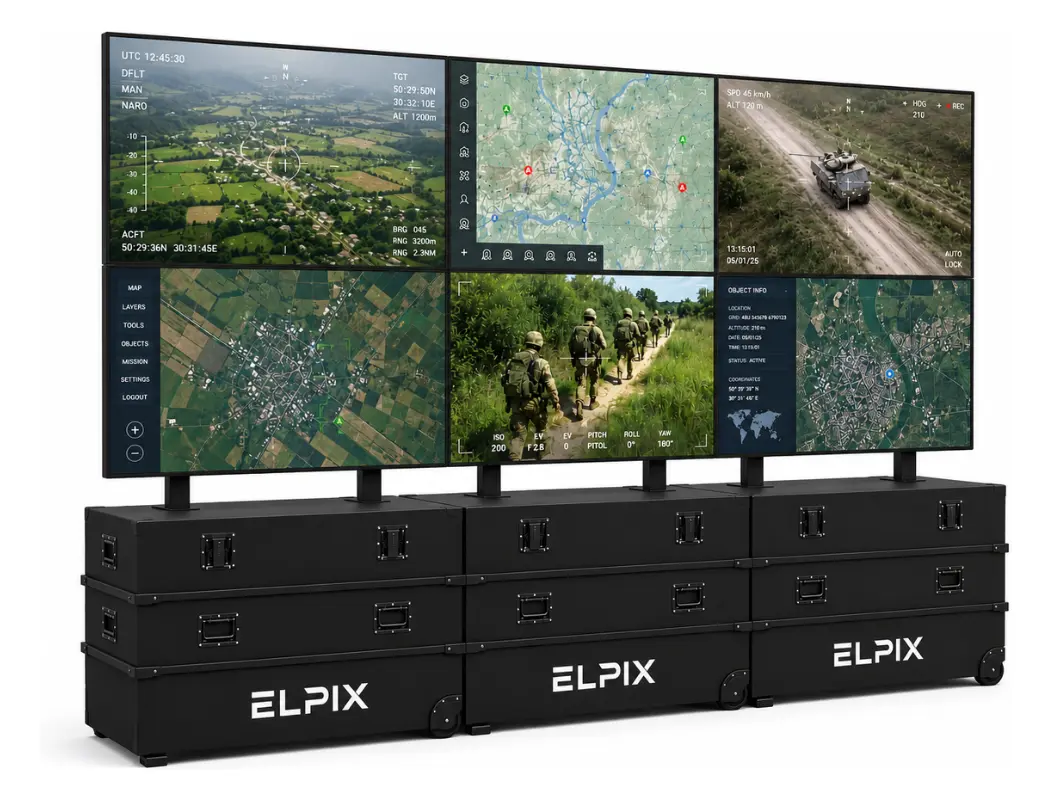
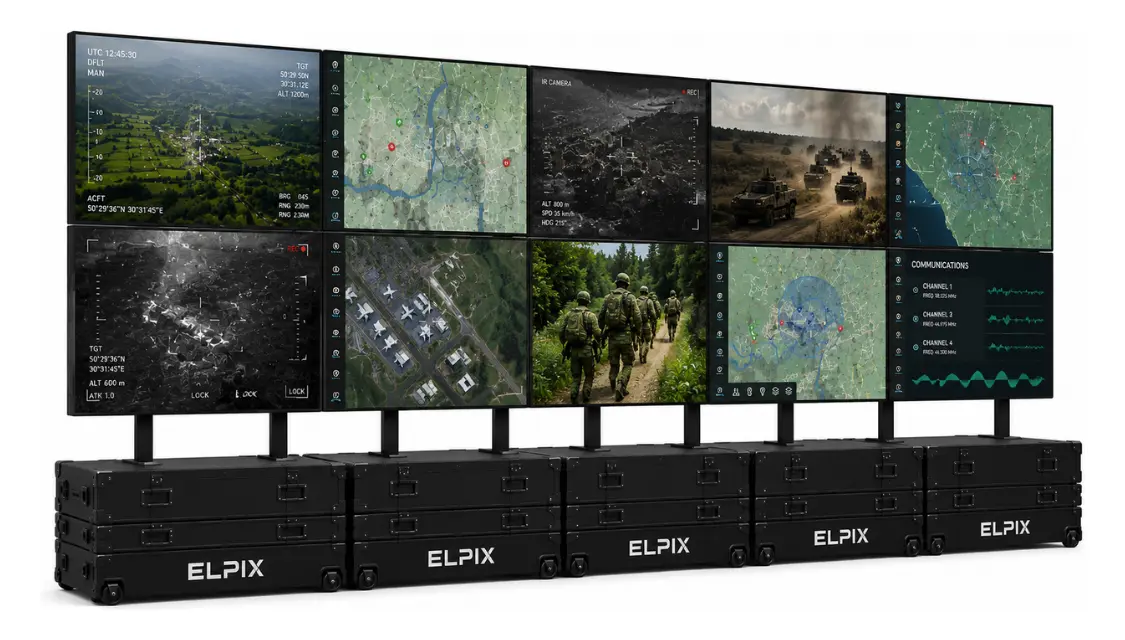
Elpix video walls are built as a mobile system: panels travel two to a transport case, and the case becomes the base of the structure once deployed. The canvas goes up without chasing walls, anchors or a full-day crew. That matters for command posts, situation centres and field headquarters — anywhere the system has to be assembled, used and moved out again.
The whole range scales up to 16 displays. You can start at 2×2 and grow to 4×2 or 6×2 later without changing the concept of the system.
What follows from this: if the canvas has to travel or be set up for an event, the cased design saves more than it appears to. Fixed bracket mounting is cheaper once, but every relocation becomes a separate project.
When 2×3, 3×3 and 4×4 make sense
A 2×3, 3×3 or 4×4 layout means three or more rows stacked vertically. The geometry moves toward a square: less width, more height. A 3×3 canvas of nine 55-inch panels measures about 3.65 × 2.06 m at 5760 × 3240.
Square layouts work when the content itself is vertical — floor plans, long tables, portrait images. They carry one practical limit: the top row sits above two metres, which makes small text uncomfortable to read. Control rooms therefore tend to use two rows instead of three. A 4×4 wall of sixteen panels is the ceiling of the range in display count.
Elpix ready-made kits are assembled as two rows, from 2×2 to 6×2. The VW-5×9 controller natively supports a 3×3 layout as well, so the system is not locked into one geometry — the question is which one suits your operator.
Video wall controllers: what they actually decide
The controller takes signals from the sources and distributes them across the panels. It decides two things: how many sources you can show at once and in which layout. Panels cannot do that on their own.
- Elpix VW-5×9 — for configurations up to nine displays: 2×2, 3×2, 4×2. Five inputs (4× HDMI plus 1× DisplayPort) and nine HDMI outputs. It accepts up to 4K Ultra HD 3840×2160 at 60 Hz. Output is Full HD at 60 Hz per panel. The default layout is 3×3, with single-canvas and multi-zone modes. Control runs through the front panel, an IR remote, RS232 and a web GUI over LAN. The chassis measures 440 × 200 × 60 mm with reinforced corners and carrying handles.
- Elpix VM-12×12 — a video matrix for the larger 5×2 and 6×2 canvases, where nine outputs are no longer enough.
- Elpix ME-16×2 — a multiscreen controller for systems that need sources spread flexibly across many screens.
A practical rule: count the sources first, the panels second. If four streams run permanently — operator PC, camera, map and recorder — you need at least four inputs. Otherwise the operator ends up switching by hand in the middle of the job.
What follows from this: the controller follows the configuration, not the other way round. Elpix kits already handle that: 2×2, 3×2 and 4×2 ship with the VW-5×9, while 5×2 and 6×2 ship with the VM-12×12.
Table: which configuration fits which task
| Configuration | 55″ panels | Canvas size | Resolution | Controller included | Typical use |
|---|---|---|---|---|---|
| 2×2 video wall | 4 | ≈ 2.44 × 1.37 m | 3840 × 2160 (4K) | Elpix VW-5×9 | Meeting room, small HQ, 2–3 sources |
| 3×2 video wall | 6 | ≈ 3.65 × 1.37 m | 5760 × 2160 | Elpix VW-5×9 | Situation centre, dispatch room, 3–4 sources |
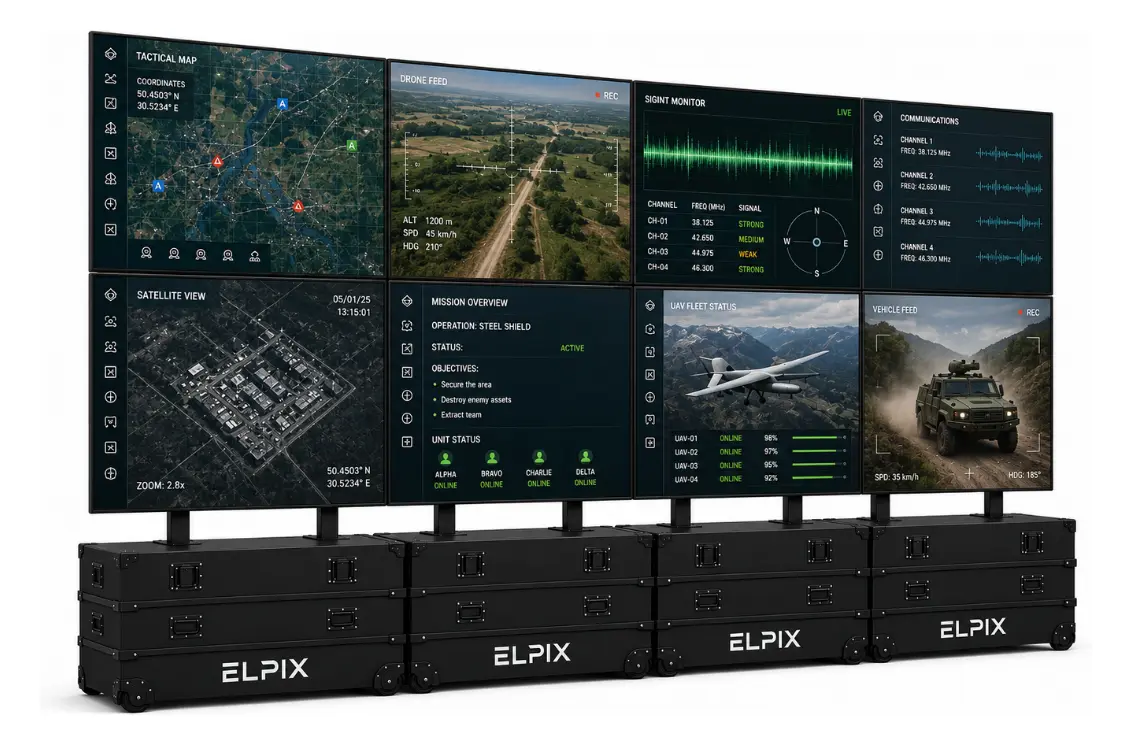
| 4×2 video wall | 8 | ≈ 4.87 × 1.37 m | 7680 × 2160 | Elpix VW-5×9 | Command post, coordination hall, 4–5 sources |
| 5×2 video wall | 10 | ≈ 6.09 × 1.37 m | 9600 × 2160 | Elpix VM-12×12 | Large monitoring centre, 5+ sources |
| 6×2 video wall | 12 | ≈ 7.31 × 1.37 m | 11520 × 2160 | Elpix VM-12×12 | Control room for dozens of operators |
These dimensions cover the active panel area and exclude seams, so allow tolerance during installation. Two more things are worth checking before you order: whether the wall or floor carries the weight, and how far away the last viewer sits. For a canvas 1.37 m high, small text reads comfortably from roughly 3 to 8 metres.
How to choose without a costly mistake
- Count the sources. However many pictures must appear at the busiest moment — that is how many windows you need.
- Measure the wall and the viewing zone. A 6×2 canvas is over seven metres wide, which not every room absorbs.
- Decide the mode of operation. Fixed hall or field use? Cased structures pay off only when the system travels.
- Check the controller inputs. Four streams require four inputs, otherwise the operator switches manually.
- Plan for growth. The range scales to 16 displays, so two extra sources next year do not mean replacing the canvas.
What follows from this: configuration is the consequence of two numbers — source count and room size. Once both are known, choosing among five options takes about a minute.
Video wall installation: what to prepare in advance
Installation rarely fails on brackets; it fails on room preparation. Three things to settle before the hardware arrives.
- Power. Every panel is a separate connection. A 6×2 canvas means twelve power points plus the controller, so plan the circuit and breaker in advance.
- Cable runs. Each panel gets its own HDMI from the controller. Long runs need quality cable or twisted-pair extenders — cheap leads over 10 m start dropping the picture.
- Ventilation. Twelve panels running continuously heat a closed room noticeably. Server rooms plan for it; meeting rooms usually forget.
The mobile version removes part of this: the structure stands on its own cases, needs no wall anchors and deploys with two or three people. Power and cabling, however, still need the same preparation.
Acceptance testing: what to check at handover
Fifteen minutes of checks after installation save weeks of argument later.
- Full white and full black. White exposes colour temperature mismatch between panels, black exposes light bleed at the matrix edges.
- A grid with small text. If letters break at a joint, the panels are not aligned correctly.
- Layout switching. Single canvas, multiple windows, back again — every mode must work from the remote and from the web GUI.
- Every input in turn. Connect each source to its own port and confirm the controller sees it.
- Geometry. The canvas must sit in one plane; depth differences show up when you look along it.
Elpix equipment
Elpix mobile video walls in transport cases
Elpix video wall 2×2, 4×55″
A 3840×2160 canvas in two cases: meeting room or small HQ with 2–3 sources. VW-5×9 controller included.
View model
Elpix video wall 4×2, 8×55″
Eight panels, 7680×2160 and about 4.9 m wide — a command post or coordination hall for 4–5 sources.
View model
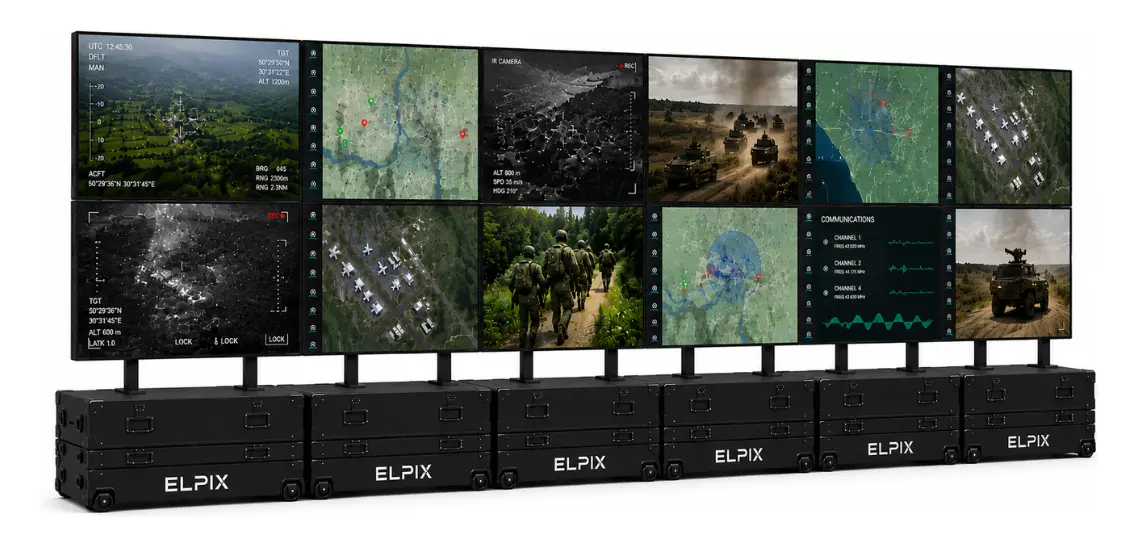
Elpix video wall 6×2, 12×55″
Twelve displays, 11520×2160 and over 7 m of canvas with the VM-12×12 video matrix included.
View model
Elpix video walls: manufactured in Ukraine
Elpix designs and assembles video walls in Ukraine rather than reselling catalogue solutions. In practice that shows up in a few places.
- Configuration built around the task. The 2×2 to 6×2 range is the baseline; panel count, case type and controller are matched to a specific hall or field scenario.
- Hardened build. Impact, dust and water protection, tempered glass and an optional anti-glare finish — the equipment is not limited to office conditions.
- Local service and spares. Maintenance and module replacement happen in Ukraine, without waiting on imports for every part.
- Public sector experience. The company works through public procurement procedures, so tender documentation is routine.
What drives the price of a video wall
Cost comes from three parts: panel count, controller model and structure type. Moving from 2×2 to 4×2 doubles the displays, which is the largest line. The controller adds noticeably less, yet it decides how many sources you will show. A cased mobile structure costs more than fixed brackets and earns that back only when the system actually travels.
Two things not to save on: panel brightness and cable runs. A 300 cd/m² canvas in a bright hall will need blinds, and a cheap HDMI over a long run produces dropouts that take weeks to trace.
To buy a video wall or price a specific configuration, see the catalogue — Elpix video walls, with current prices, specifications and kit contents for every build. If you want help choosing, send the room dimensions and the list of signal sources; that is enough for us to propose a configuration.